

Reject Leave in Mobile App
-
Tap Leaves on the Home screen or the navigation
drawer.
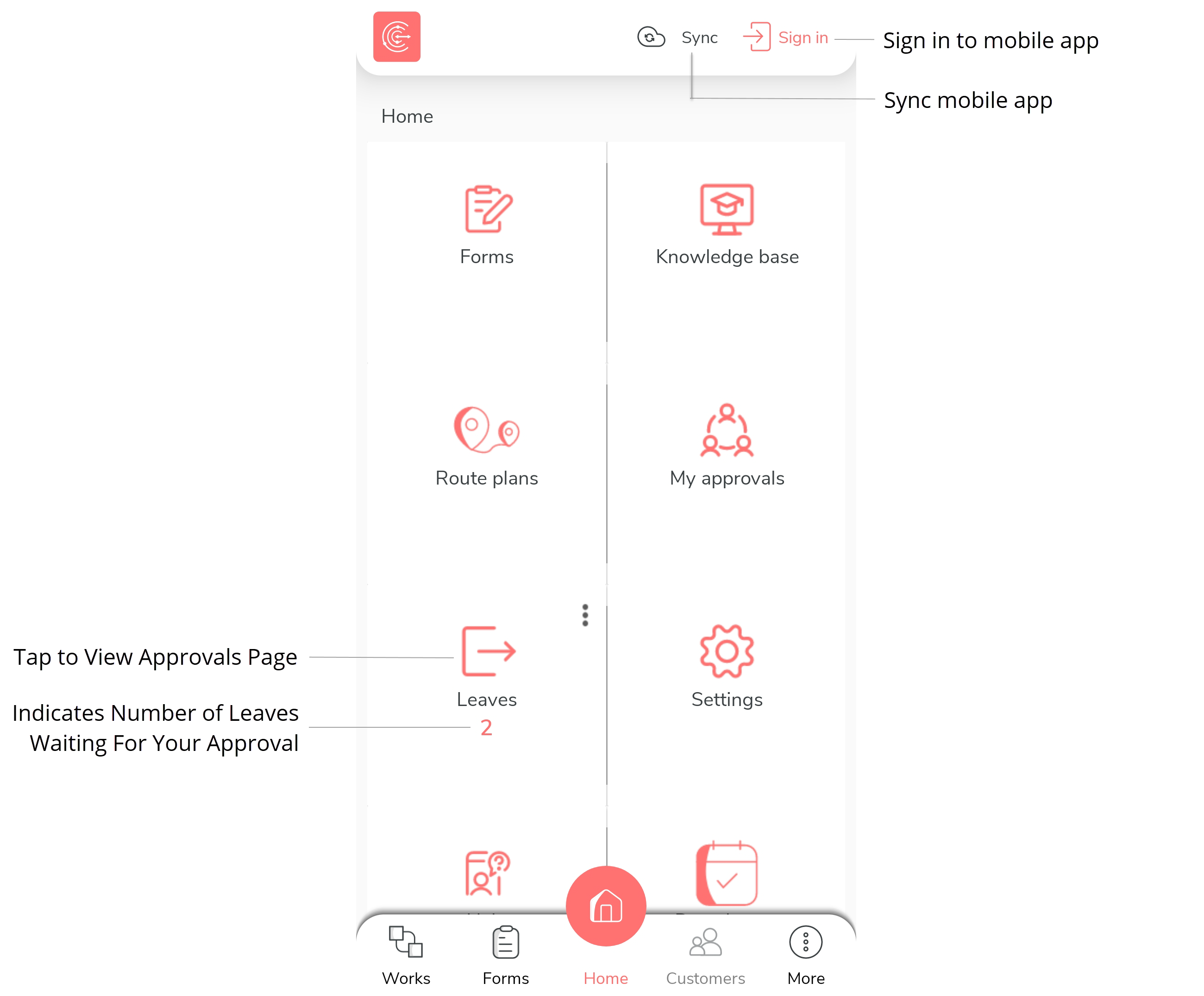
You can also tap the notification displayed on the home page. -
Tap Leaves tab to view all the leaves.
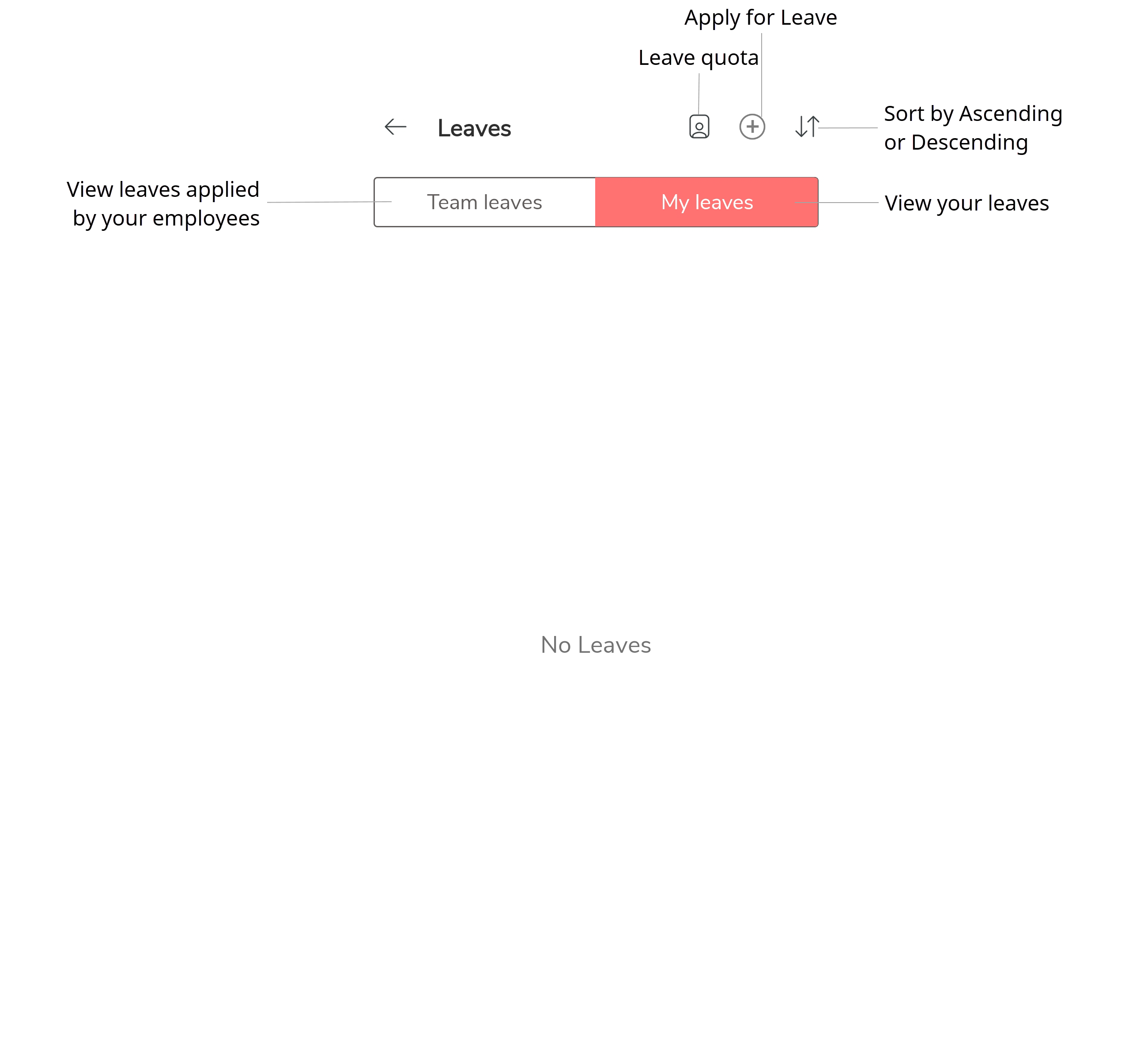
-
Tap Pending icon to view the applied leaves.

-
Tap a leave to view leave details.

-
Tap Reject to reject the leave.

-
Enter your remarks in the pop-up text box.
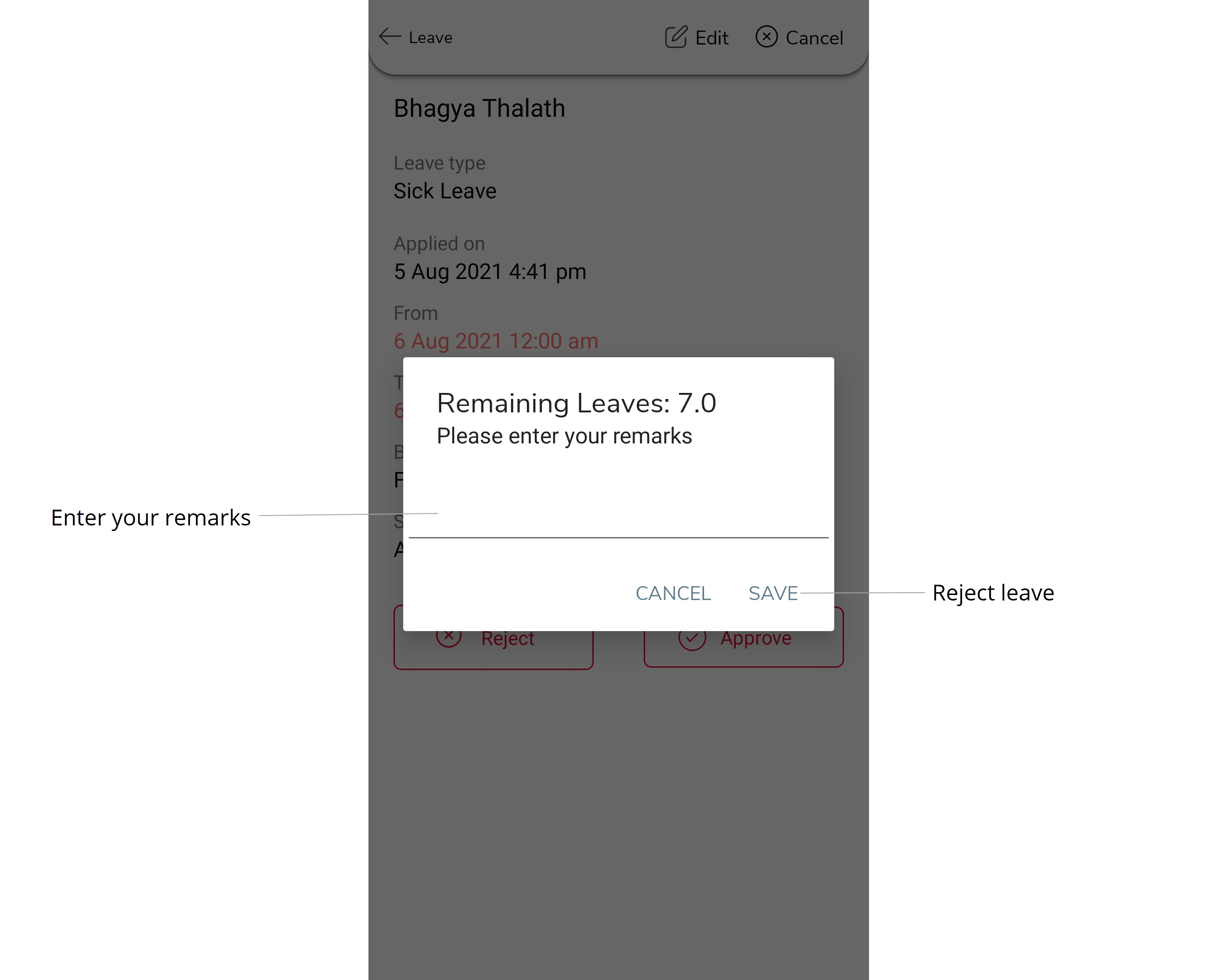
- Tap Save.