

Enable or Disable Dashboard Cards
-
Go to .
The Dashboard page appears by default when you click Web App on the Welcome screen.
-
Click the gear icon given beside the employee dropdown.
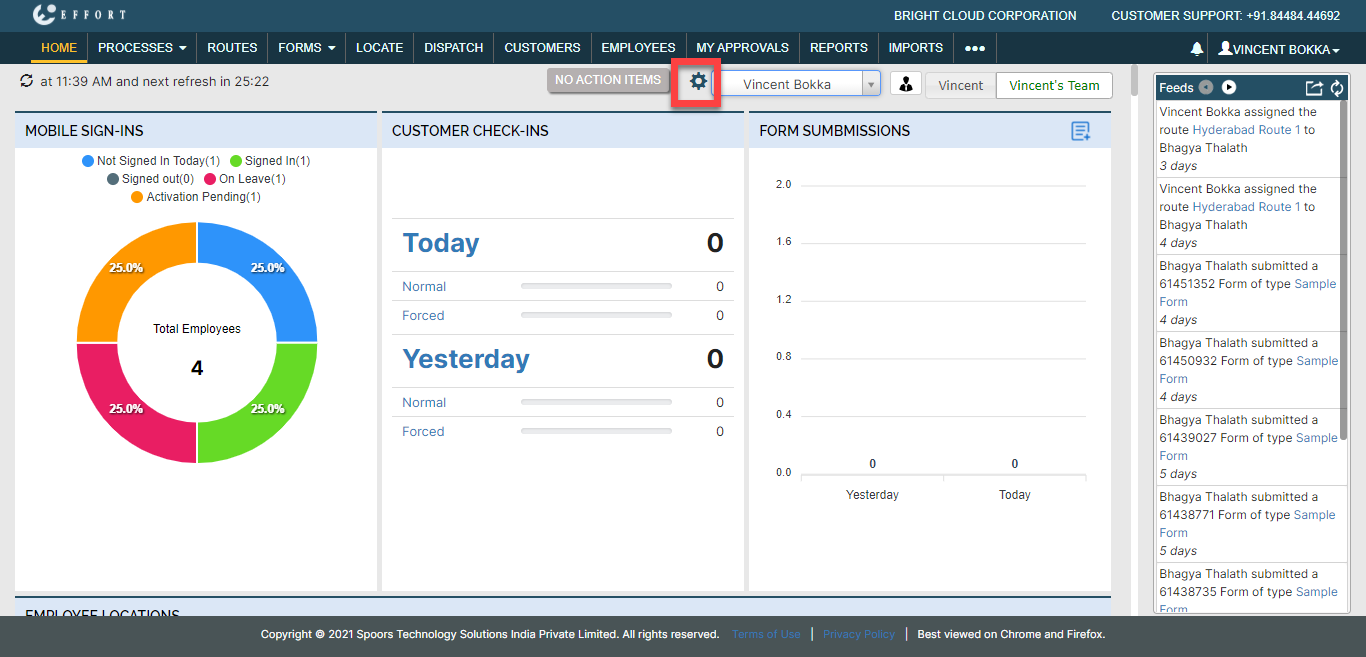
-
Enable or disable the checkboxes under the Visibility
column to make visible or invisible on the dashboard.

- To change the order of visibility of the modules, drag and drop the modules as per your requirement.
- Click Save.