

Sign In and Sign Out
To perform sign-in and sign-out in the app, follow the steps below:
-
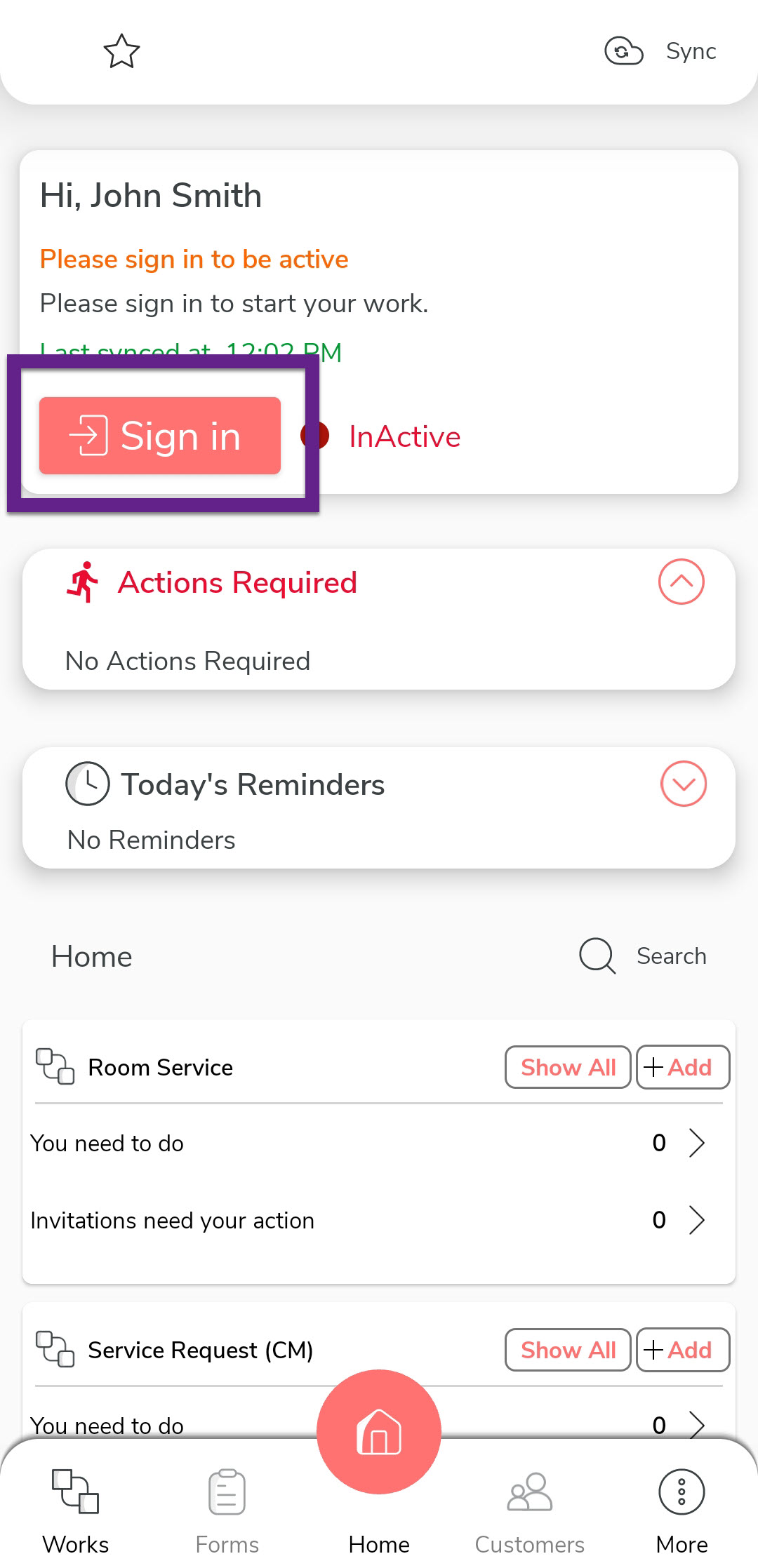
On the home screen, tap Sign In.
-
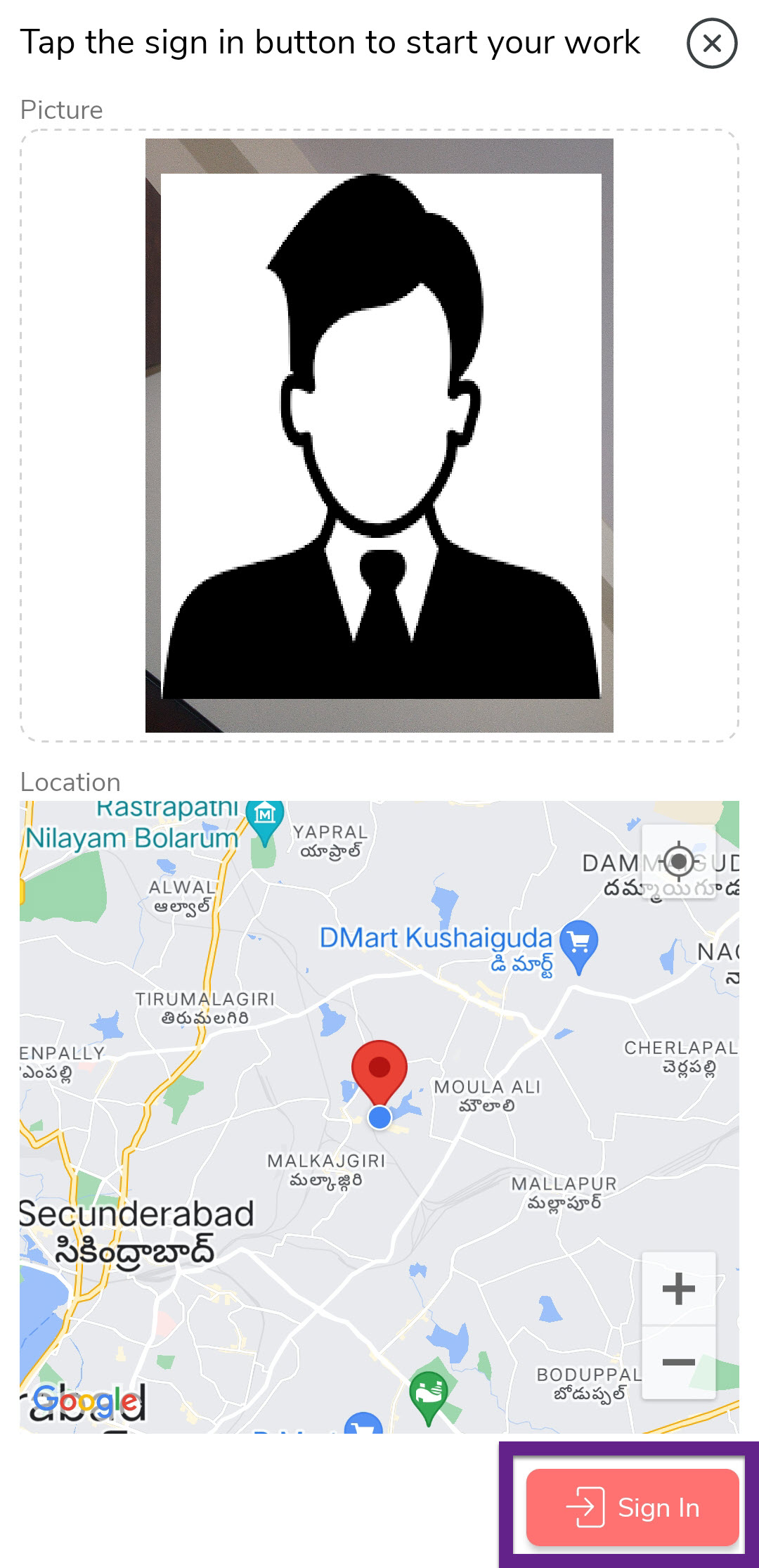
A screen displays a map and uses the camera to capture your current location
and face. On this screen, tap Sign In to complete the
process.
-
After signing in, tap Sync on the home screen to
synchronize your data with the server.

-
After completing your activities, tap Sign Out on the
home screen.

-
A screen displays a map to capture your current location. On this screen, tap
Sign Out to complete the process.

-
After signing out, tap Sync on the home screen to synchronize your data
with the server.
