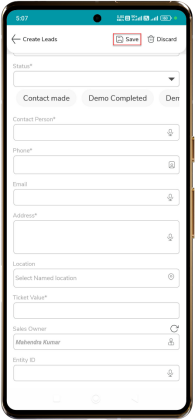
To Create Leads
Do the steps to Create Lead:
- Tap the “+ Add” button to create a new lead activity.
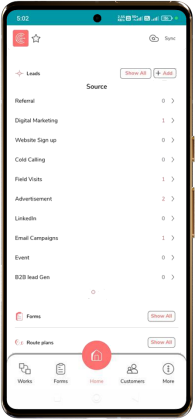
- Enter the Company Name.
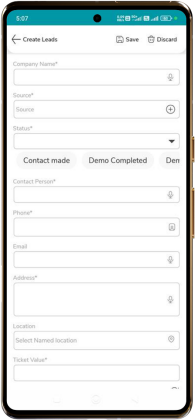
- Tap the “Source” select the appropriate lead source from the list, and tap “Continue”.
- Select the “Status” from the scroll bar shown below the Source field.
- Enter the following details:
- Contact person – Enter the name of the contact.
- Phone – Enter a valid mobile number.
- Email – Enter the contact’s email address.
- Enter the Address of the lead.
- Select the Location using the map or by searching for the location.
- Enter the Ticket Value.
- Select the “sales owner” responsible for the lead.
- Tap “Save” to create the new lead.