Execute Service Request
To execute a service request in the Effort NXT Hotel App, follow the steps below:
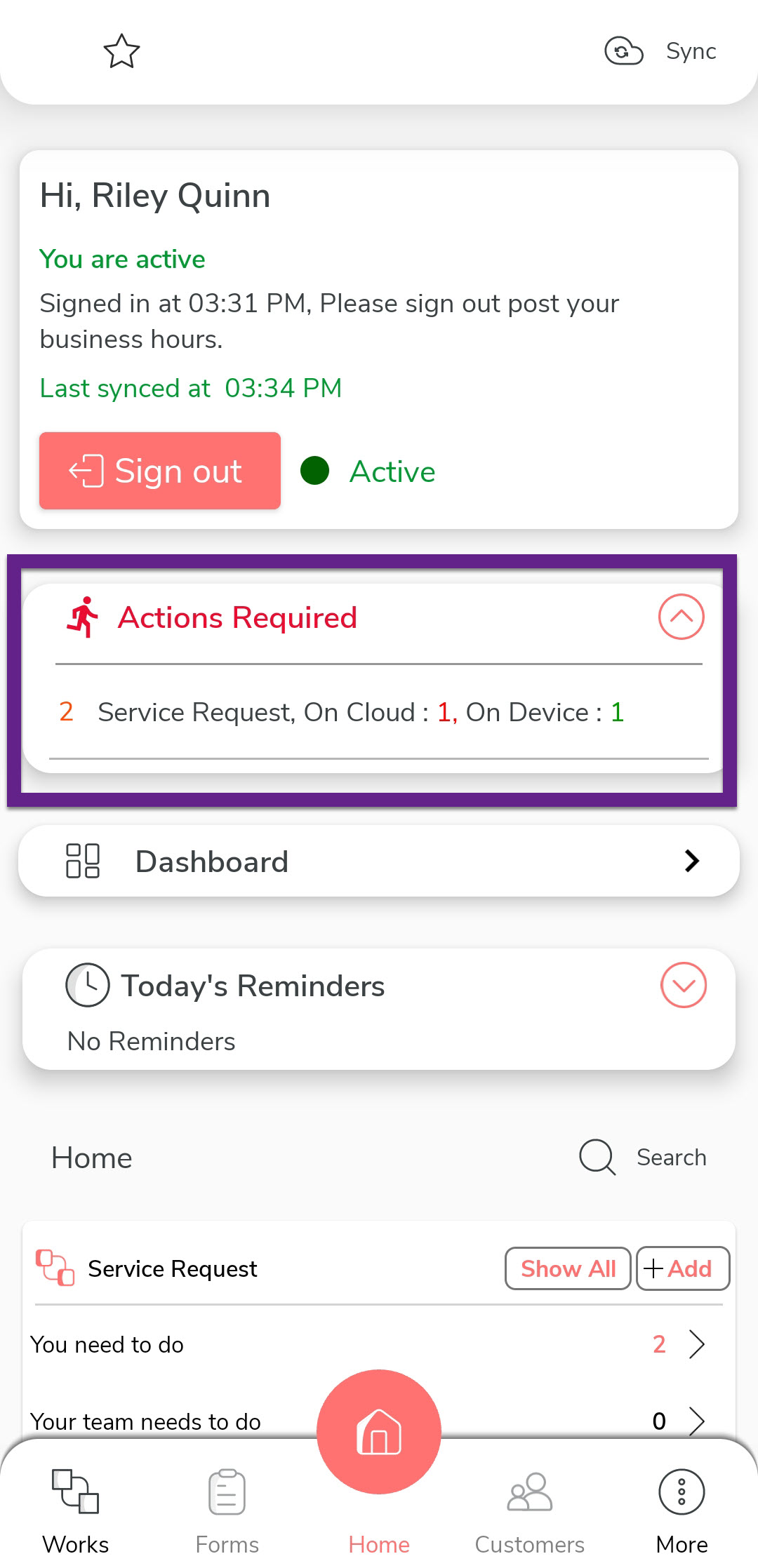
- On your mobile device, open the Effort NXT mobile app.
-
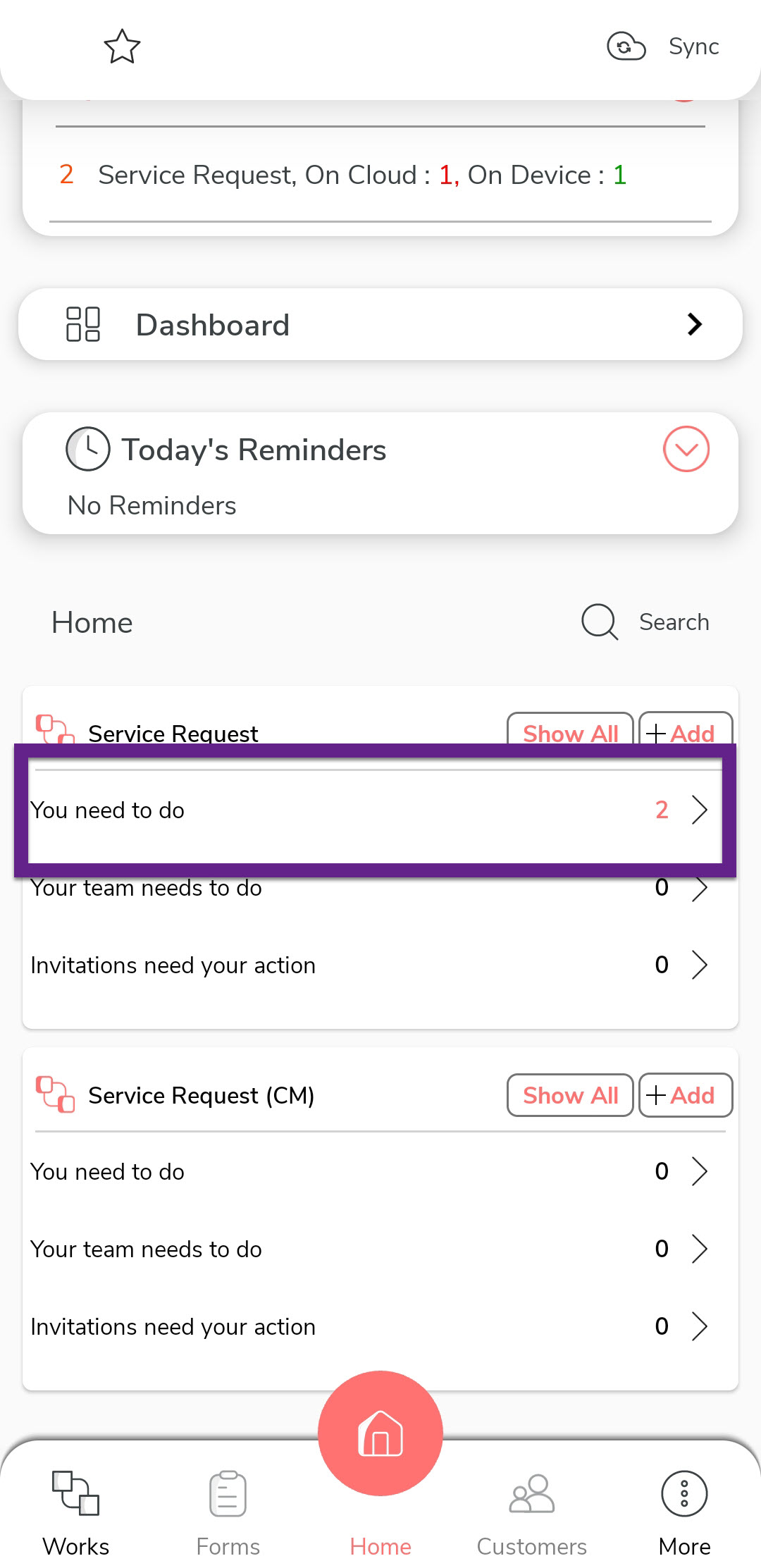
Tap the Actions Required section, or scroll down to the Service
Request section and tap You need to do.
-
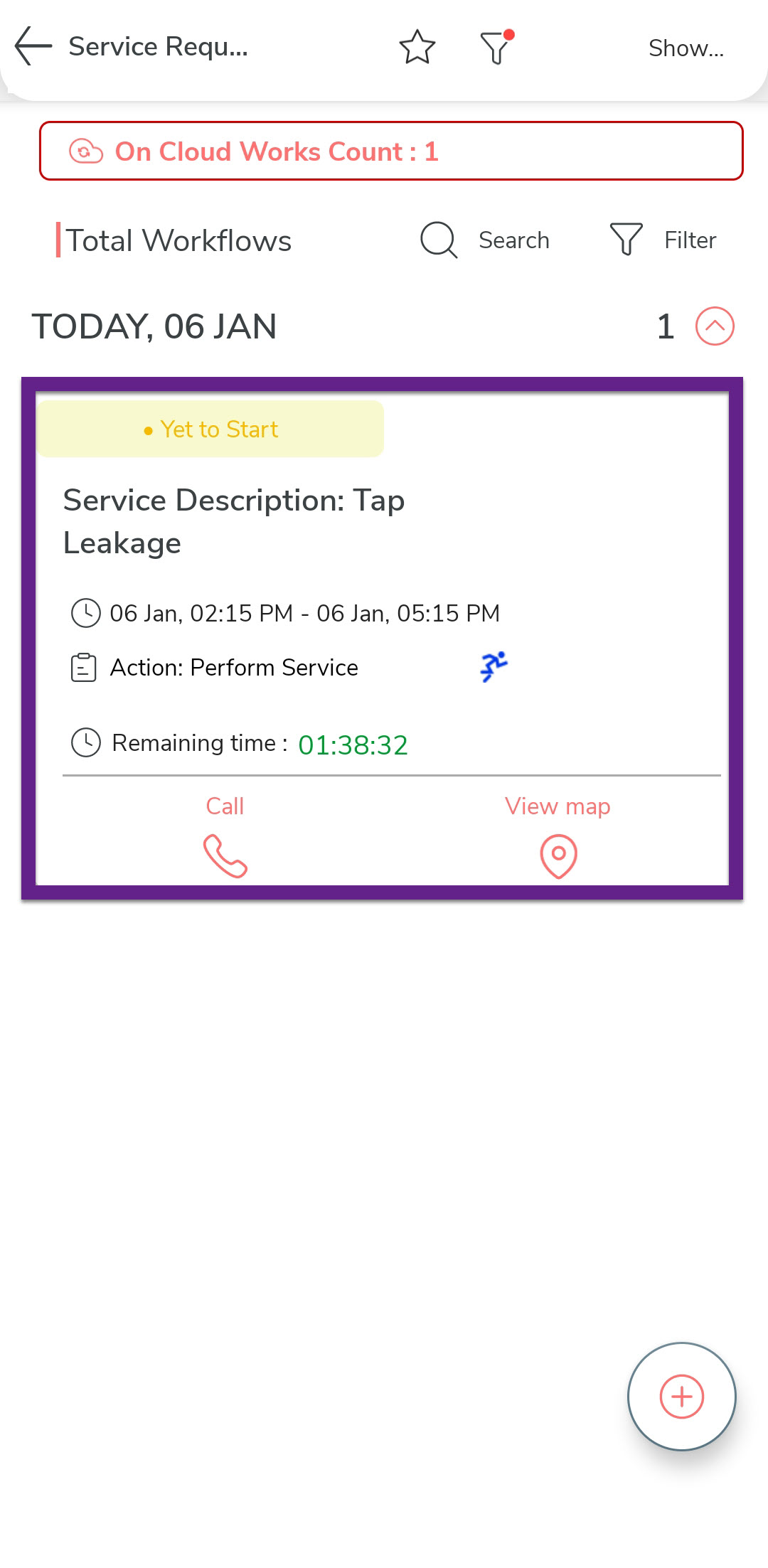
View the list of service requests, which display details like Service
Description and Time Remaining. Tap the desired service request
to proceed.
-
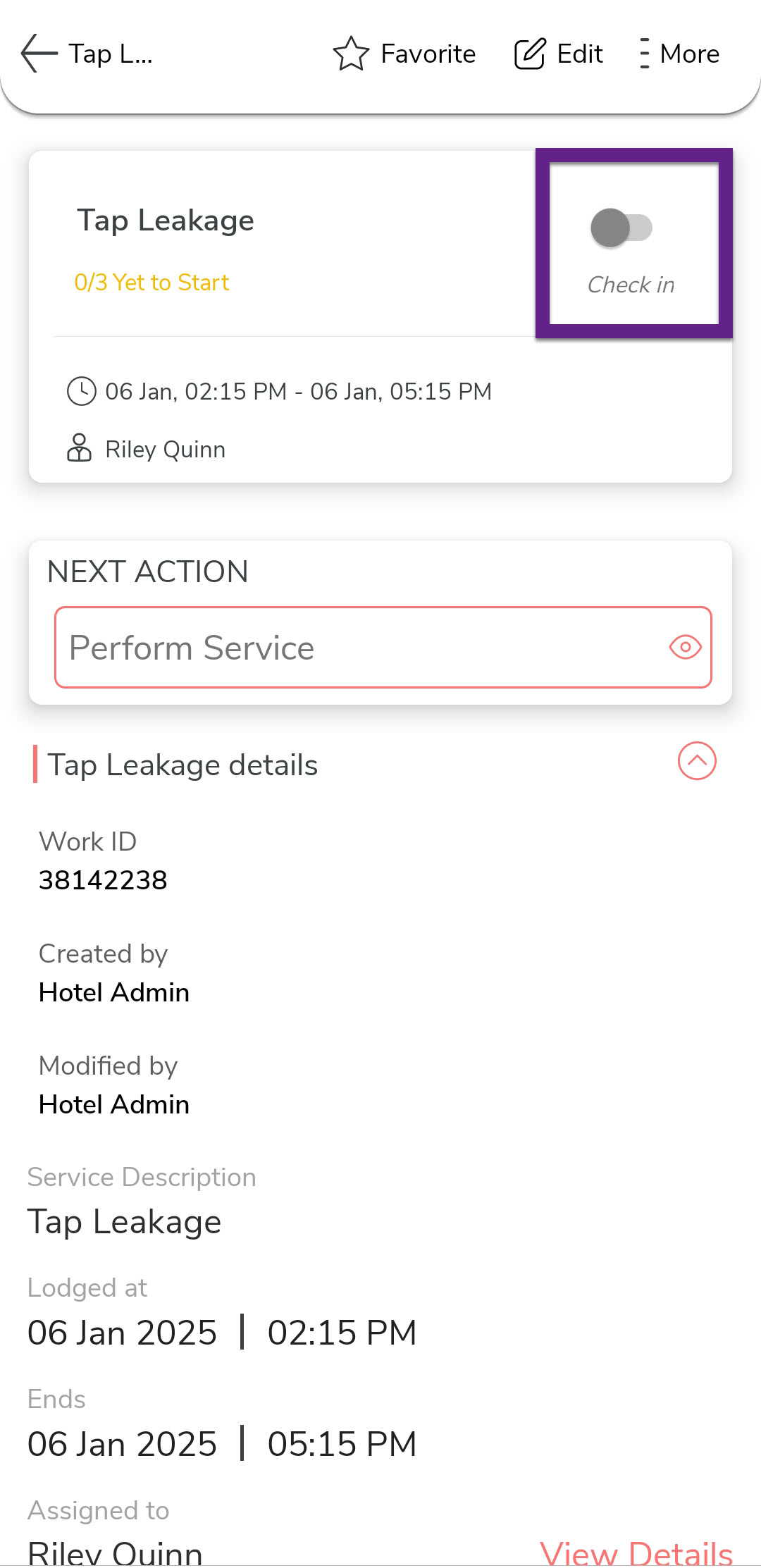
On the service request screen, tap Check-In.
-
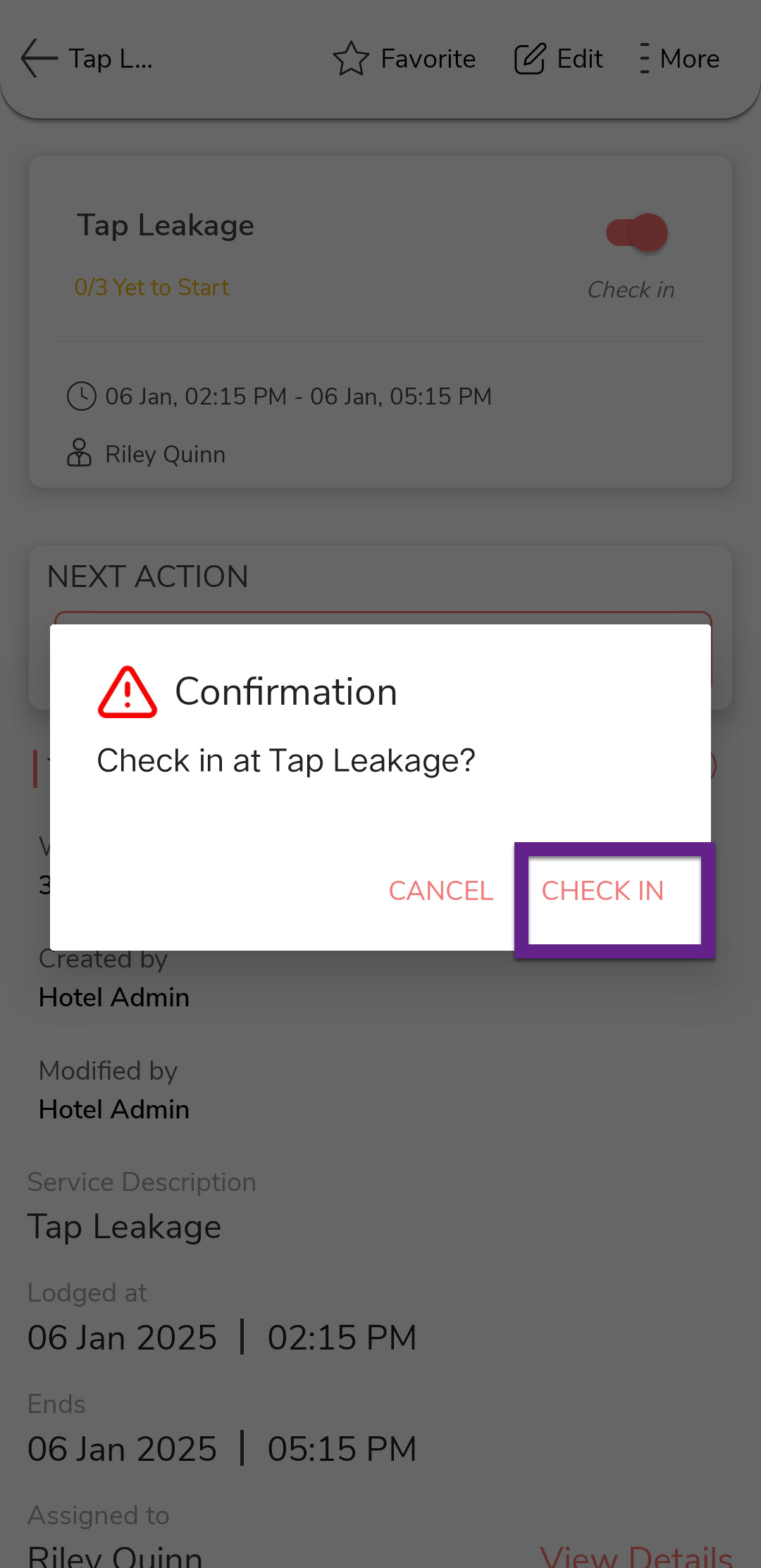
In the confirmation dialog, tap Check-In.
-
Tap Perform Service under the Next Action section.

-
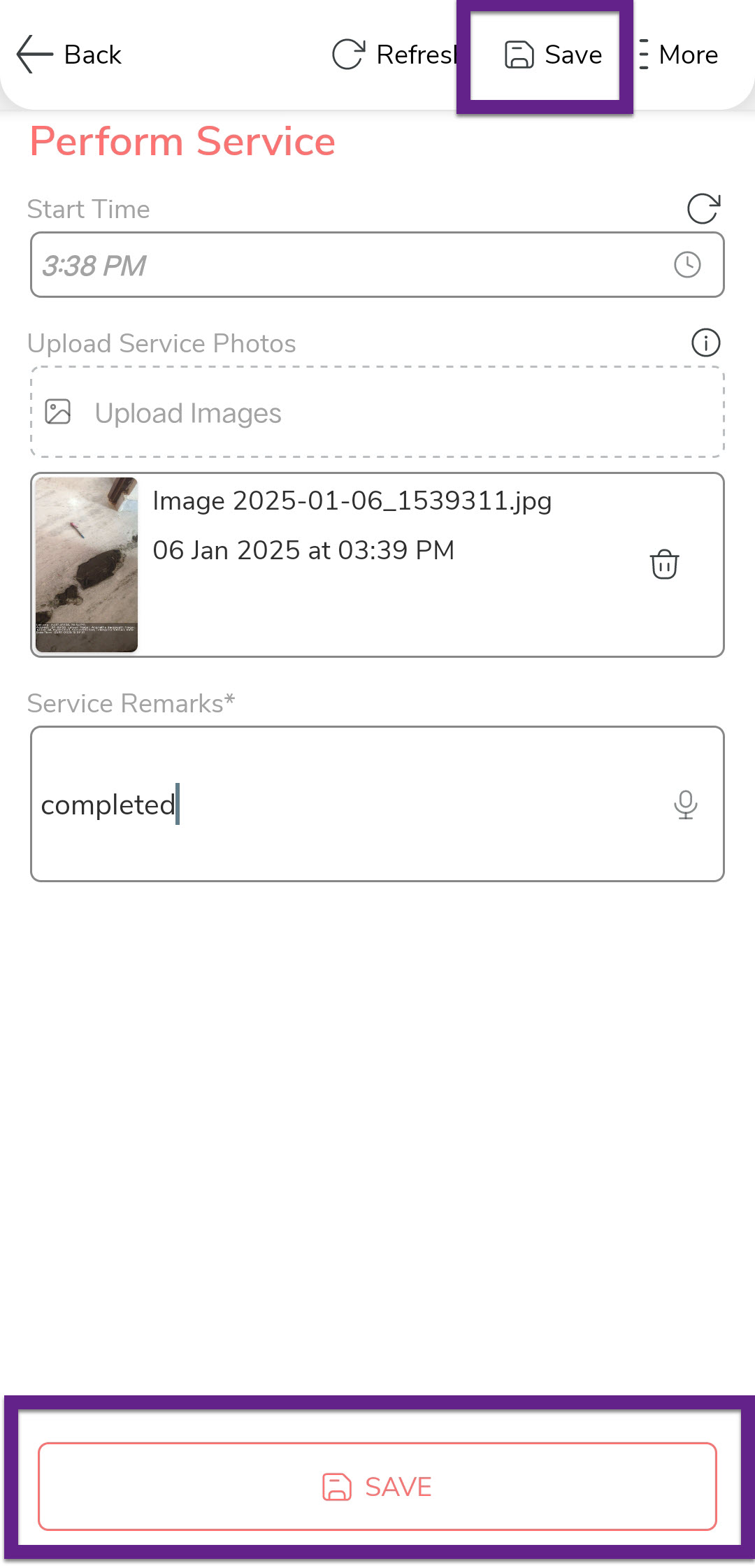
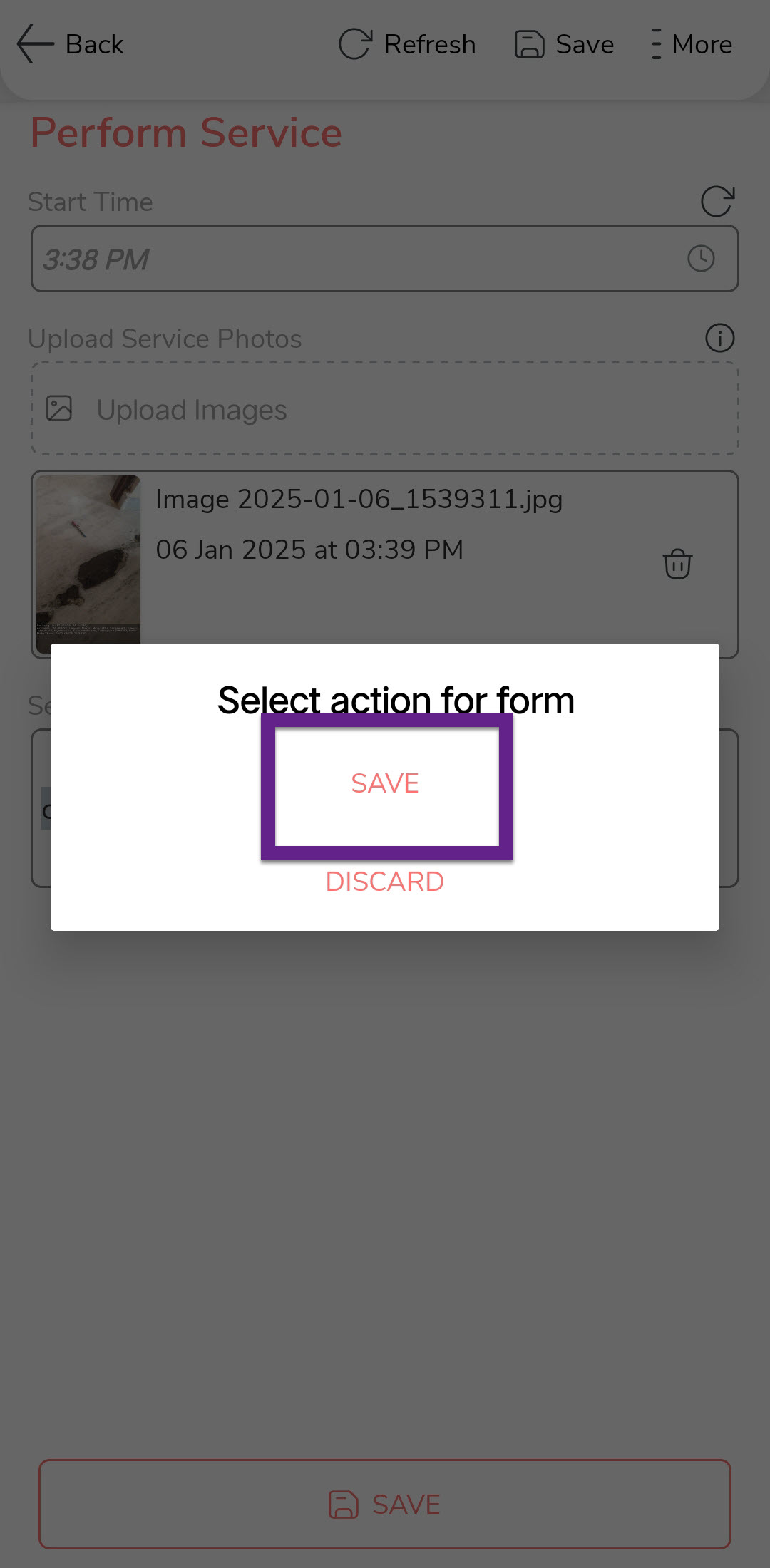
Upload service-related photos, add remarks, and tap Save. Confirm the
save in the dialog box by tapping Save again.
-
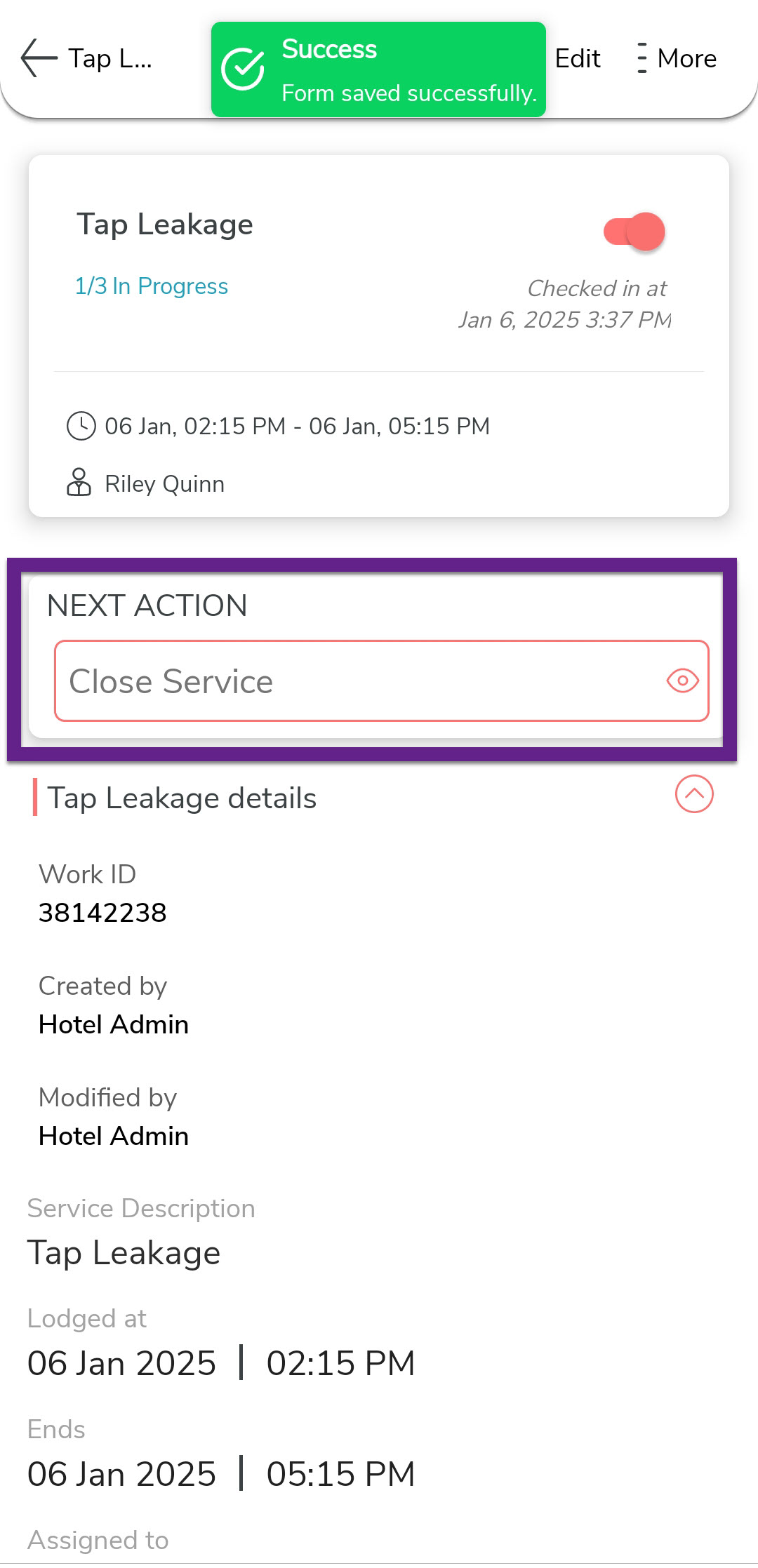
In the next screen, tap Close Service under the
Next Actions section.
-
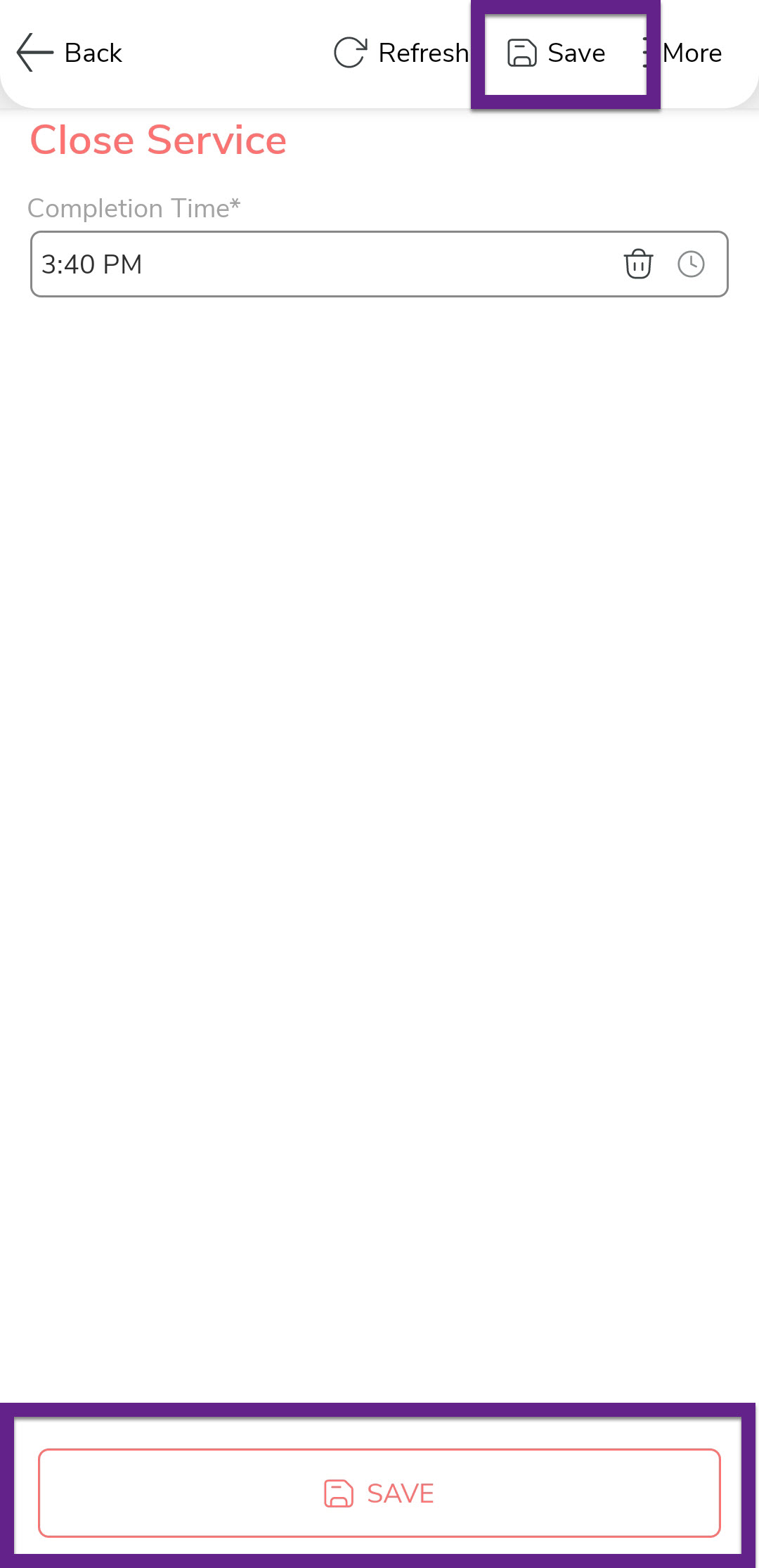
On the Close Service screen, enter the request completion time and tap
Save.
-
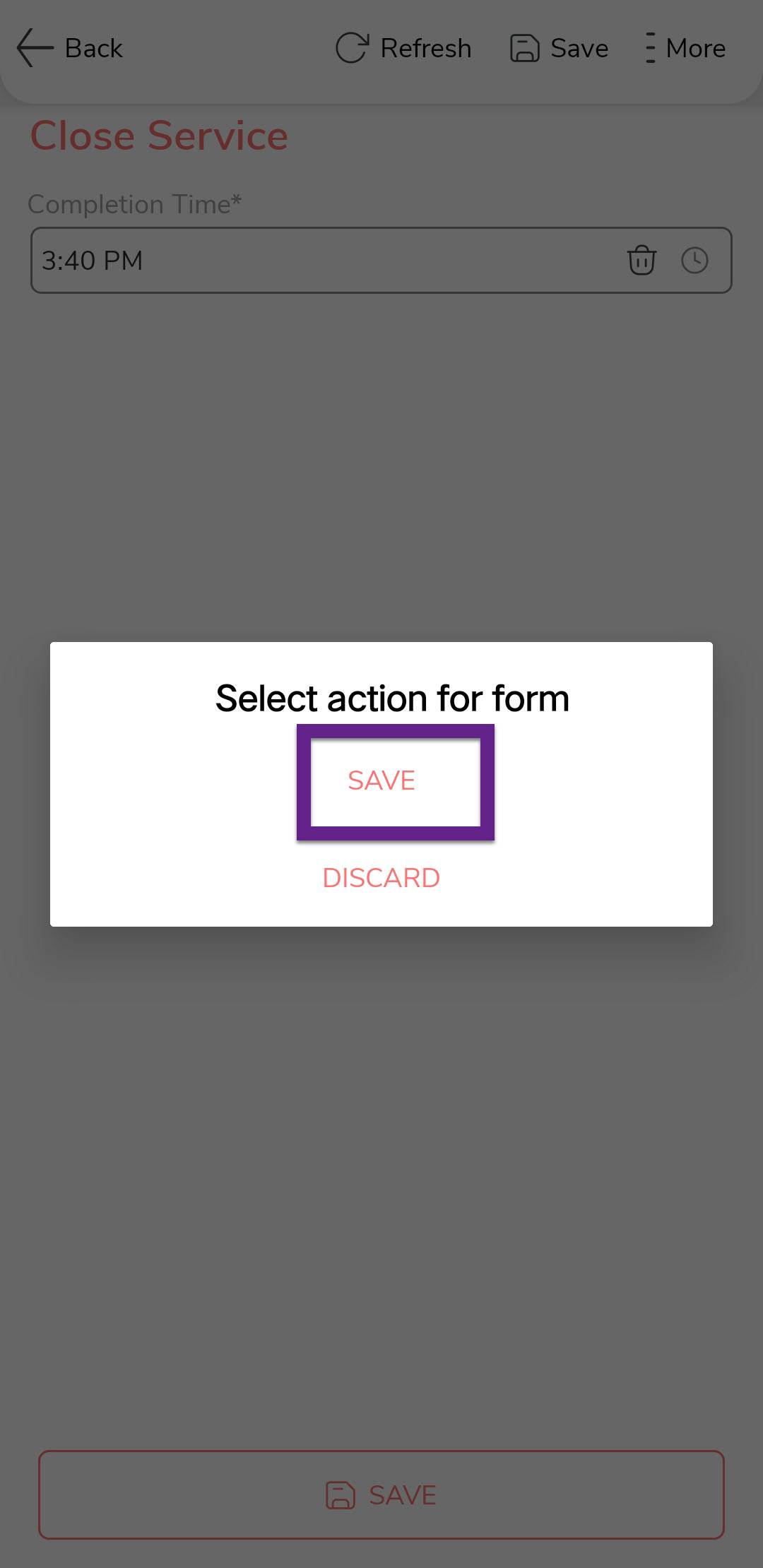
In the confirmation dialog, tap Save.
-
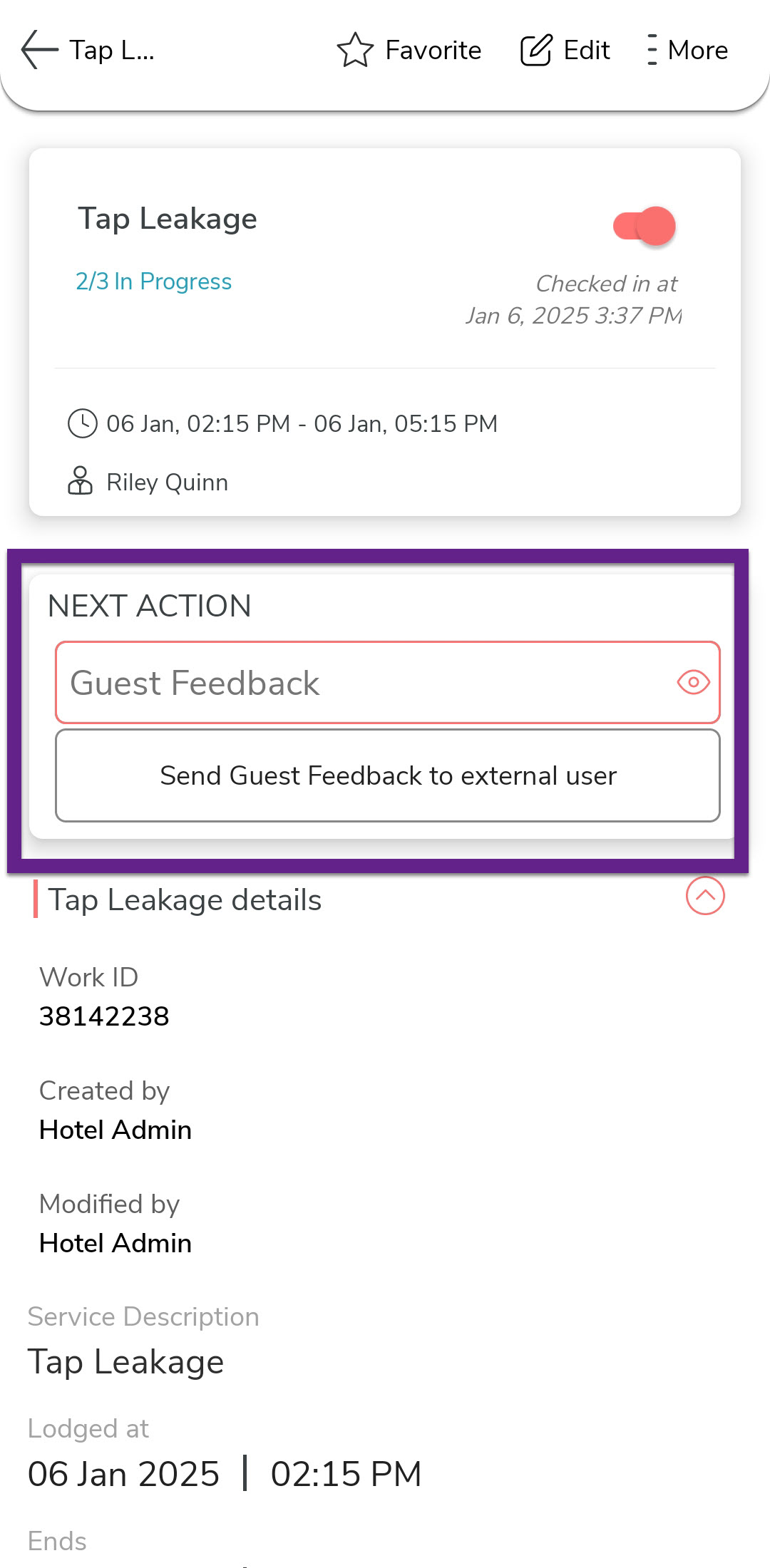
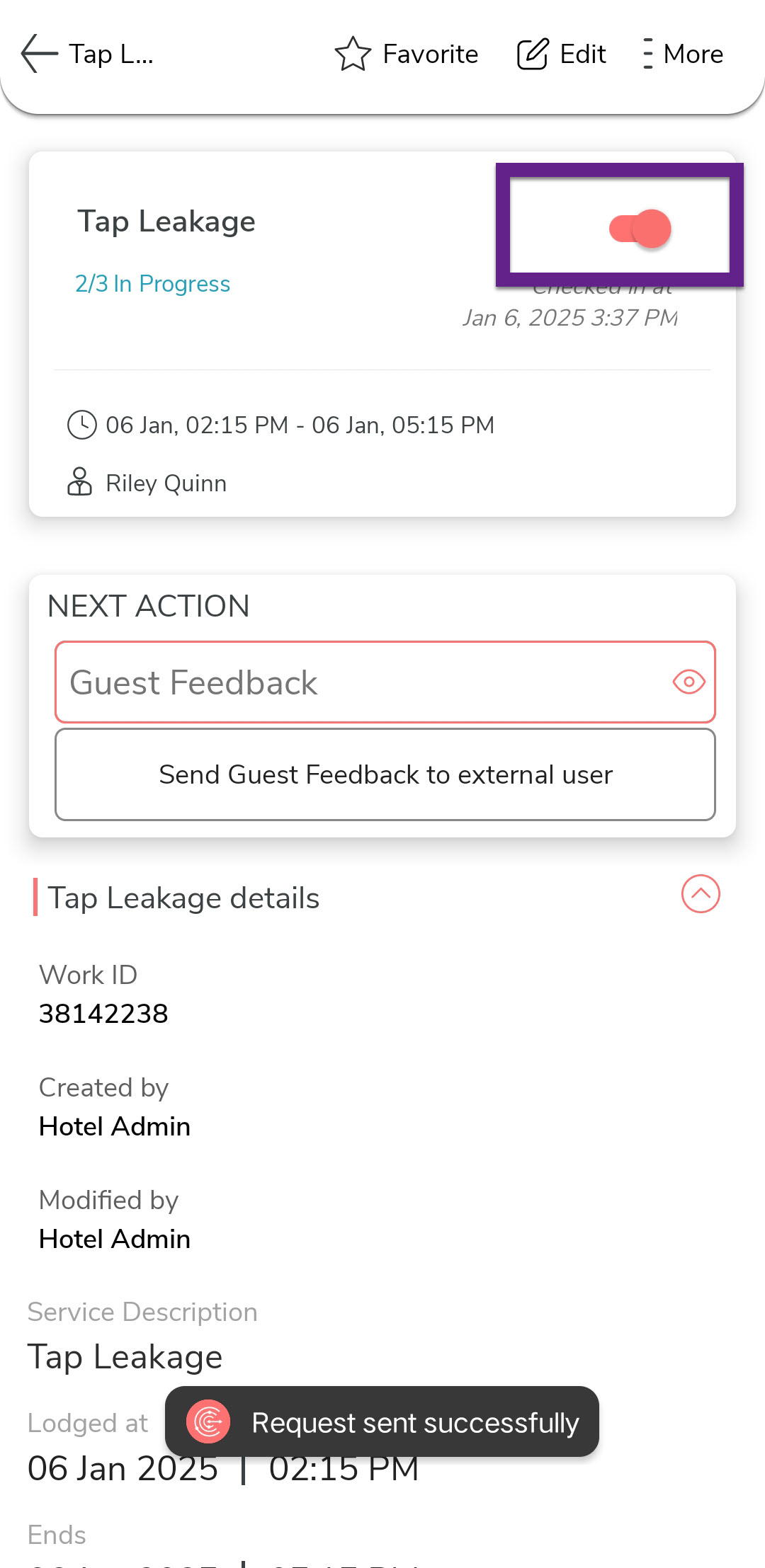
After completing the service, tap Send Guest Feedback to External
User under the Next Action section to
send a feedback link to the guest.
-
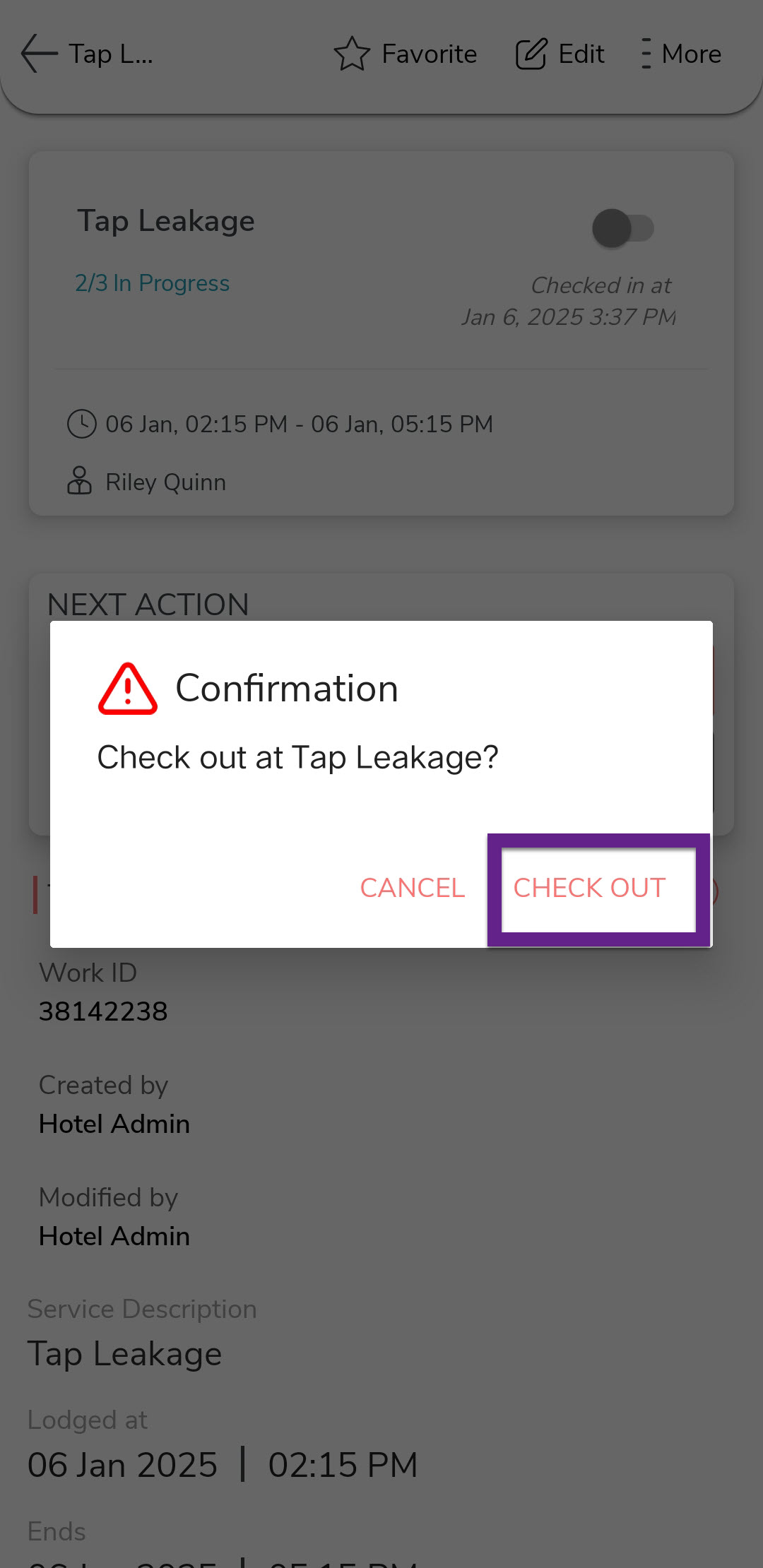
Check-out the service request to finalize the process.
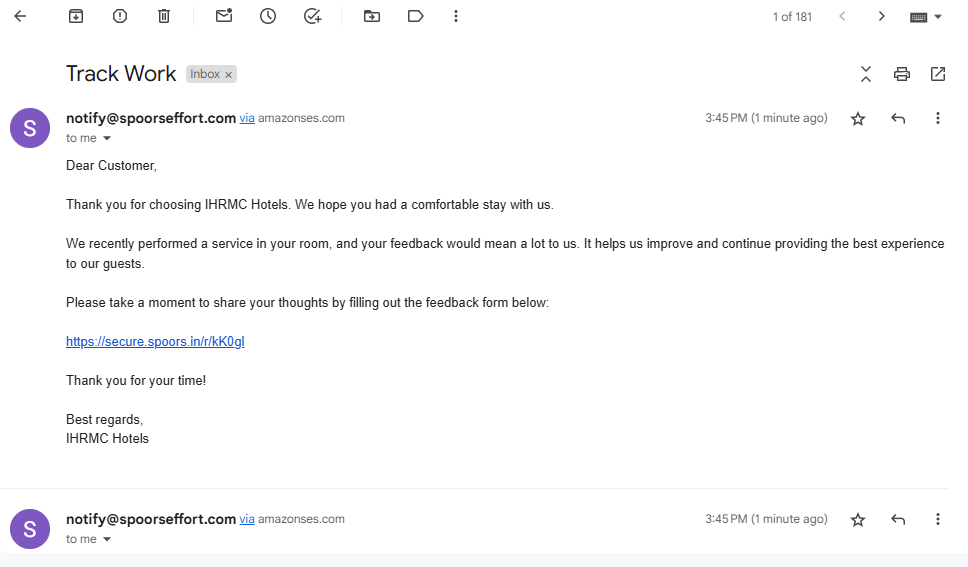
Note:The service request will be marked as completed once the guest submits their feedback using the provided link, as shown below: