

Delete Entity Records
To delete entity records, follow the steps below:
-
Go to .
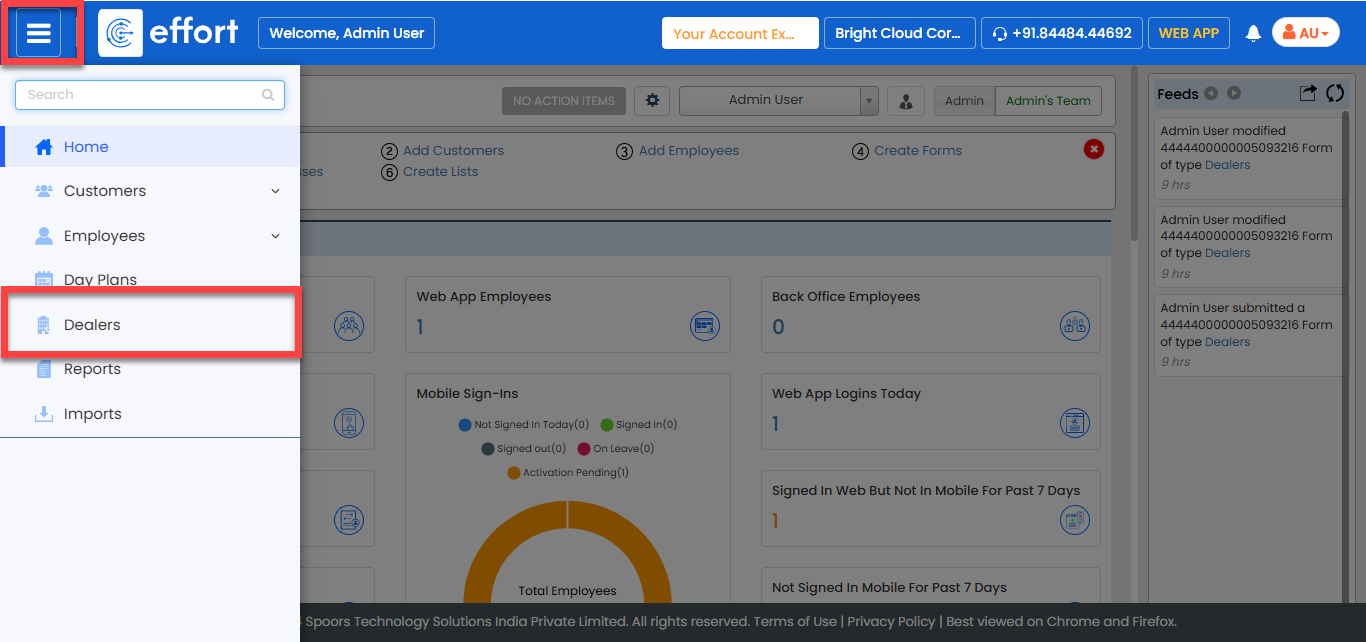
-
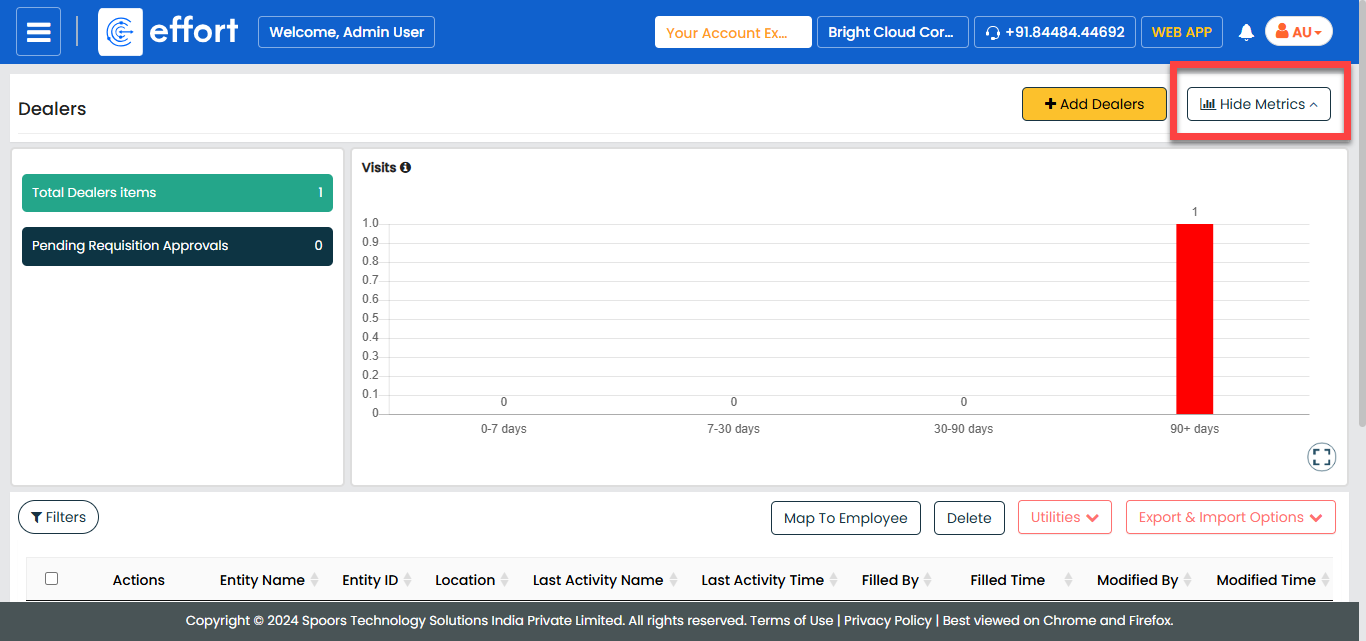
Scroll down to the bottom of the page or click Hide
Metrics to view the entity records.
-
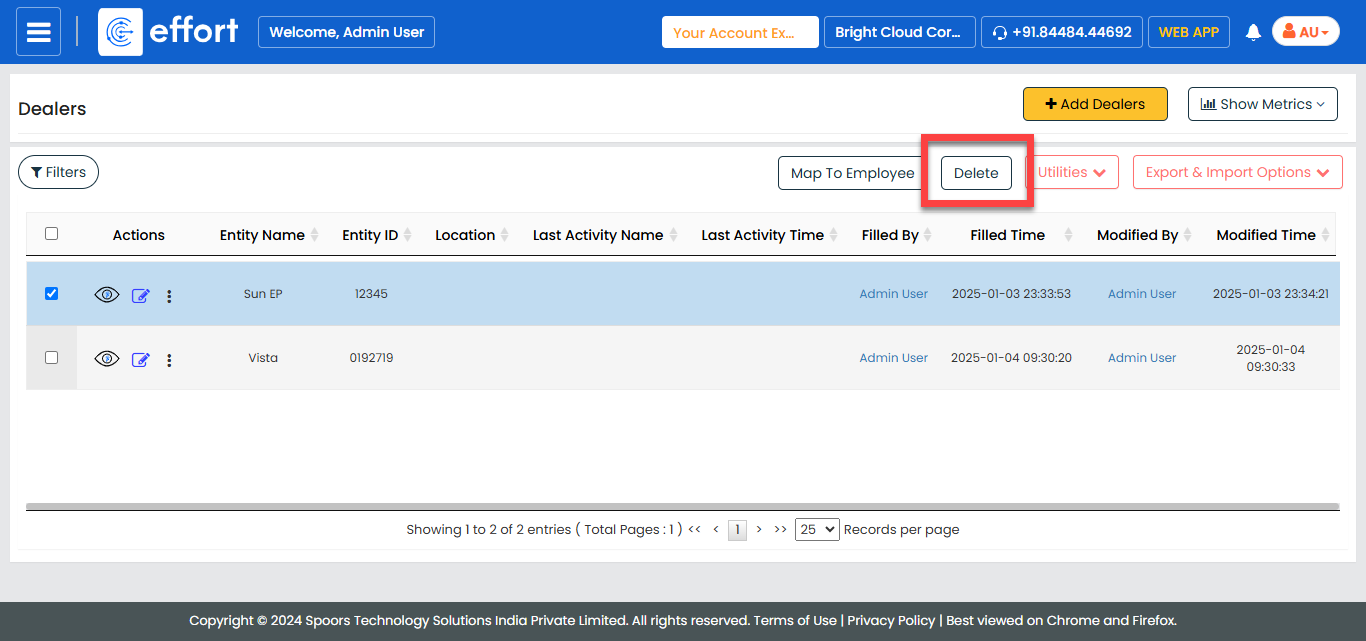
Select the entity record you want to delete.

-
Click the Delete button.
- In the confirmation pop-up, click OK to confirm the deletion.