Rooms Dashboard
The Rooms Dashboard is the central hub for monitoring room-related metrics in the
Effort Web Hotel App. It provides supervisors with real-time insights into the
housekeeping status of all rooms in the hotel.
Accessing the Rooms Dashboard
- Log in to the Effort platform using your credentials.
- Navigate to the Web App to view Rooms Dashboard.
Metrics Displayed
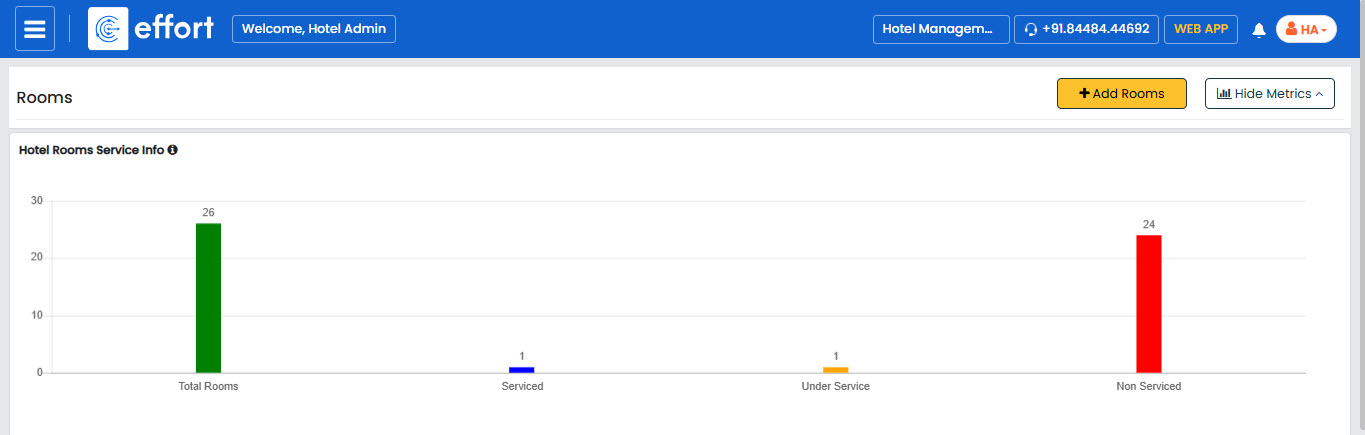
The Rooms Dashboard displays the following key metrics:
-
Total Rooms
Displays the total number of rooms in the hotel, giving you a complete view of your property. Click on the metric to view more details.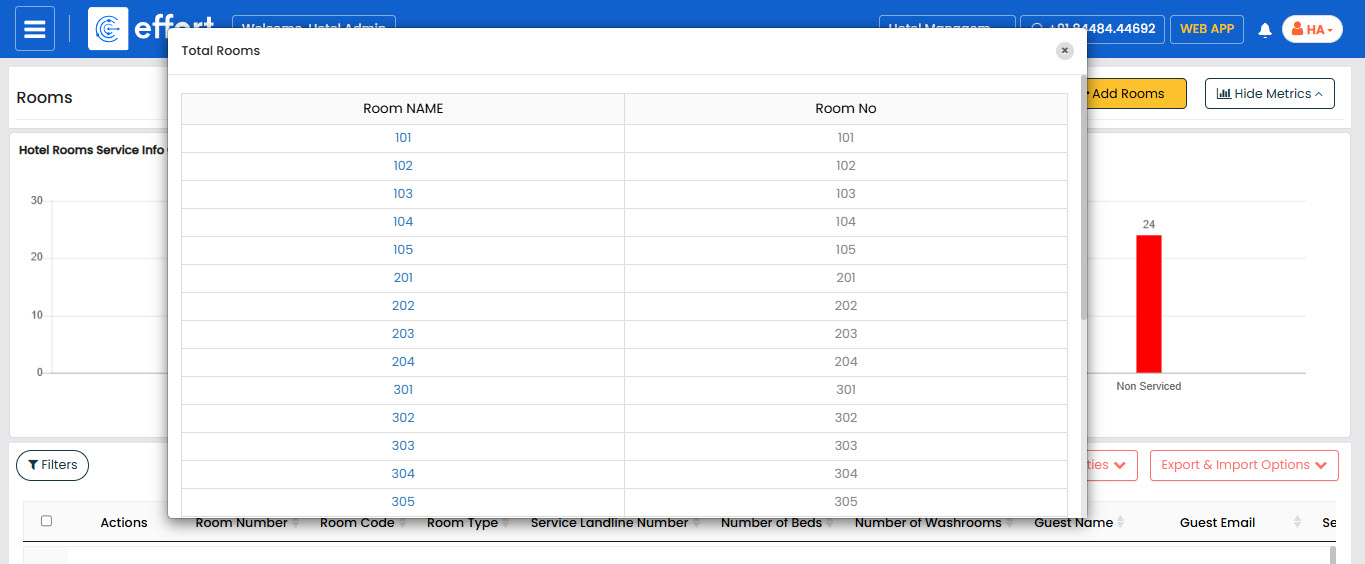
-
Serviced
Shows the number of rooms that have been cleaned and are ready for guests.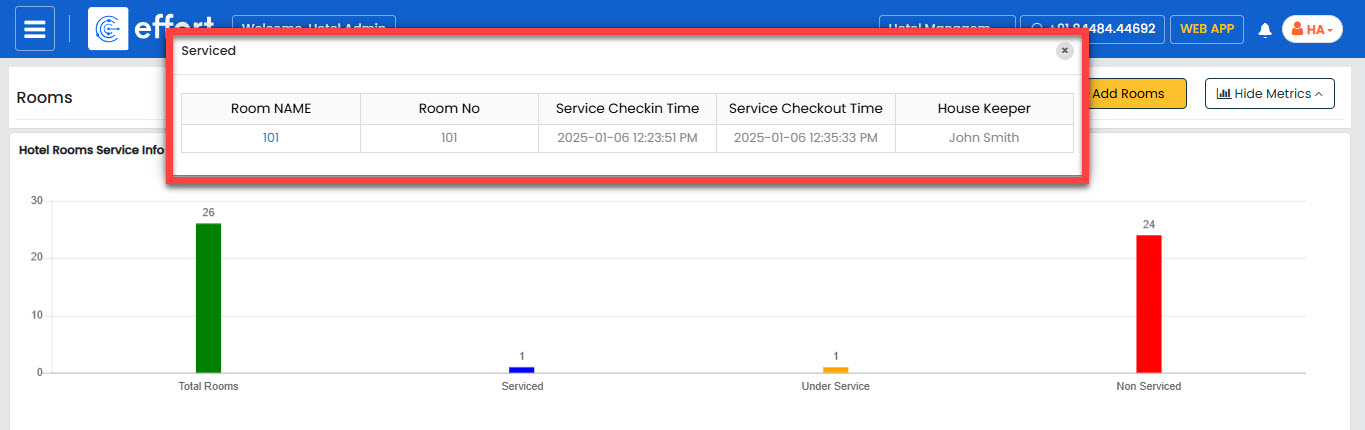
-
Under Service
Indicates the number of rooms currently being serviced by housekeeping staff.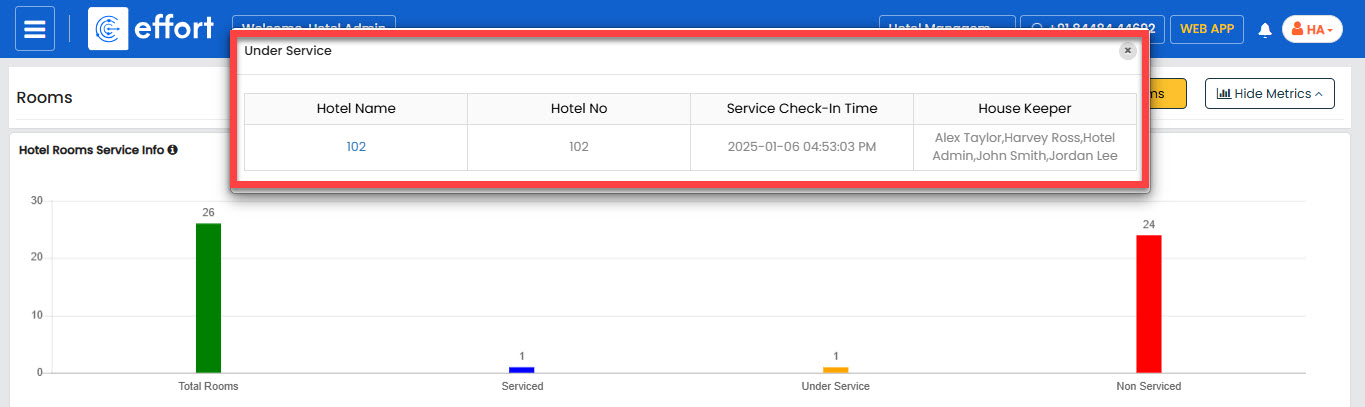
-
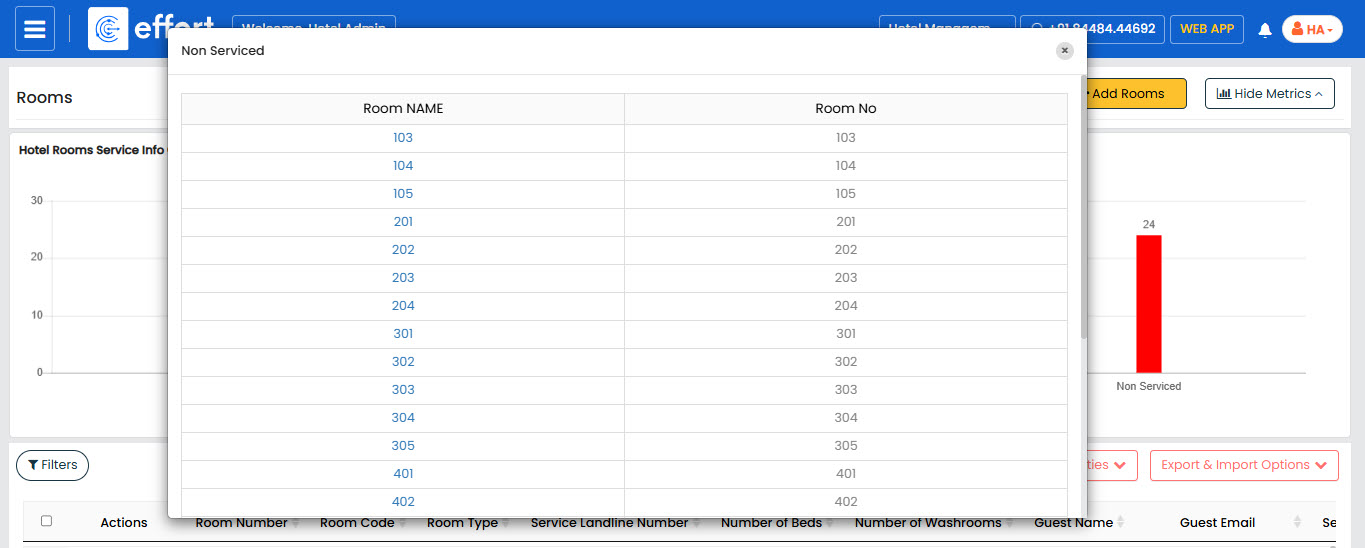
Non-Serviced
Highlights the rooms that have not yet been cleaned or serviced.