

Bulk Delete Entities
To bulk delete entities, follow the steps below:
-
Go to .
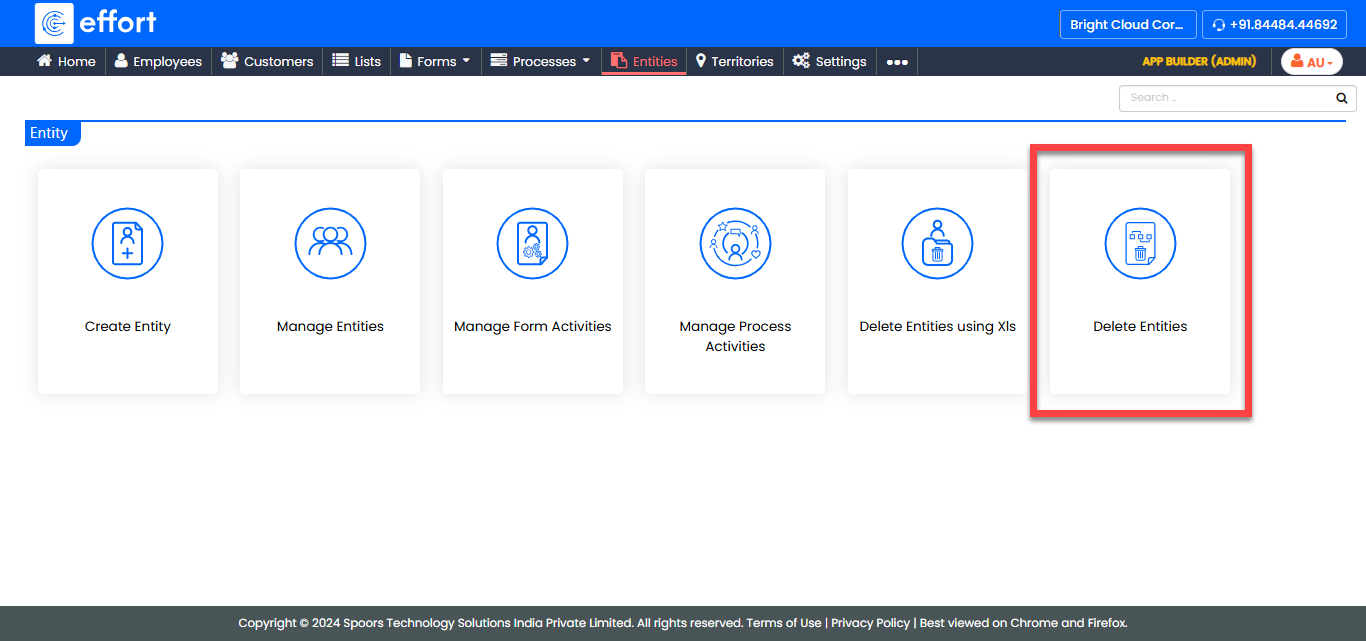
-
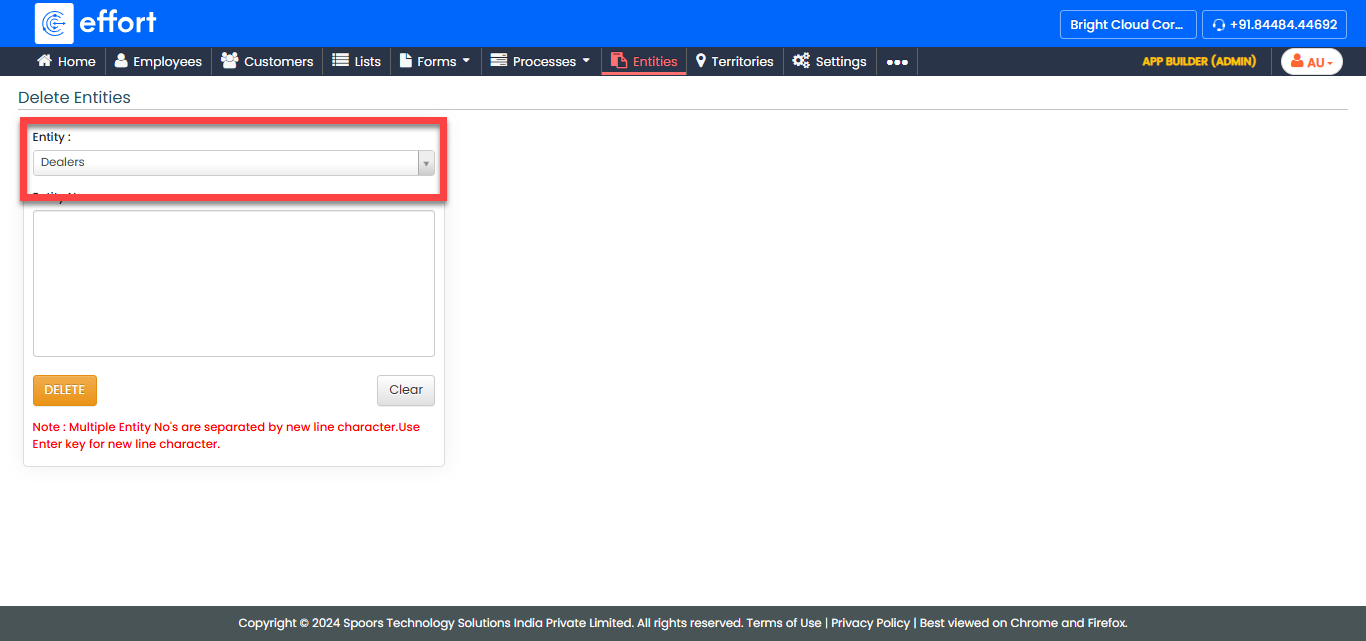
From the Entity dropdown, select the entity from which
you want to delete.
-
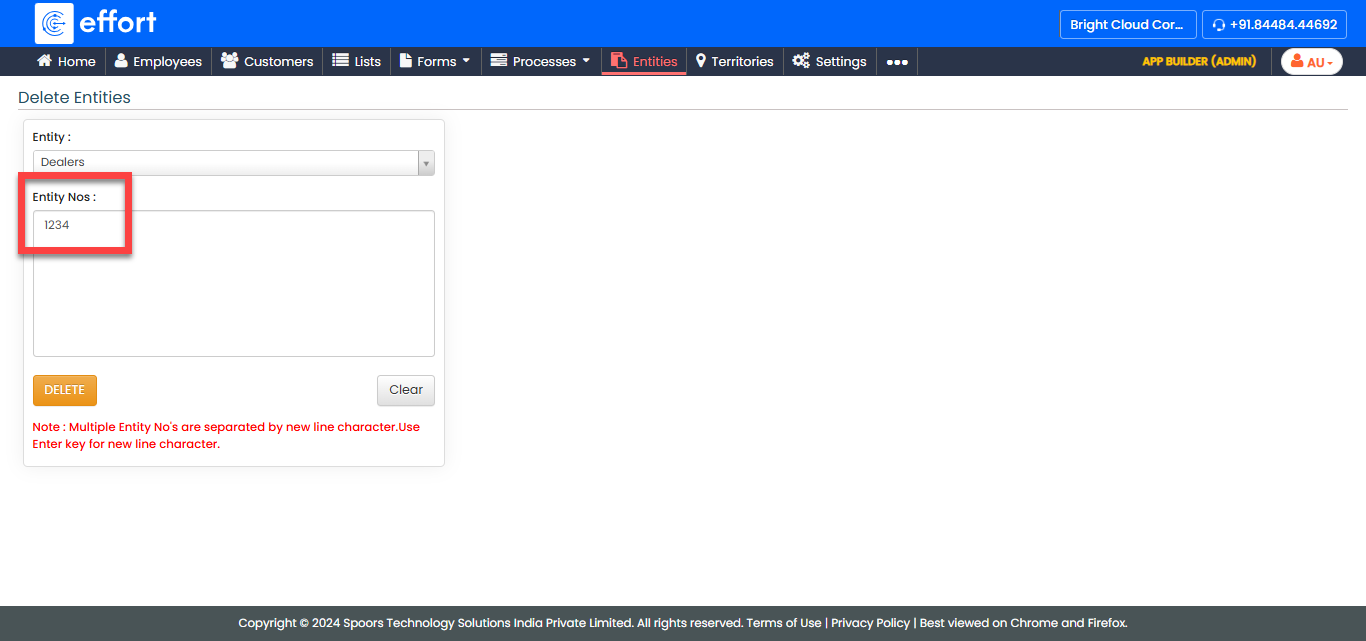
In the Entity Nos field, enter the IDs of the entities
you want to delete.
Note: Use the Enter key to add each ID on a new line, as multiple entity IDs should be separated by a newline character.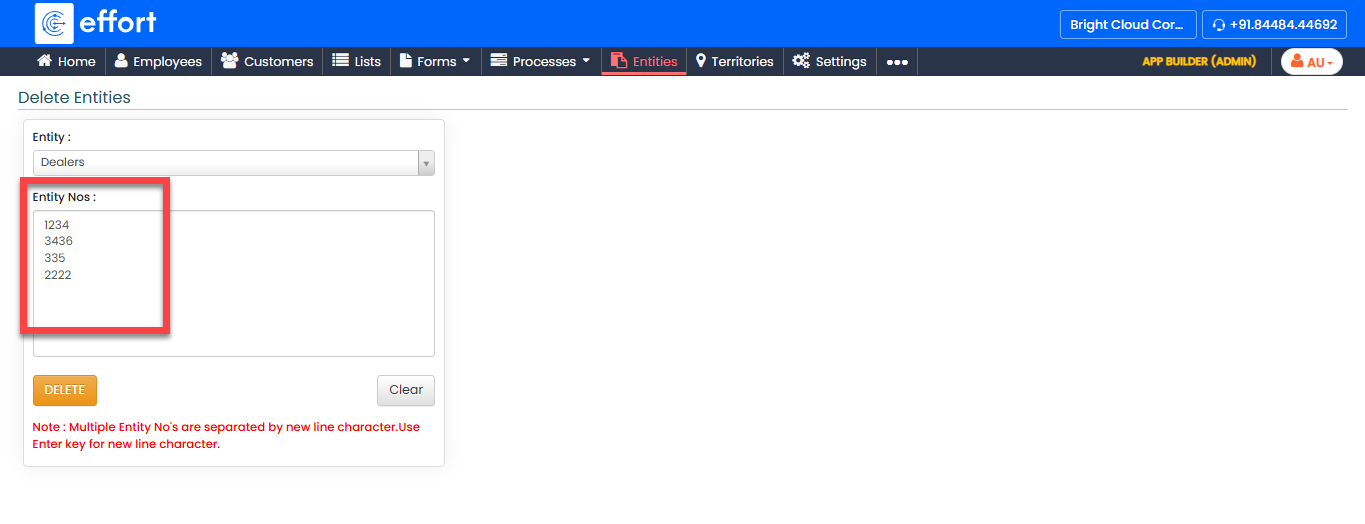
- Click Delete to delete the specified entities.