

Delete Entities using Excel File
The Delete Entities Using Xls feature enables you to remove multiple entities in bulk by uploading an Excel file. This functionality is especially useful for managing large-scale data operations, reducing the time and effort required for individual deletions.
To delete entities using an Excel file, follow the steps below:
-
Go to .
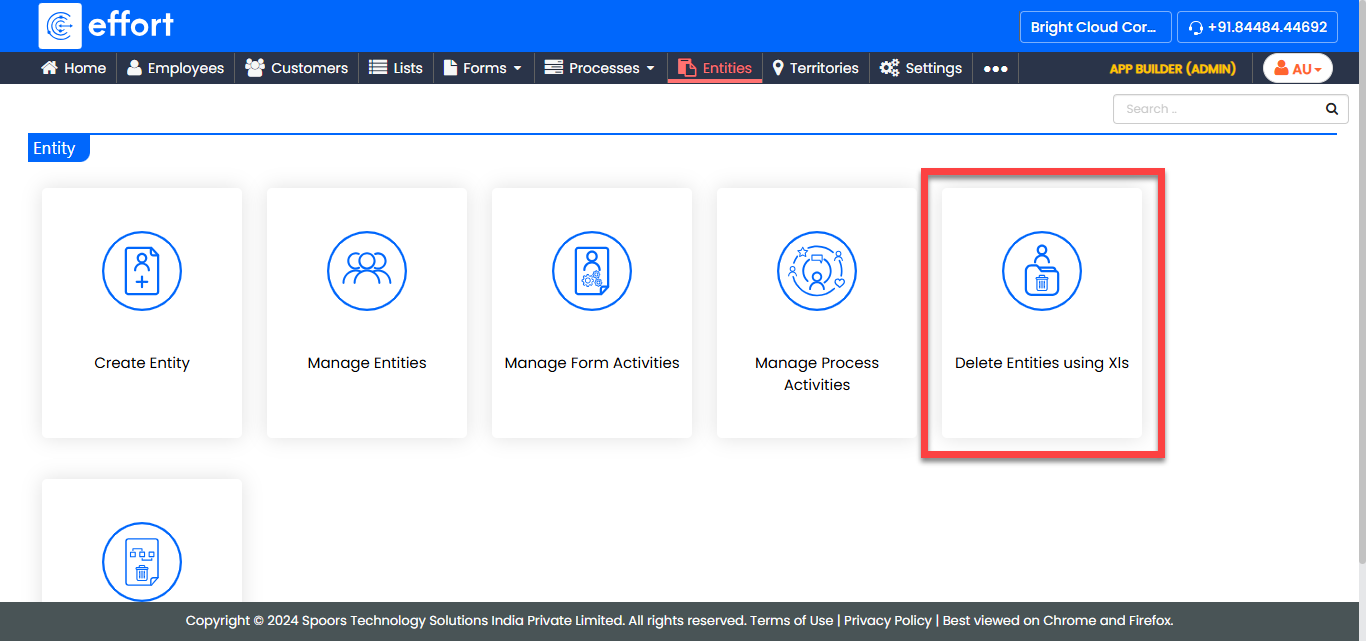
-
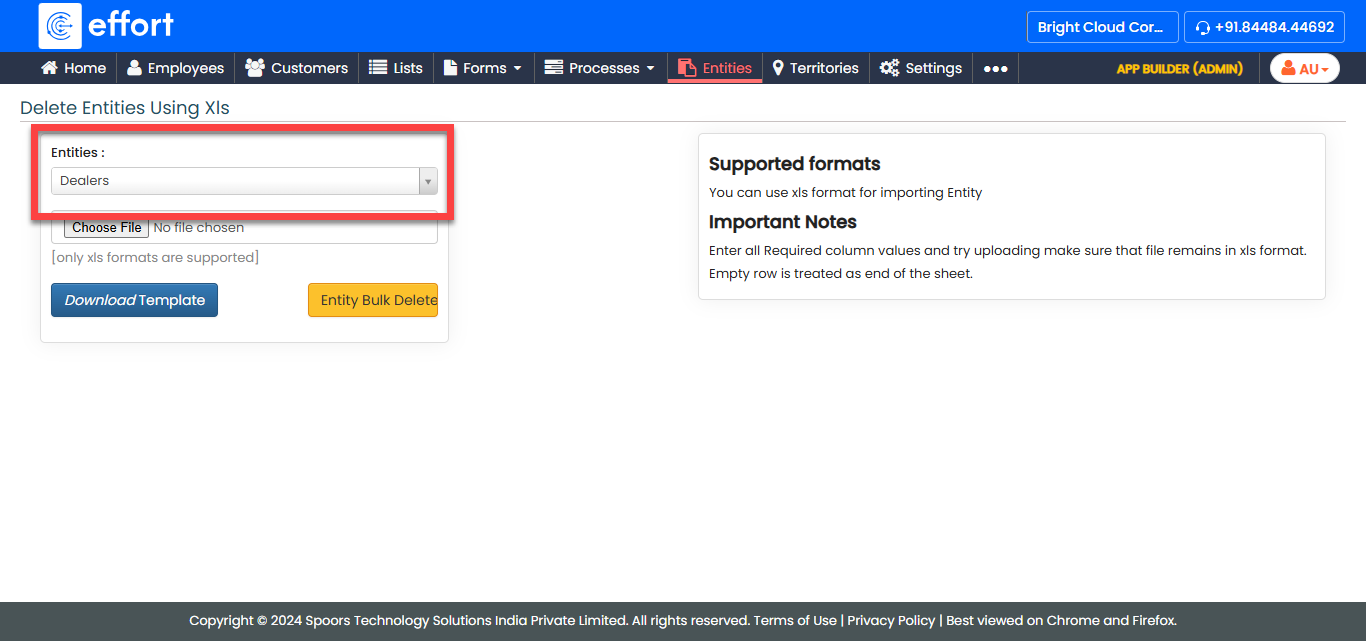
From the Entity dropdown, select the entity from which
you want to delete.
-
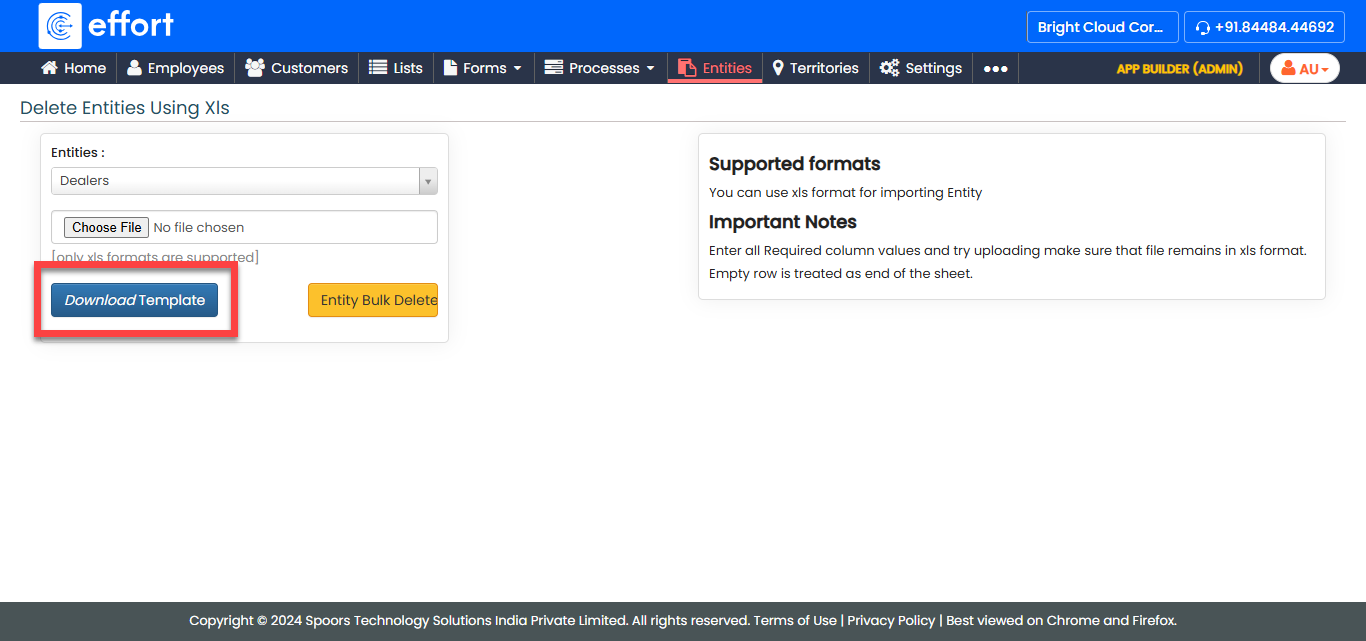
In the Delete Entities Using Xls page, click
Download Template.
-
Open the downloaded excel file, fill in the entity IDs, and save it.
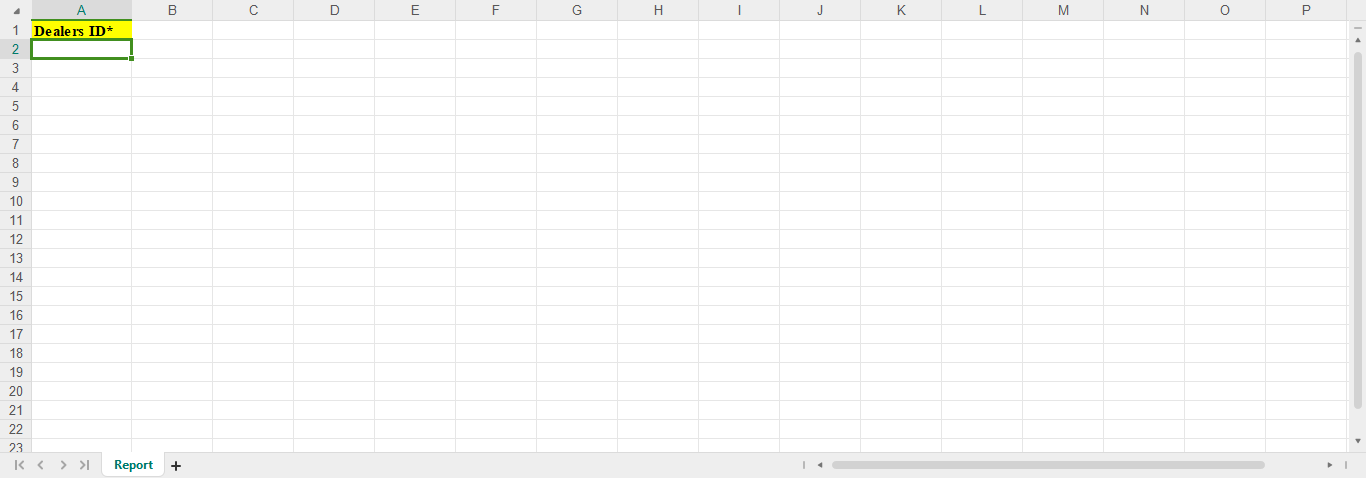
Note: To find an Entity ID, go to the Web App Entity section and copy the ID from the Entity ID column.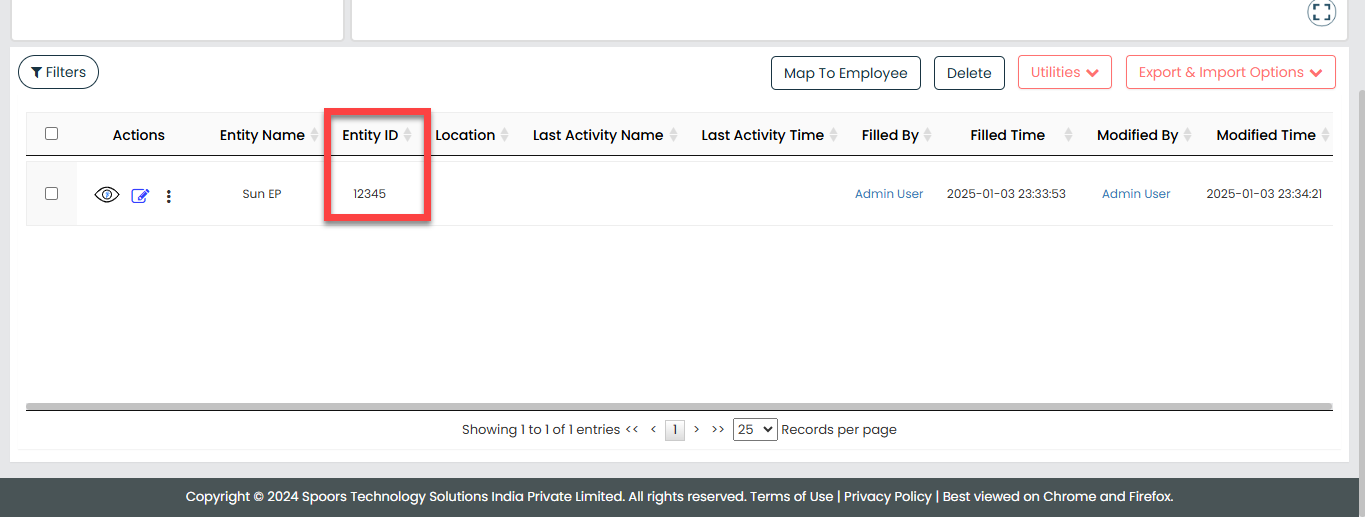
-
Return to the Delete Entities Using Xls page, click
Choose File and select the updated Excel file.
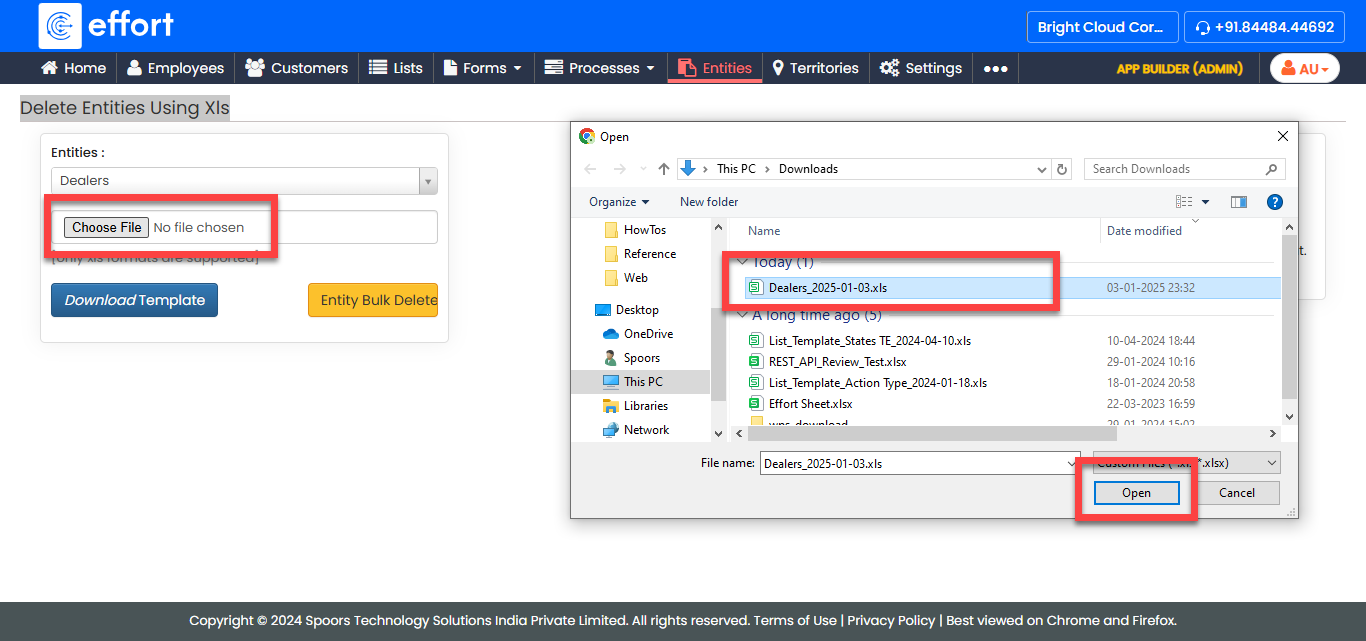
- Click Entity Bulk Delete to delete the specified entities.