

Customers
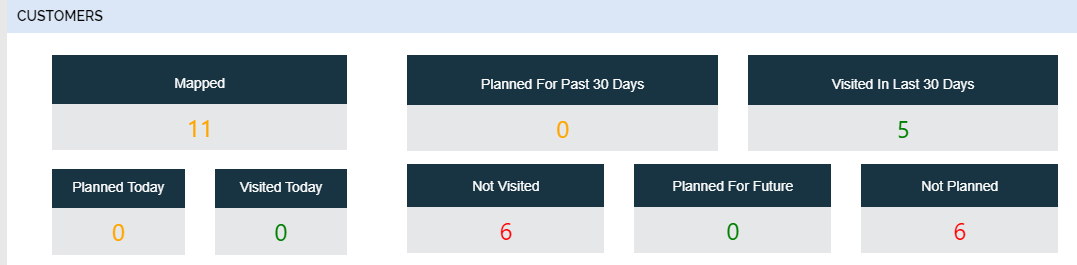
The Customers card shows the metrics regarding the customers and customer check-ins such
as number of customers mapped, number of customers visited, number of customers planned
to visit, etc. You can view the list of customers in a pop-up window when you click on
the number given at each option. Find the below screenshot for a sample customer
card.
This card is not visible in the default dashboard. You need to enable the visibility of this card in the Employee Dashboard Configuration screen. To enable the visibility of this card, refer to Enable or Disable Dashboard Cards topic for the step-by-step procedure.