

Delete a Draft Form
This topic helps you understand how to delete a draft form that is no longer needed.
-
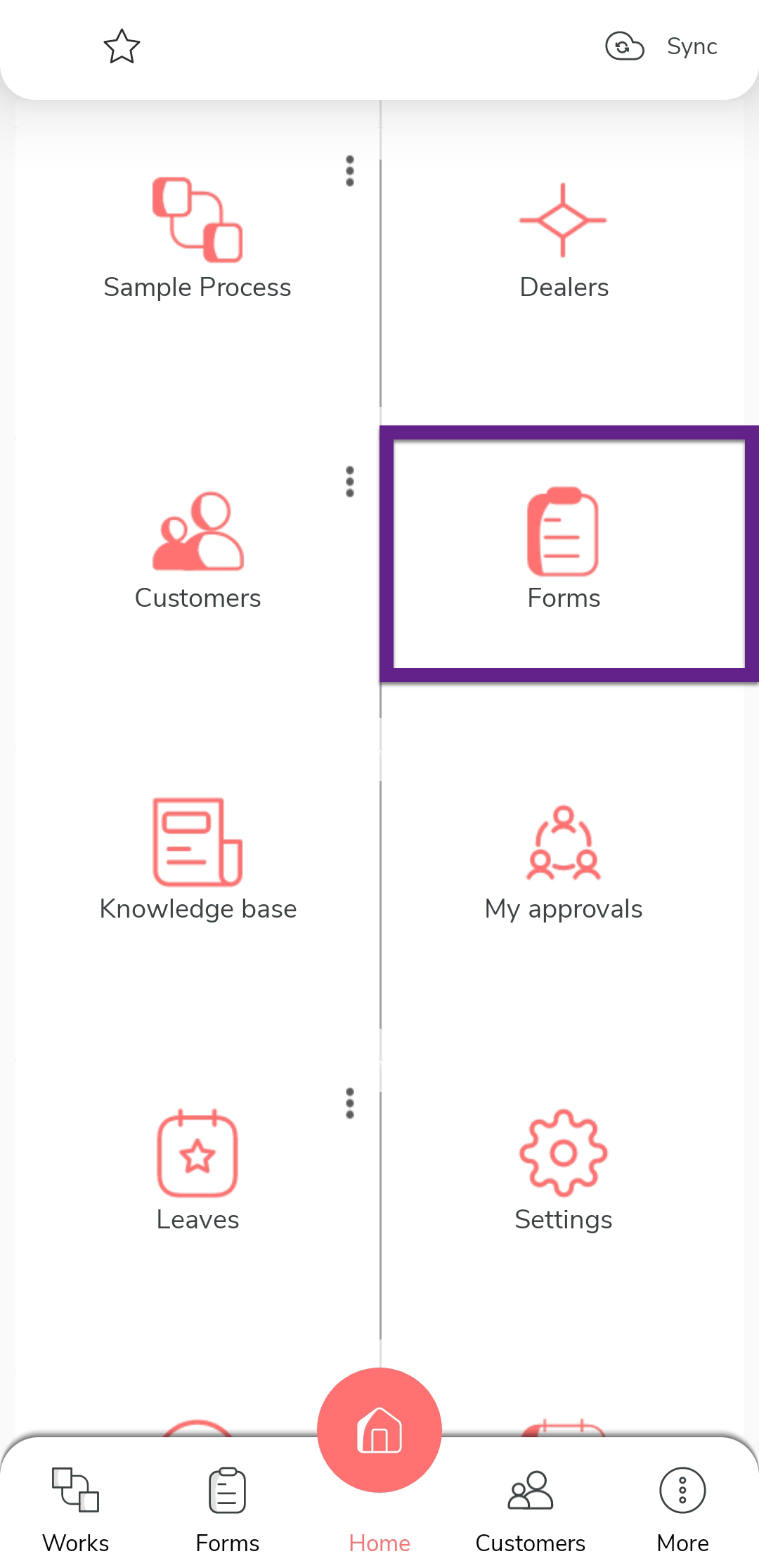
On the home screen or from the navigation drawer, tap
Forms.
-
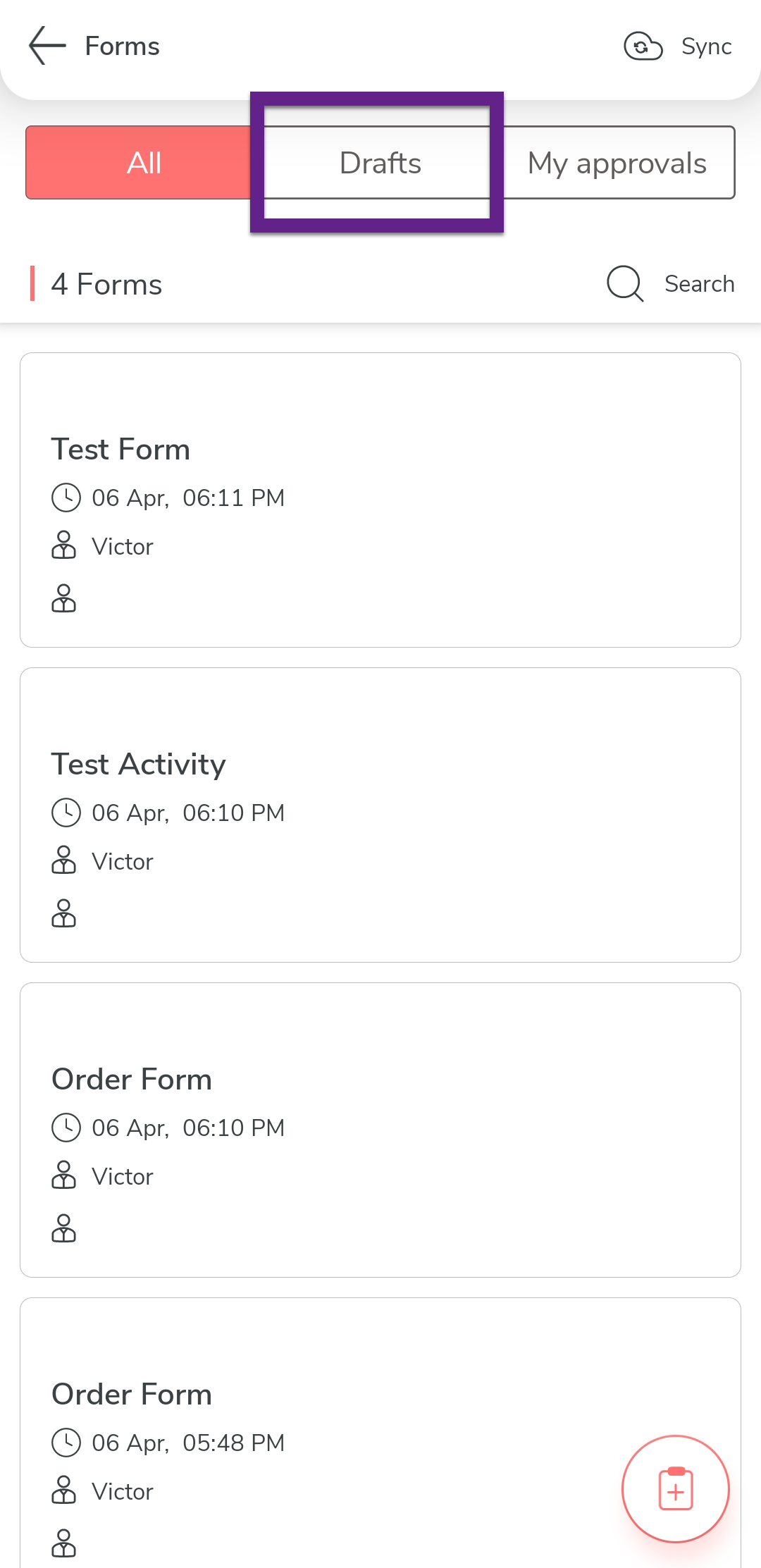
Tap the Drafts tab.
-
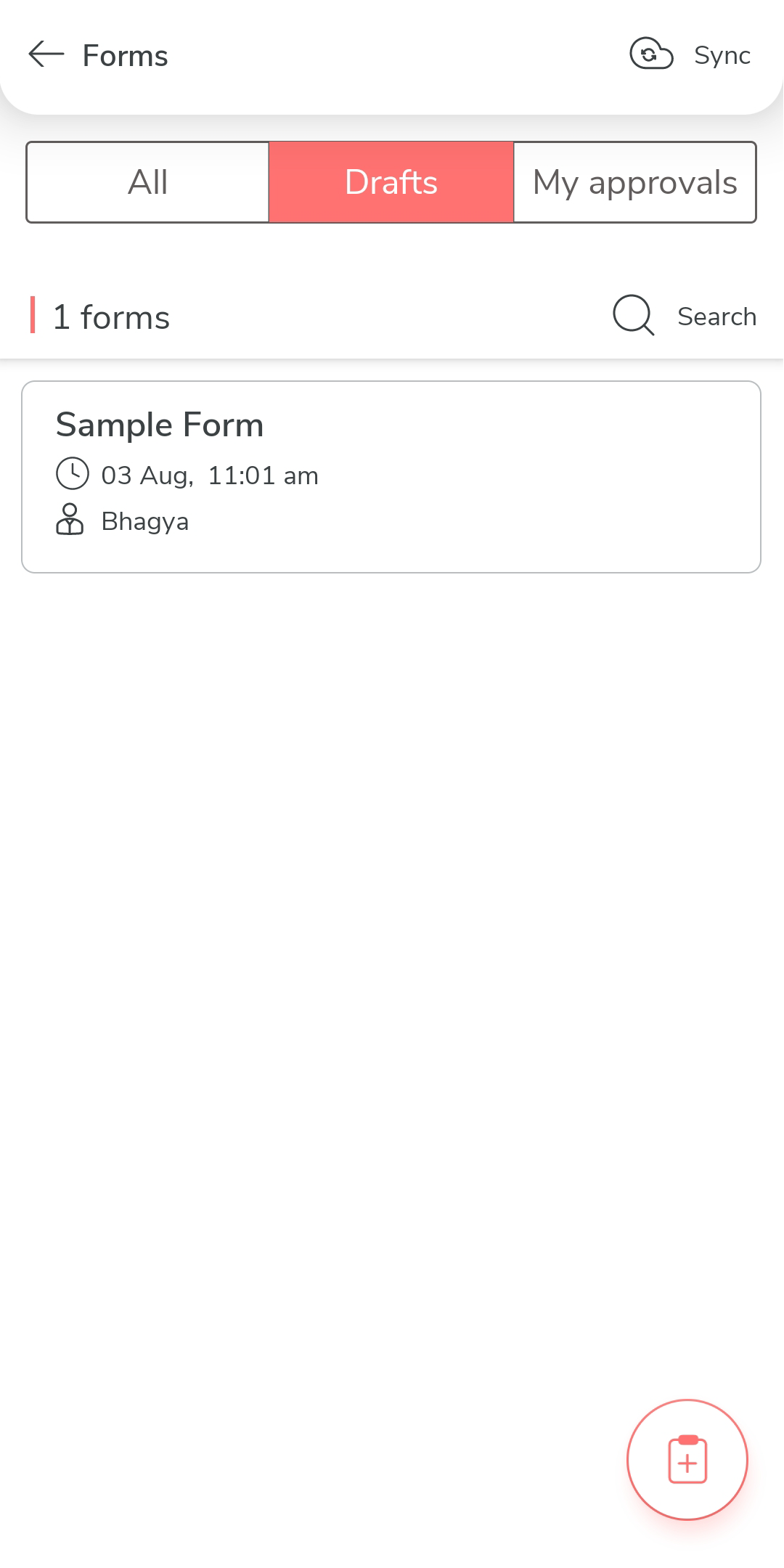
Tap the draft form you want to delete.
-
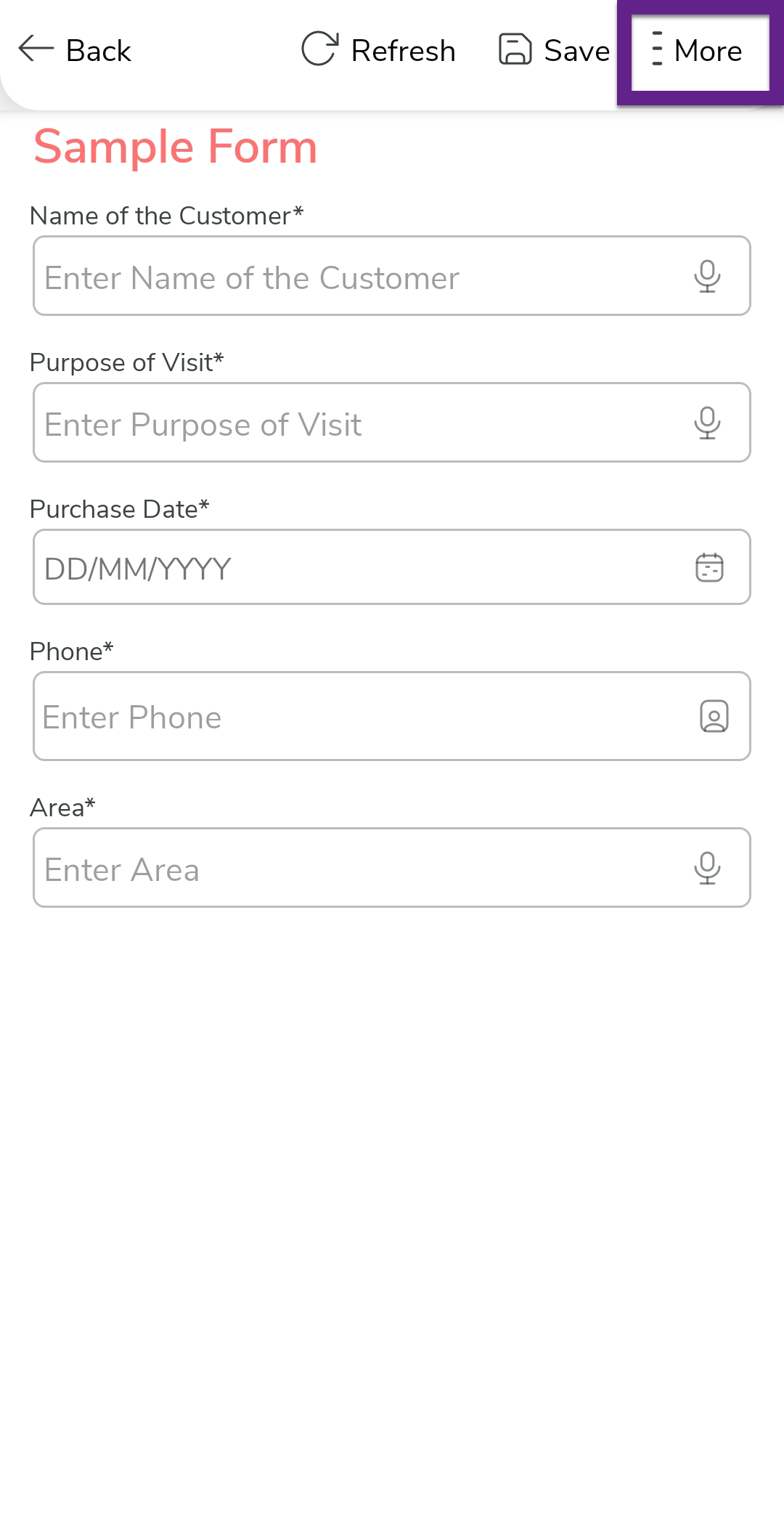
Tap the More option located on top of the page.
-
Tap the Discard option.
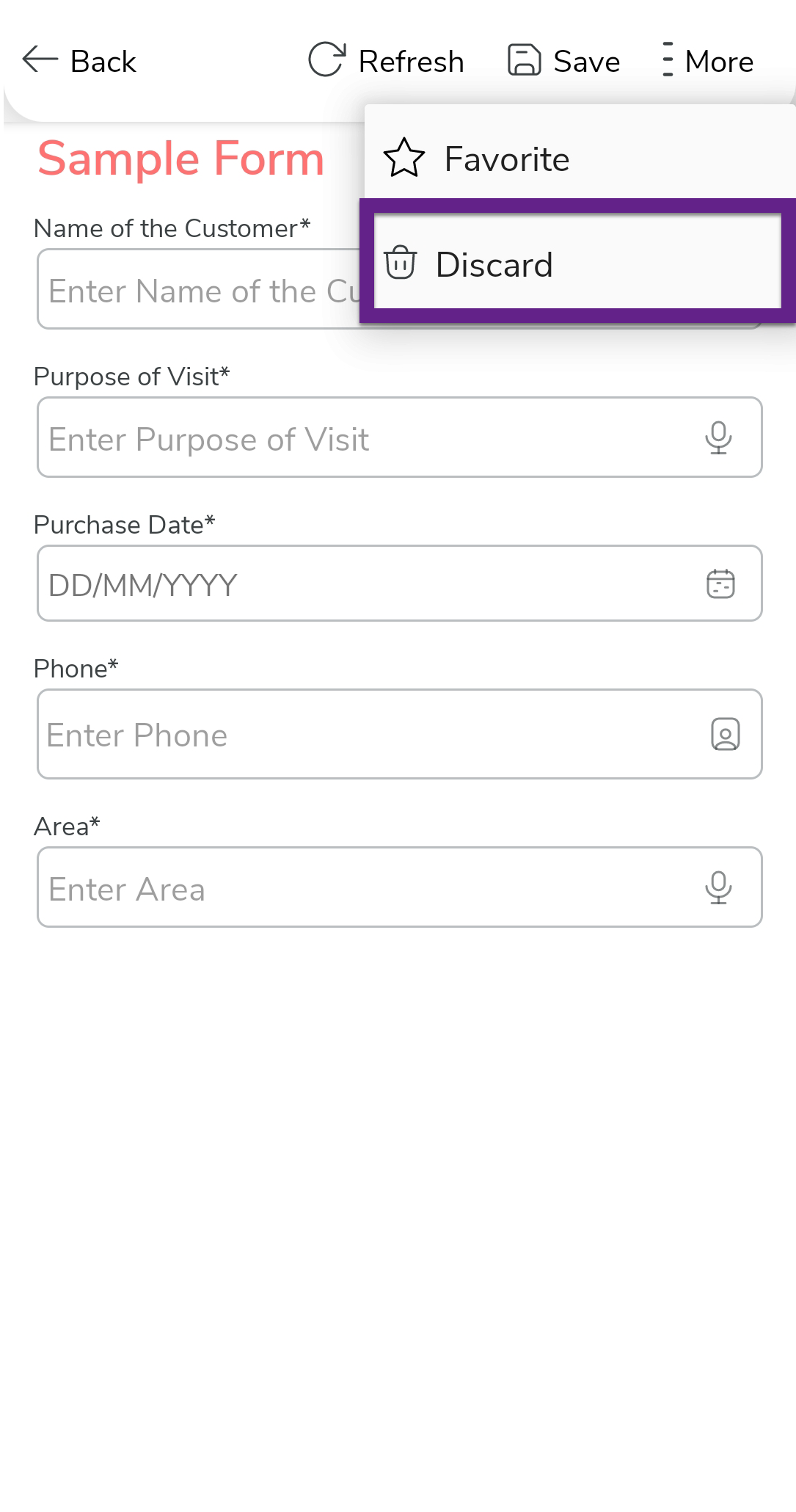
- On the confirmation pop-up, tap Delete.
-
Tap the Delete Draft option to delete the form in
draft.
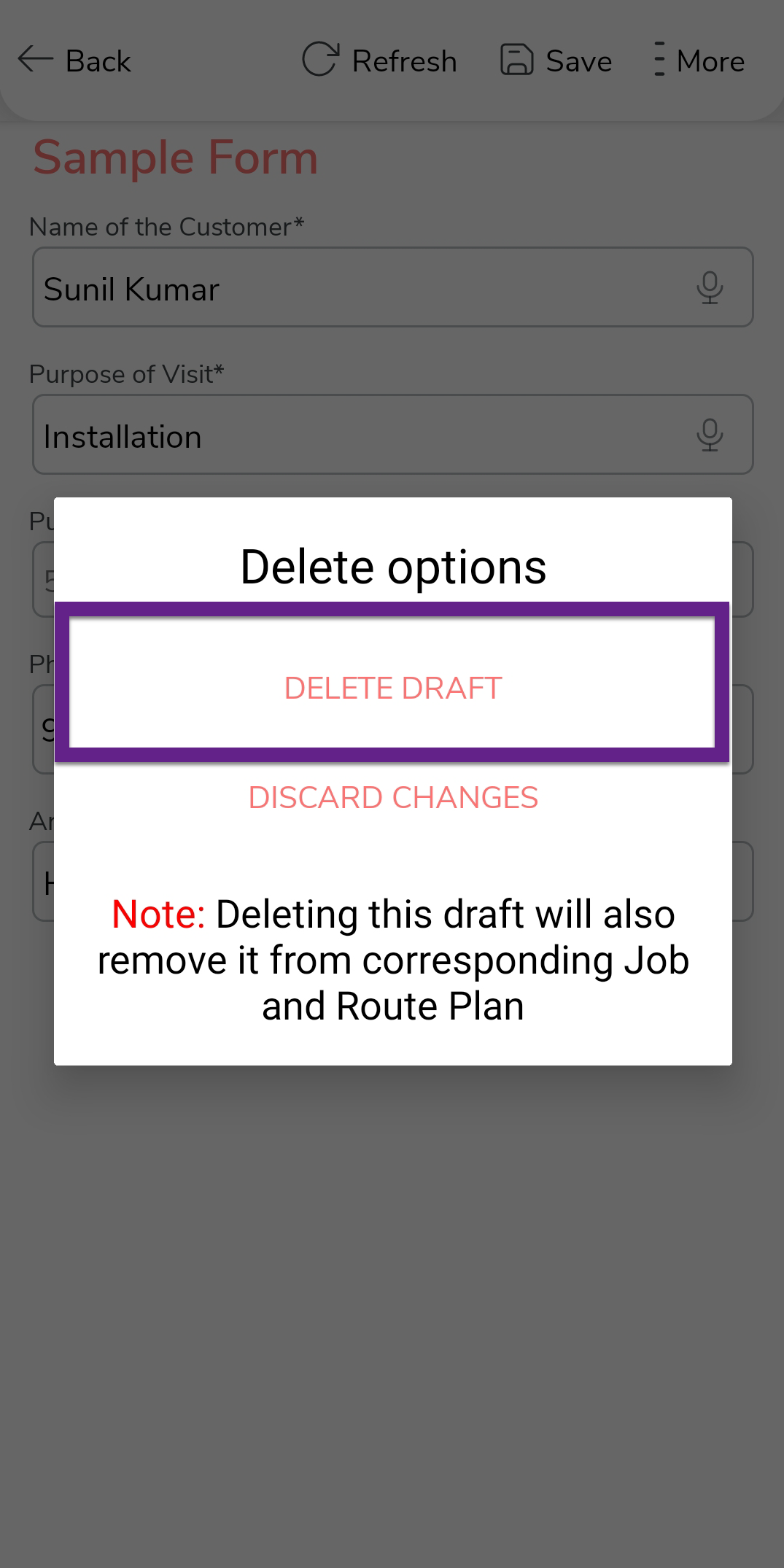
- Optional: Select Discard Changes to delete the changes that you made to the selected form.