

Submit a Form
-
Go to .
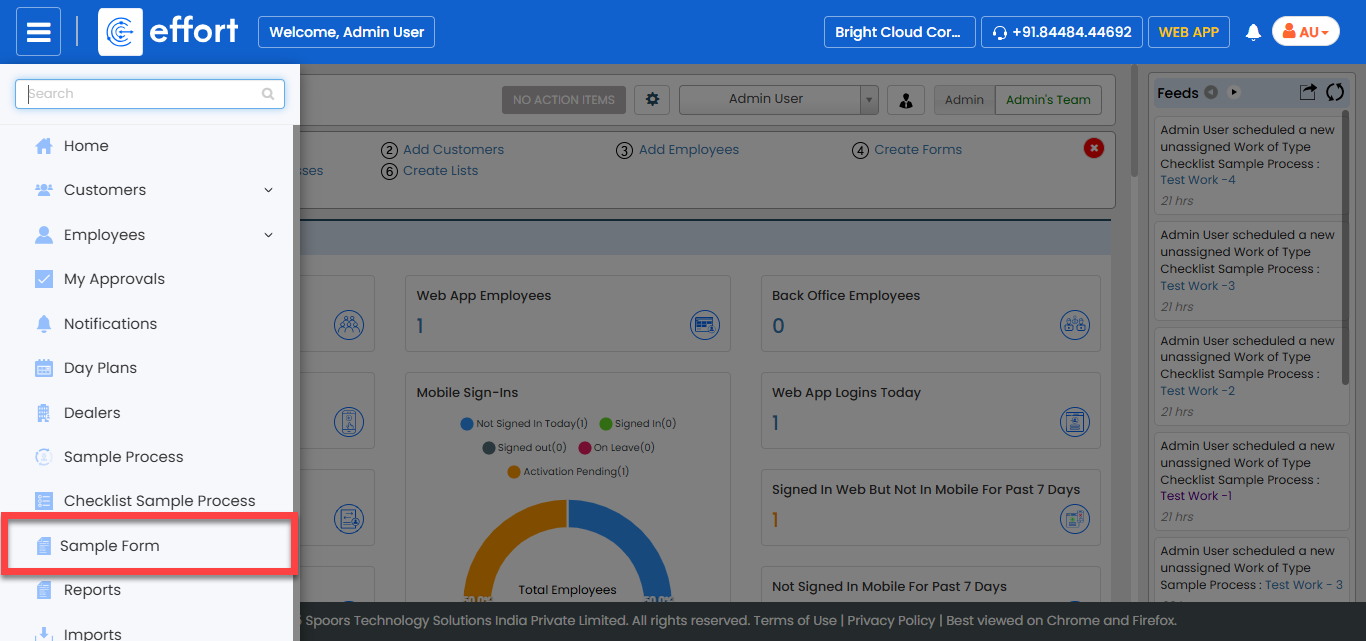
Note:The form shown in the screenshot is a sample. Click on the required form to proceed. If you don’t see any forms, contact your administrator.
-
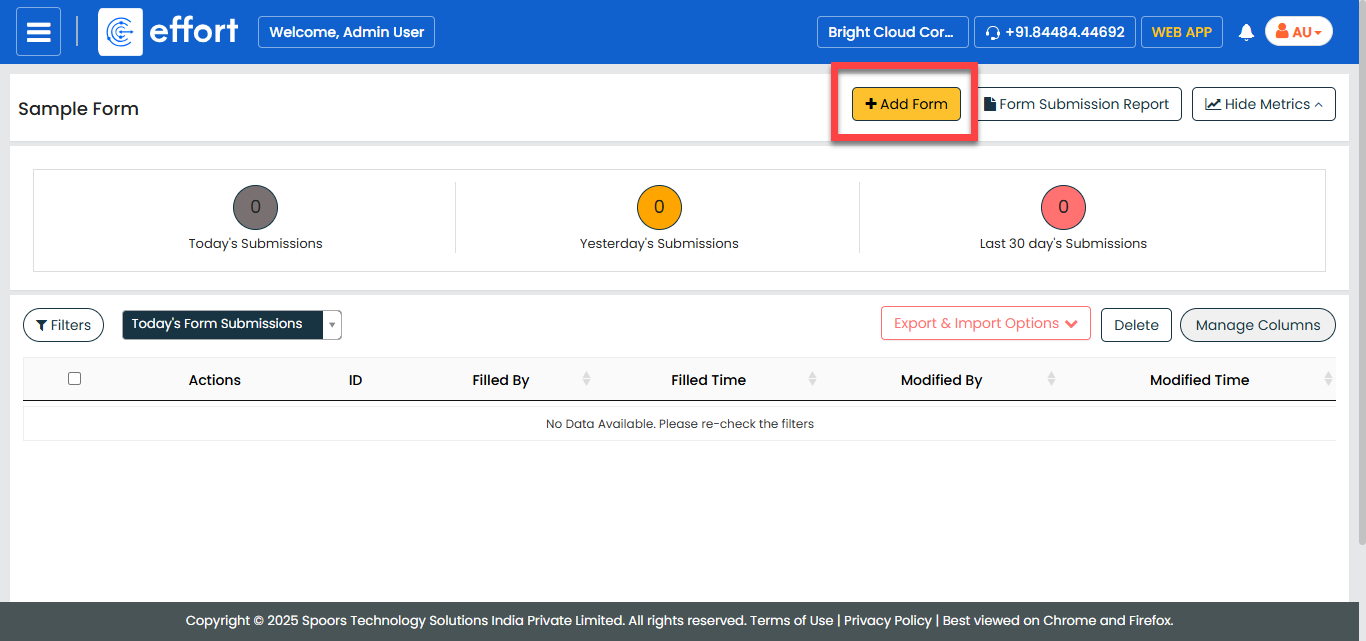
In the Form page, click Add
Form.
-
Fill in the form details.
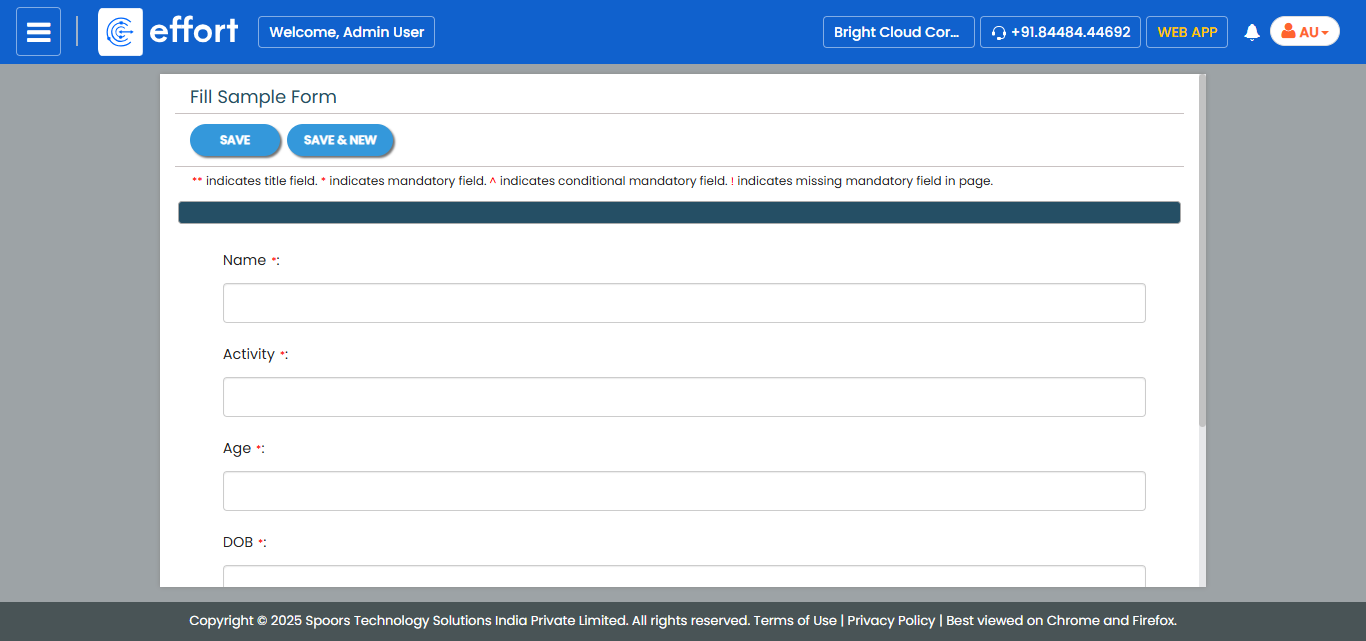
- Click Save or Save & Continue to proceed with another form submission.