

Get Activation Code (For Support Team)
Sometimes, Due to Network or gateway issues, the users will be unable to get the activation code via SMS while login into the mobile app.
In such cases, the users request the support team to provide the activation code.
Follow the below steps to resend the activation code from the back end.
- Go to .

- Search the employee with the Name or employee ID or Mobile Numer or Email. Click
on three dots as shown below.
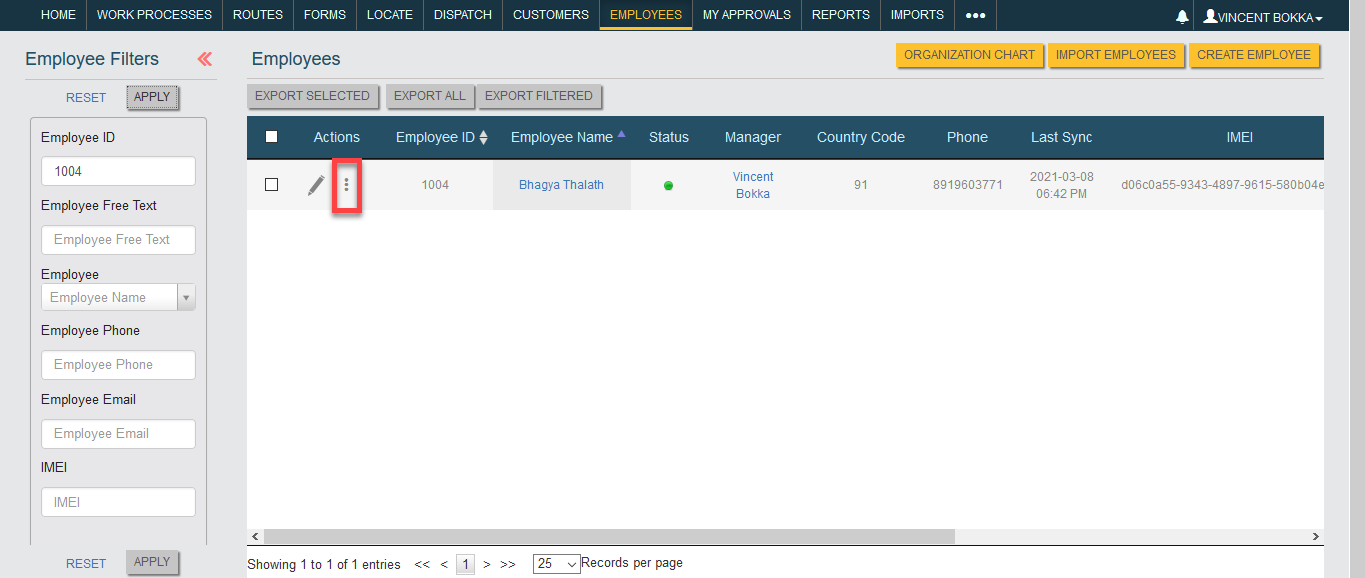
- Scroll down a bit and click the Resend Activation option.

Now we need to ask the Ops team to provide the activation code from the back end. Once you got the code, send it to the user via SMS or on call.