

Delete Process Activity
To delete a process activity, follow the steps below:
-
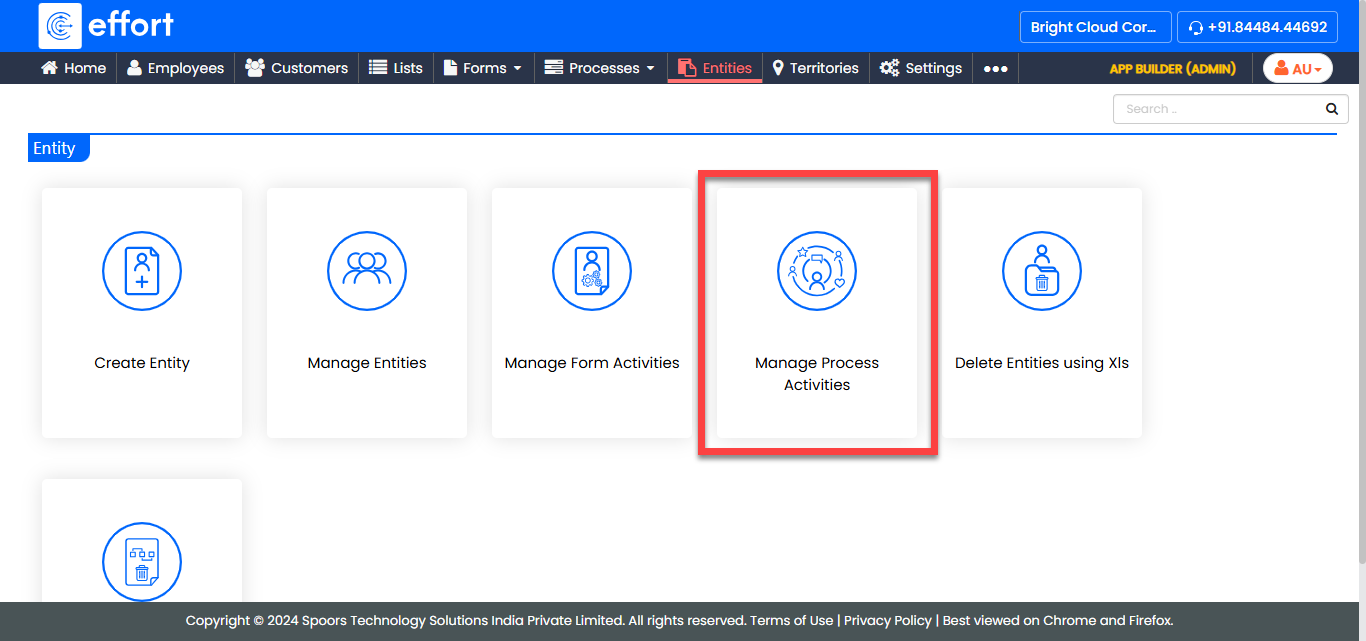
Go to .
-
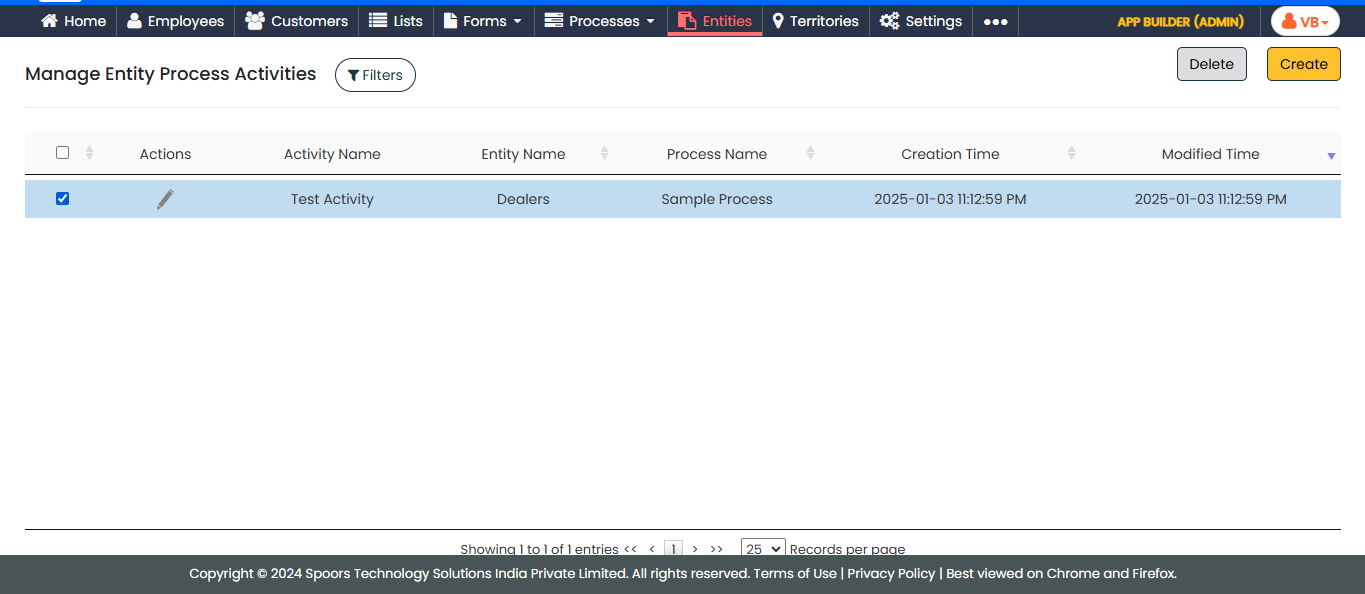
In the Manage Entity Process Activities page, select the
checkbox against the activity you want to delete.
-
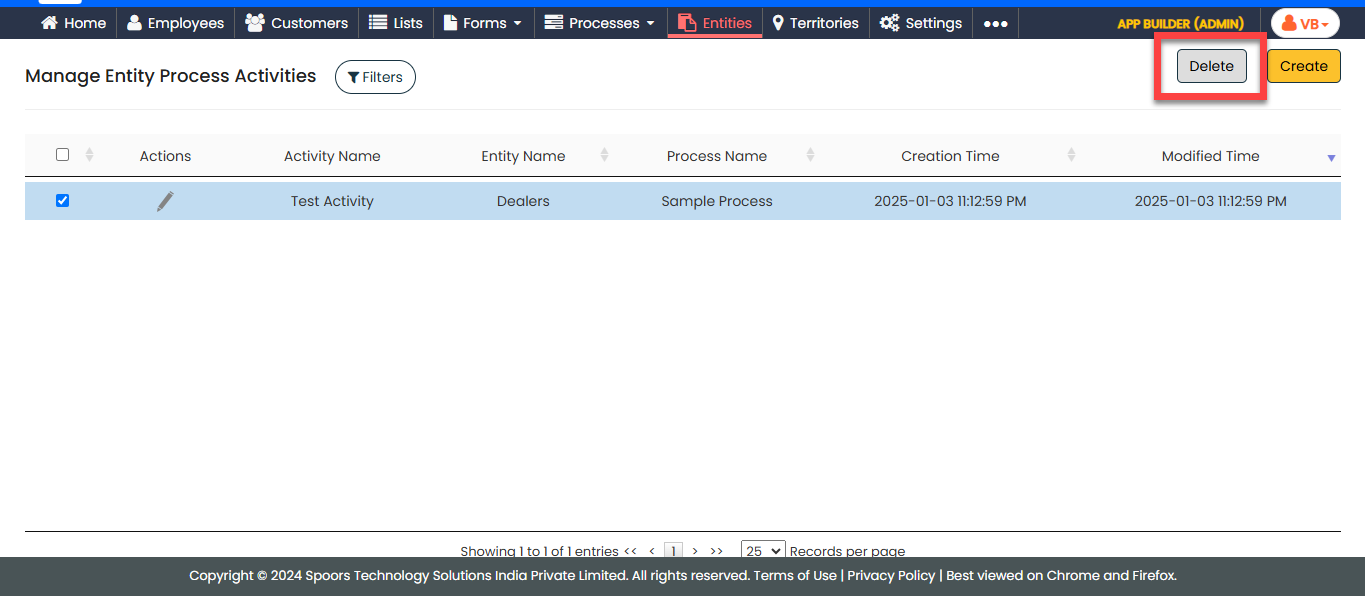
Click the Delete button located at the top-right
corner.
- In the confirmation pop-up, click OK.