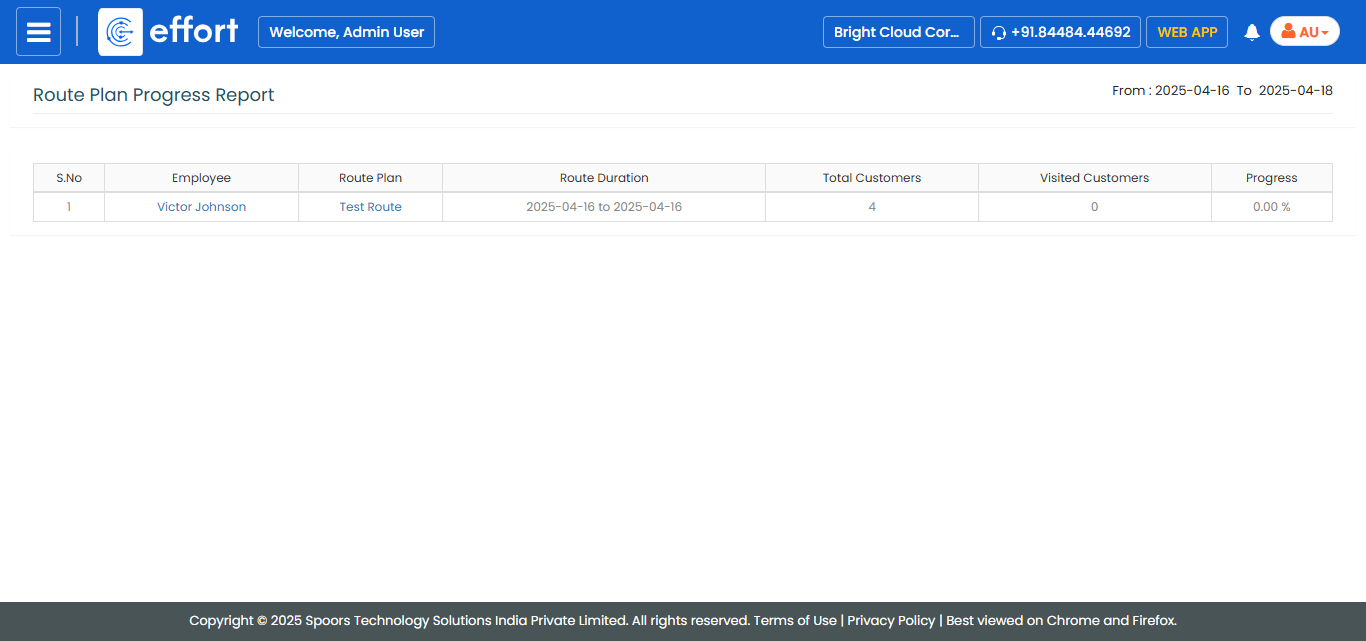
Generate a Route Plan Progress Report
-
Go to .
The Reports page appears.
- Scroll down to the Routes Report section.
-
Click the Route Plan Progress Report link or icon.
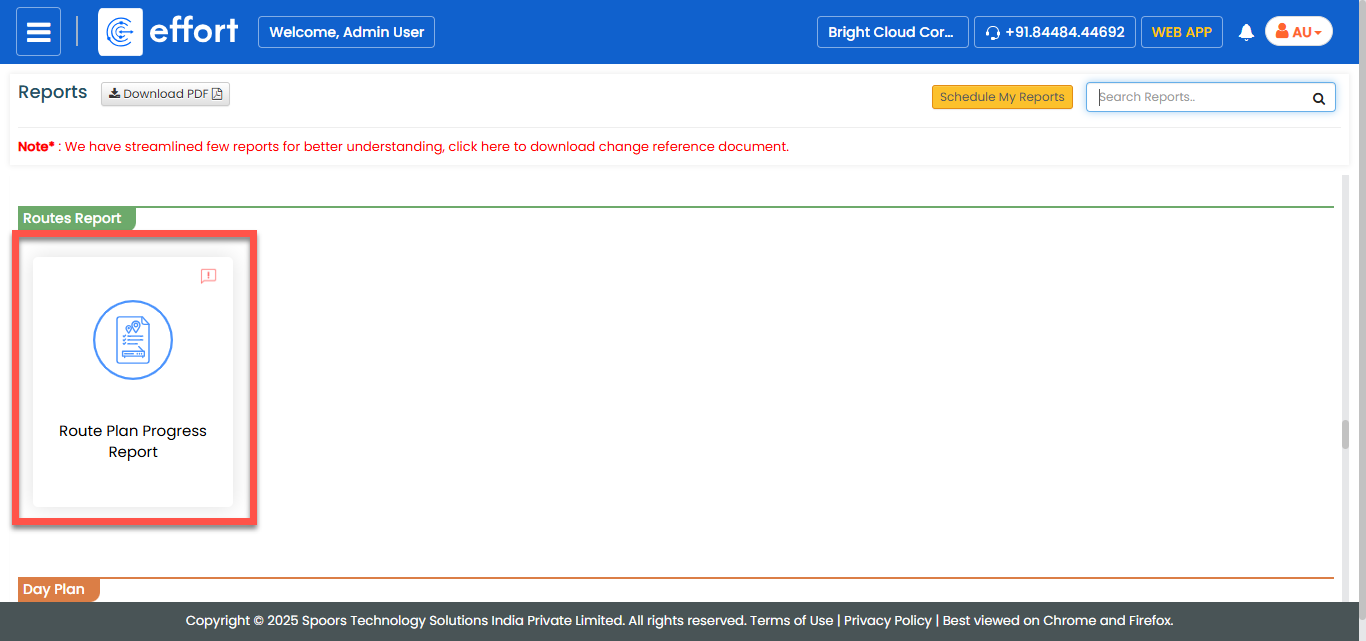
The Route Plan Progress Report page appears.
-
Select employees from the employees list.
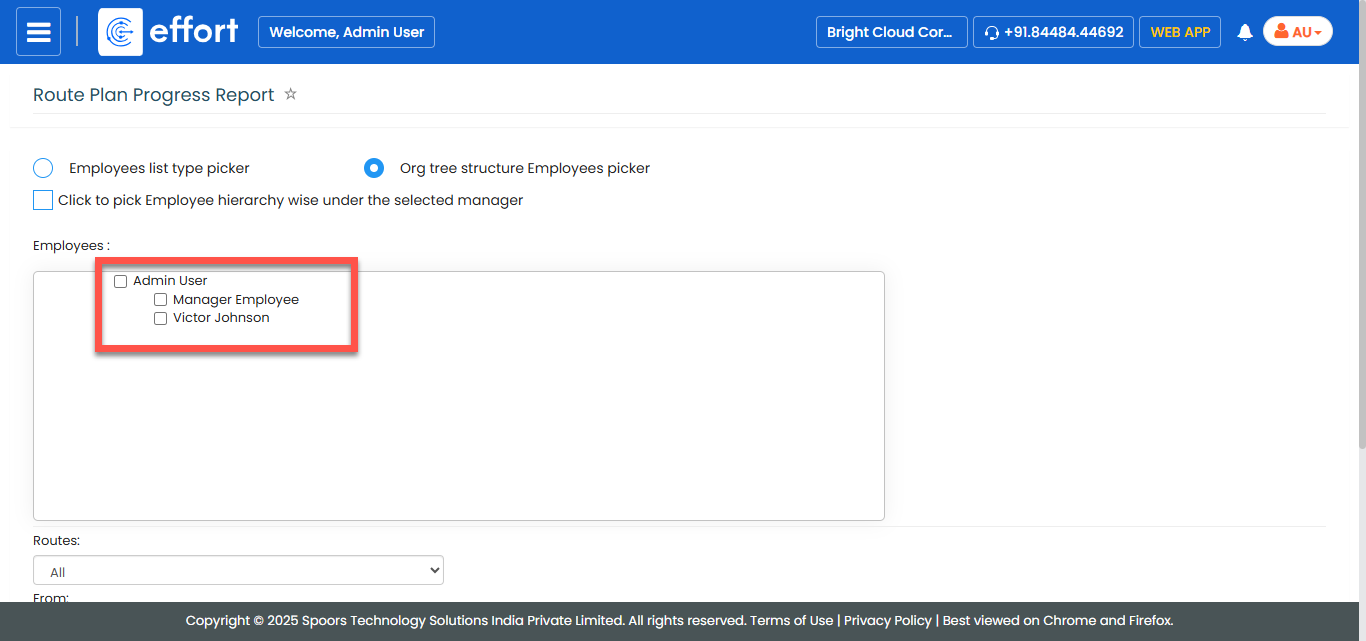
-
Select a route from the Routes dropdown.

- Optional:
Change From and To dates as per
your requirement.
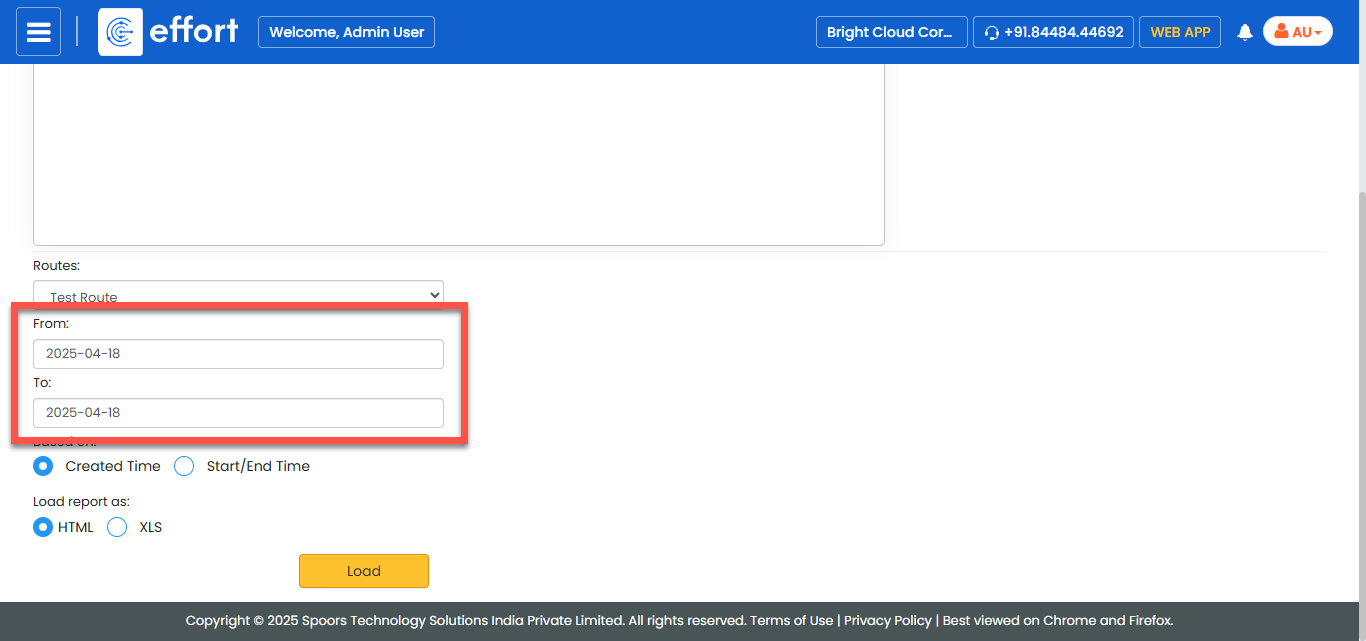
Both From and To default to today. -
Select the following options for the Based On.
- Created Time: Allows you to generate the report of routes that are created within the defined duration.
- Start/End Time: Allows you to generate the report of routes that are planned within the defined duration.

- Optional:
In Load report as, select the output report
format.
Load report as defaults to HTML.
-
Click Load.
The Route Plan Report is displayed depends on the report format.