

Summary
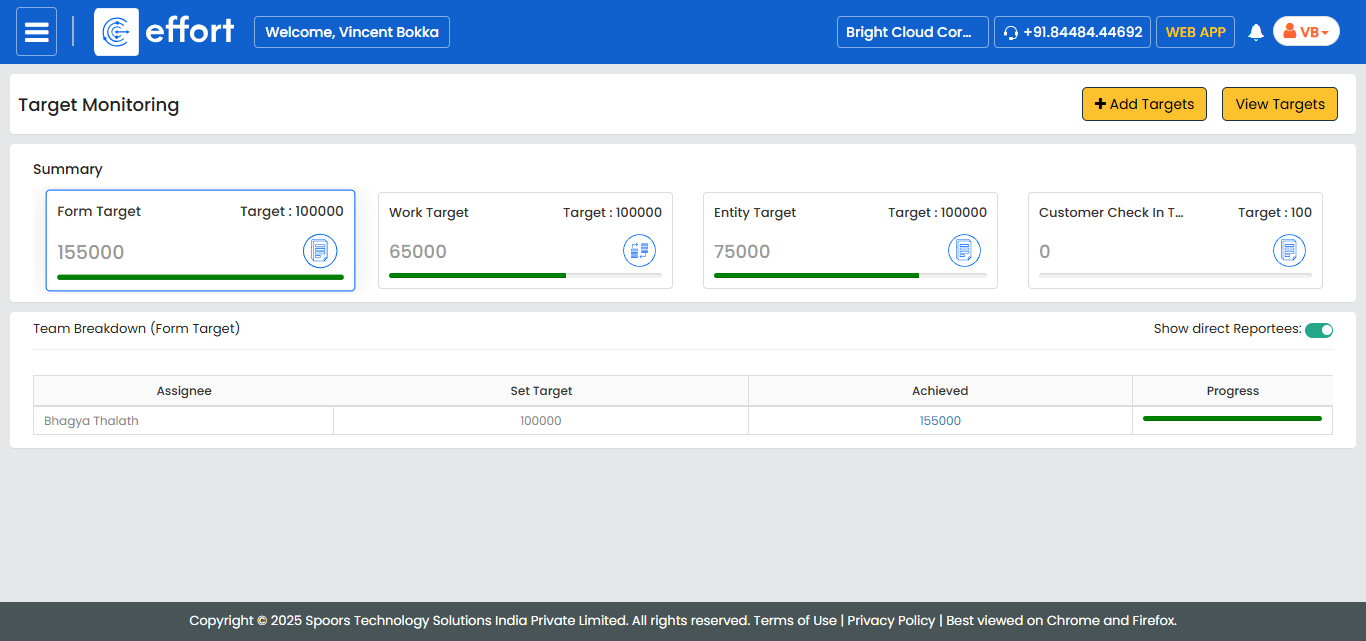
In the summary, you'll find a side-by-side comparison of the target values and actual achievements, giving you a quick and easy view of overall performance.
Team Breakdown
The Team Breakdown feature allows managers to analyze performance data at the individual employee level. For each employee, you can view:
-
Set Target: The target assigned to the employee.
-
Achieved: The actual performance achieved by the employee.
-
Progress Bar: A visual representation of the percentage of the target met. The progress bar changes color based on the level of achievement:
-
Red: Low progress
-
Yellow: Moderate progress
-
Green: High progress
-
This breakdown makes it easier to monitor individual contributions, track performance, and identify employees who may require additional support or guidance.