

Prerequisites for Setting Targets
Before setting up targets, ensure that the following prerequisites are met:
1. Access to Targets VS Achievements Module
To access the Targets VS Achievements module in the Web App, ensure it is already enabled in the App Builder. Only users with access to App Builder can enable this module.
To enable the module:
- Navigate to .
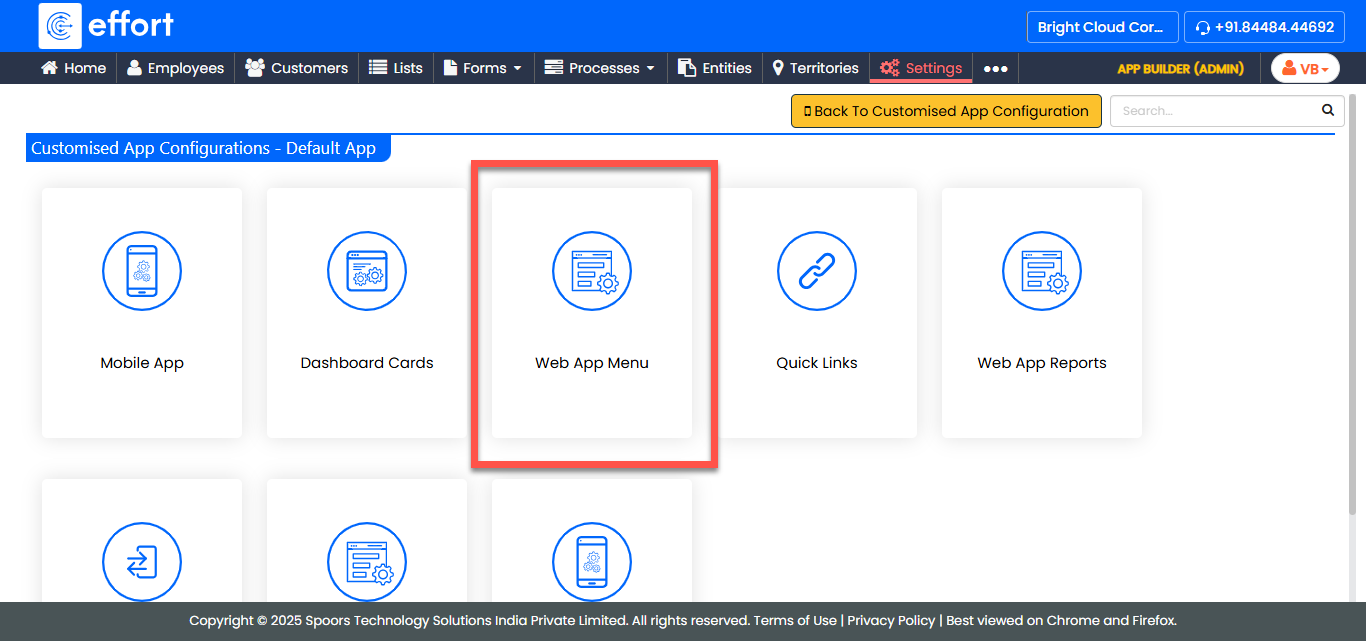
- Locate Target vs Achievement in the list.
- Enable the checkbox under the Visibility column for the module.
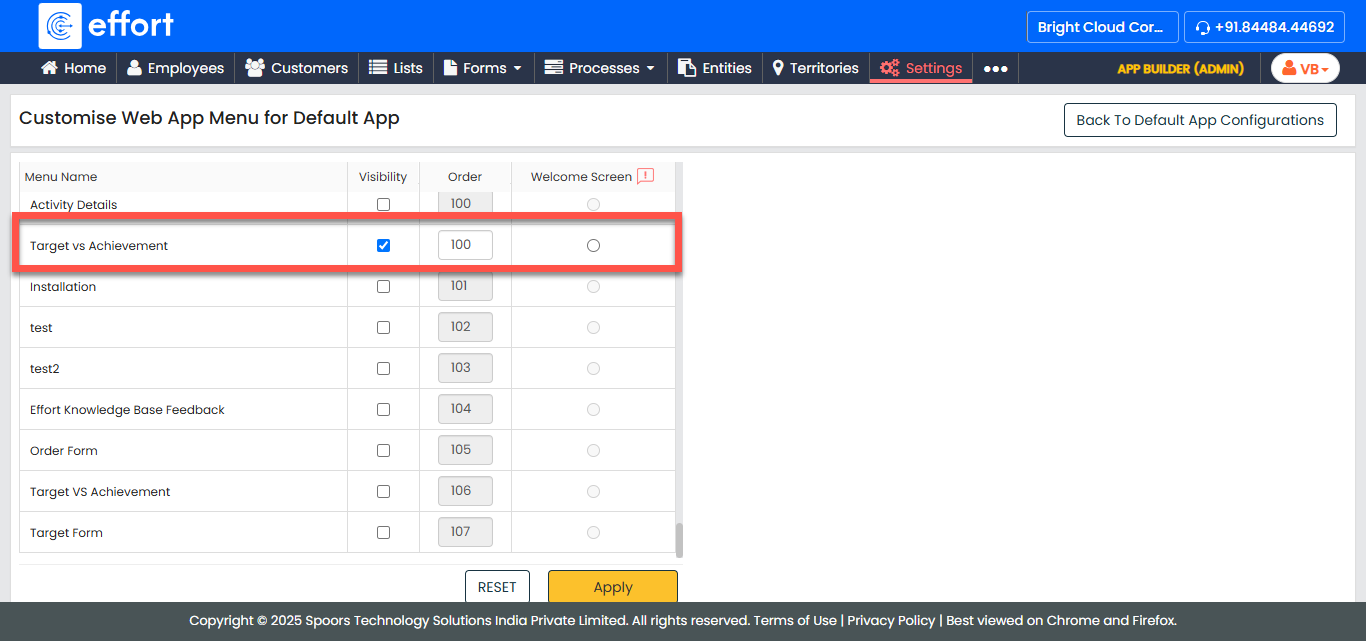
- Click Save to apply the changes.
1. Fiscal Calendars
Ensure that fiscal calendars are defined. To learn more, refer to the Introduction to Fiscal Calendar topic.
2. Targets for Forms
If you are setting targets for forms, ensure that the form has either number or currency fields available. The target calculation can only be defined on these fields. For more information, refer to the Edit a Form topic.
3. Targets for Works
If you are setting targets for works, ensure that the work or work activity form has either number or currency fields available. The target calculation can only be defined on these fields. For more information, refer to the Edit Process Fields topic.
4. Targets for Entities
If you are setting targets for entities, ensure that the entity form has either number or currency fields available. The target calculation can only be defined on these fields. For more information, refer to the Edit Fields topic.
5. Targets for Customer Check-Ins
If you are setting targets for customer check-ins, ensure that customer types are created and assigned to customers. For more information, refer to the Customer Types topic.