

Edit a Leave
You can modify the details of a leave that has already been applied. Follow the steps below to edit an existing leave application.
-
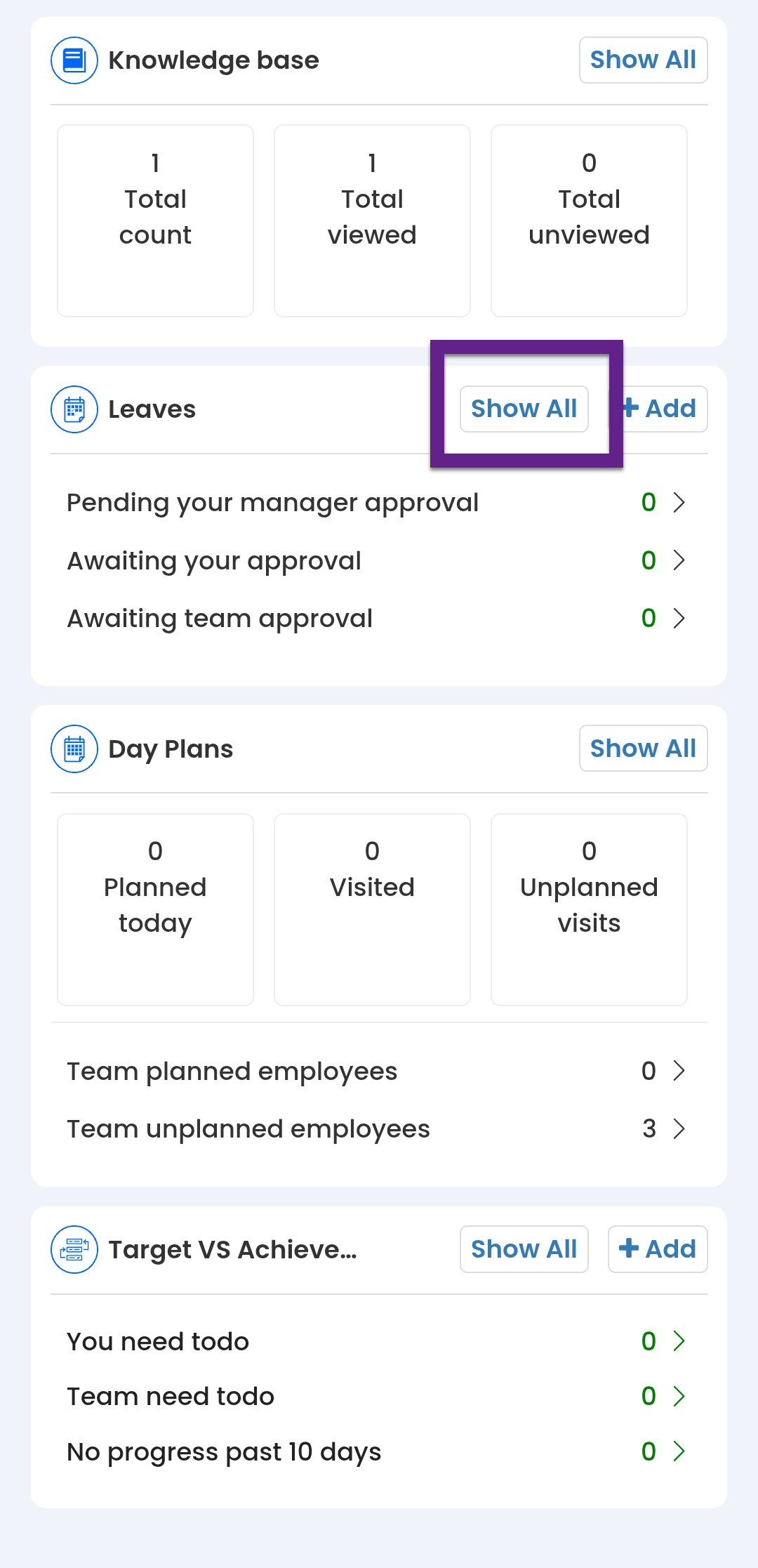
On the Home screen, scroll down to the
Leaves section and then tap Show
All.
- Alternatively, you can navigate to .

- Alternatively, you can navigate to .
-
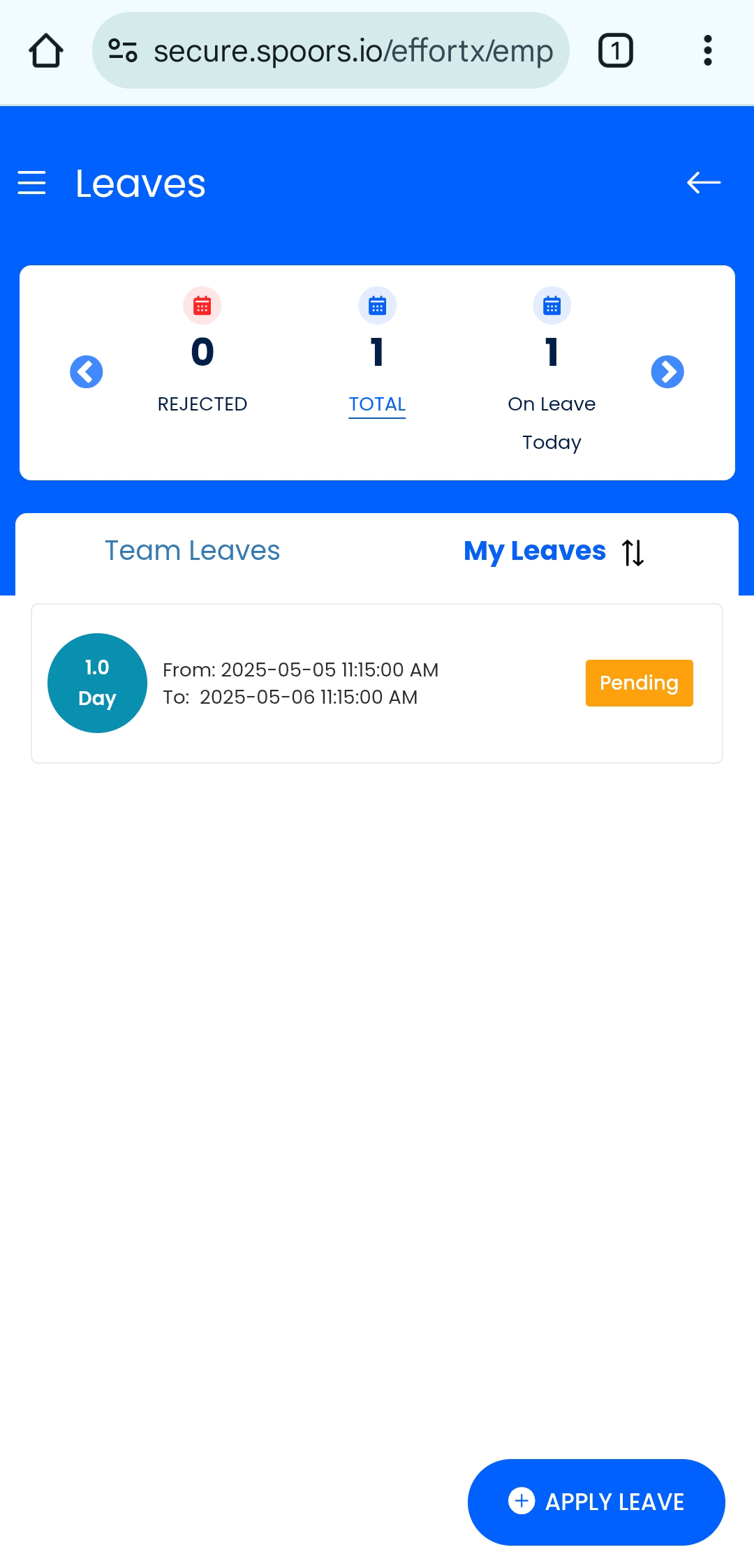
On the Leaves screen, tap the leave entry you want to
edit.
-
Tap the pencil
 icon
next to the Leave Details section.
icon
next to the Leave Details section.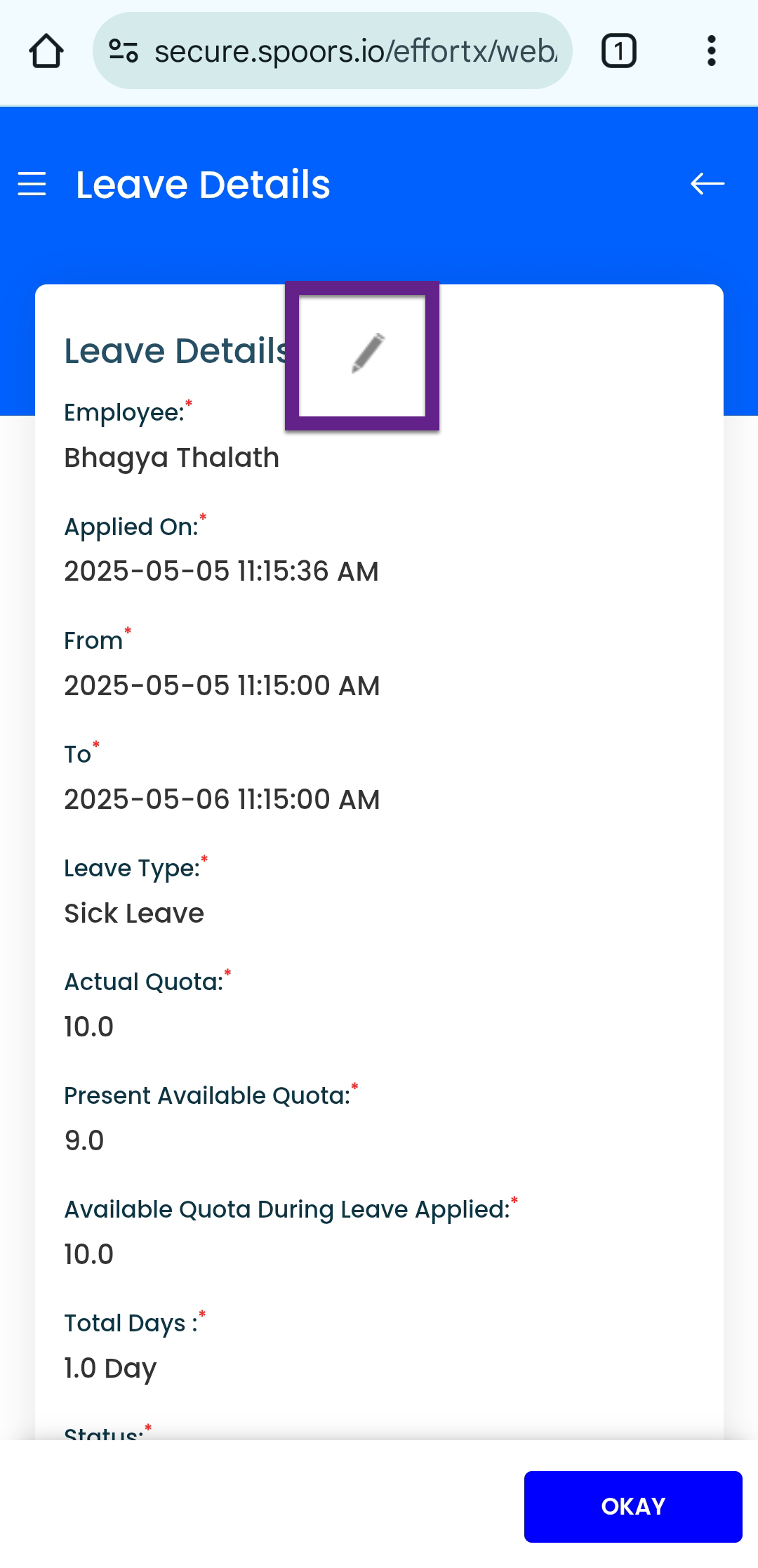
-
Modify the required leave details as needed.
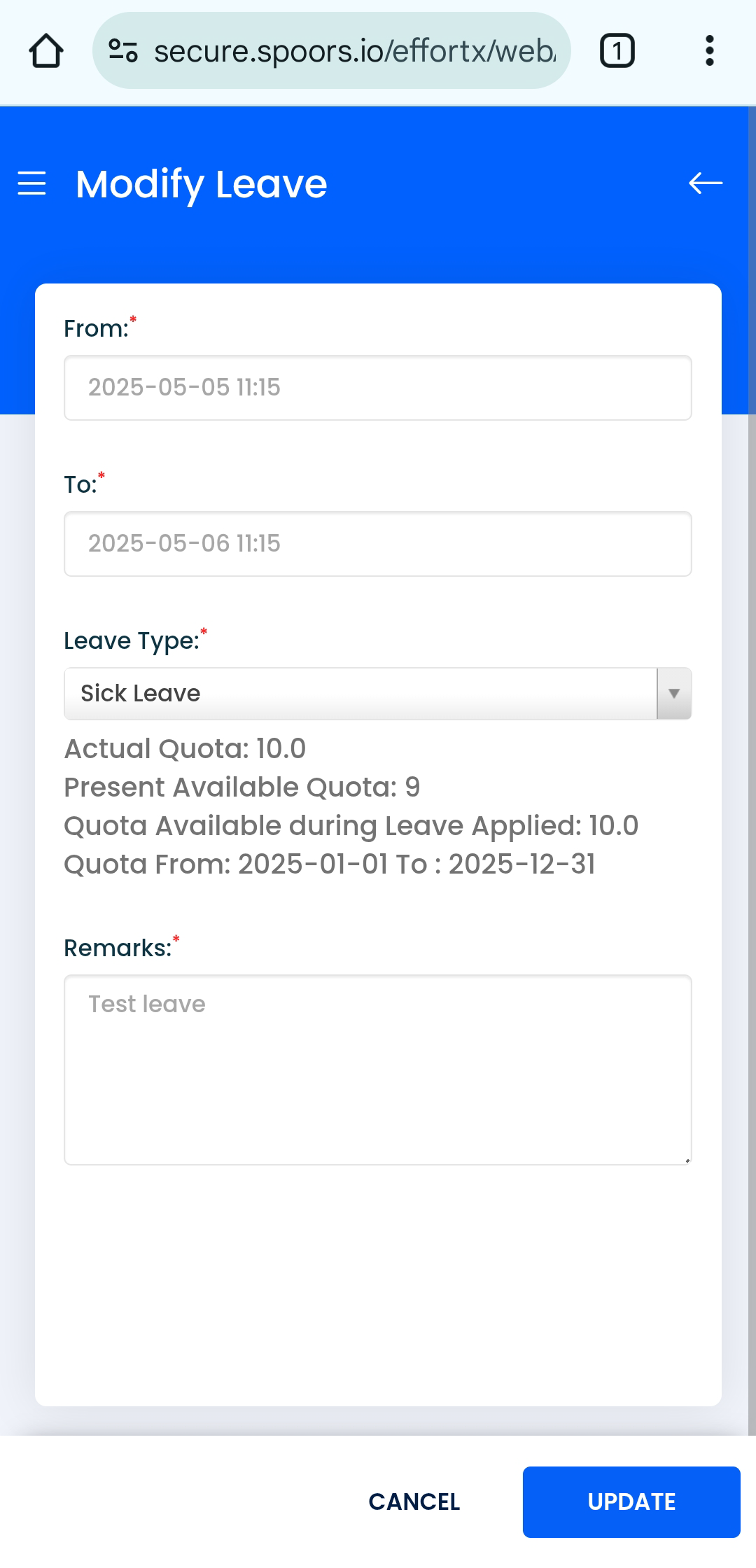
- Tap the Update button.