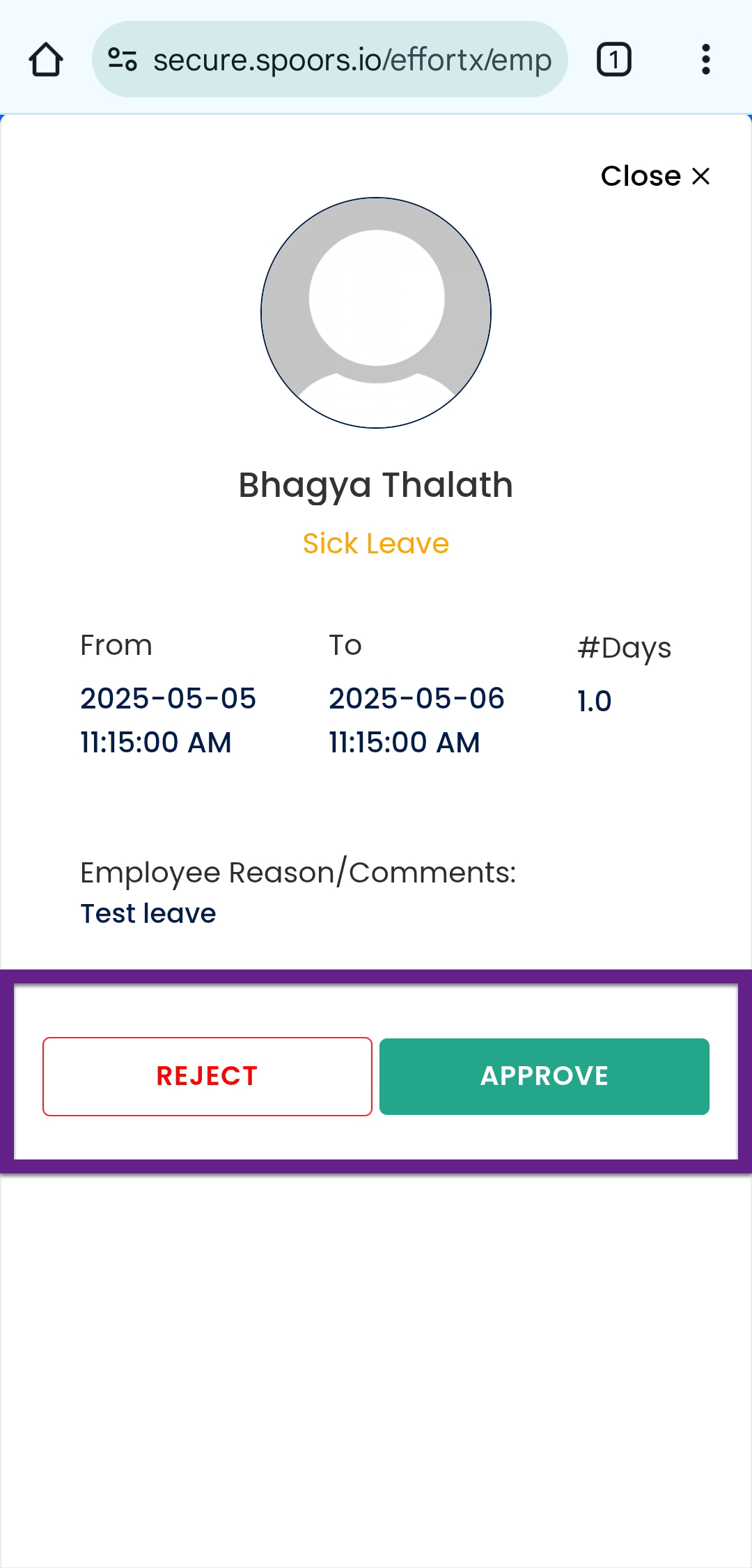
Approve or Reject Leave
To approve or reject a leave, follow the steps below:
-
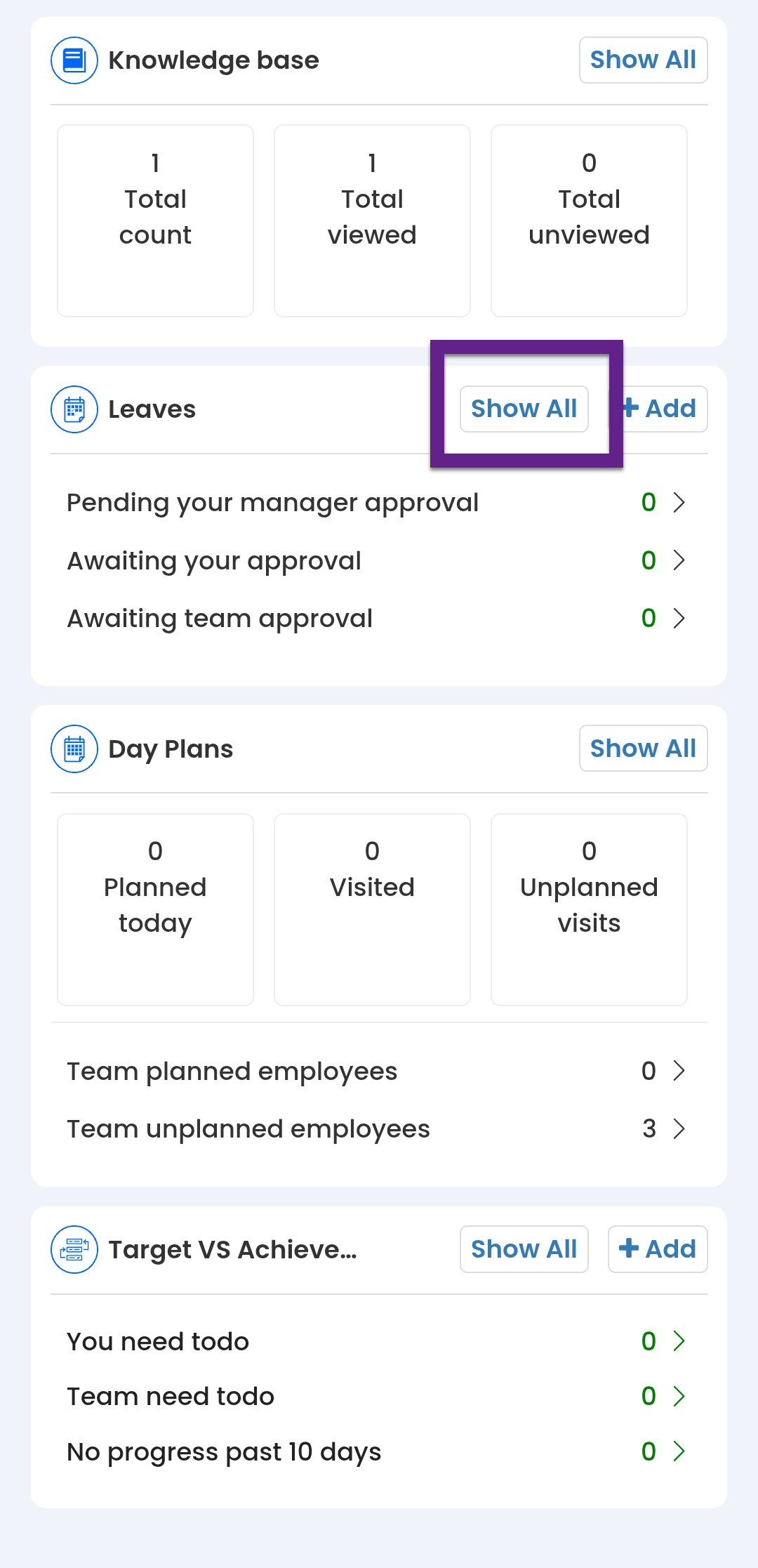
On the Home screen, scroll down to the
Leaves section and then tap Show
All.
- Alternatively, you can navigate to .

- Alternatively, you can navigate to .
-
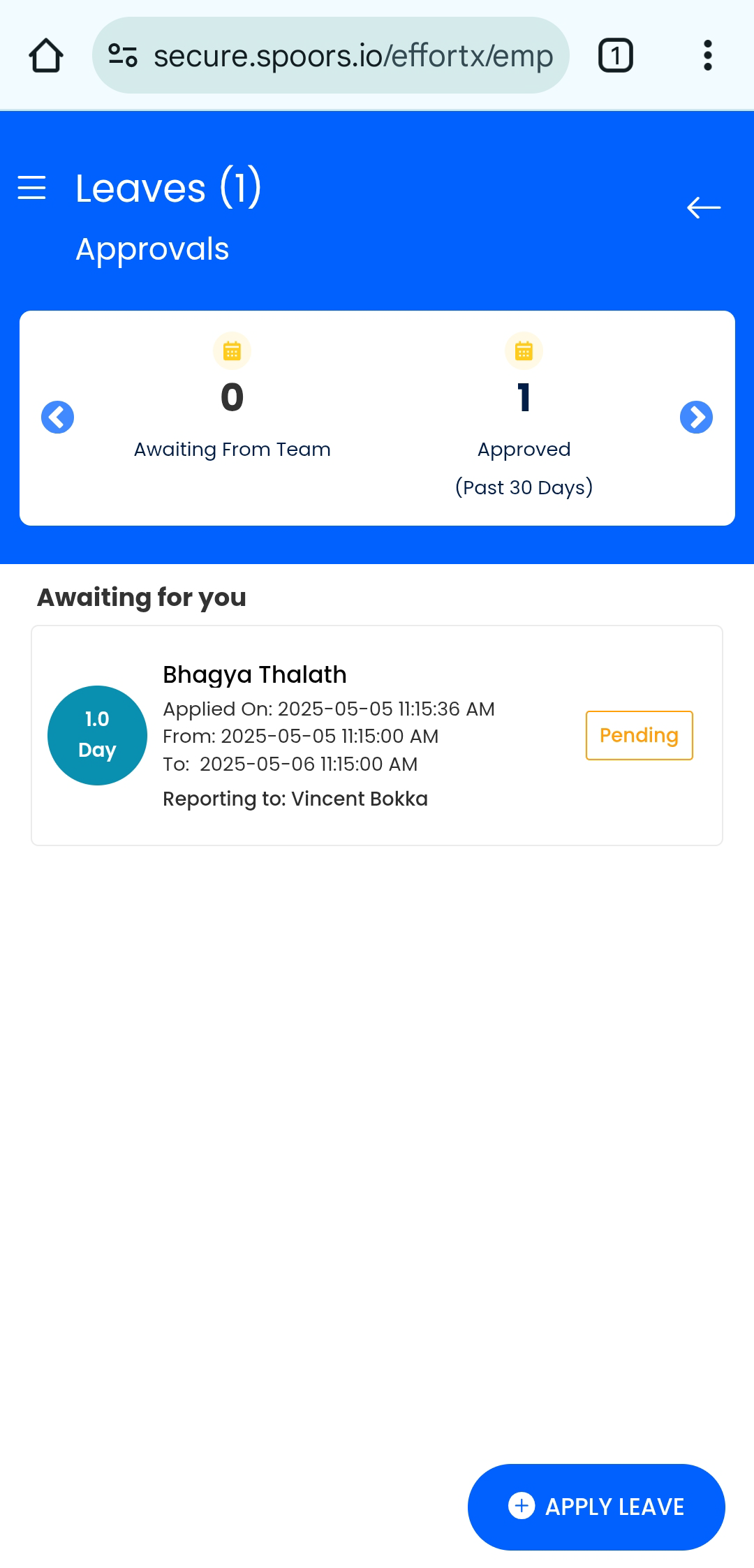
Under the Awaiting for you section, tap the leave you want to
approve.
-
Tap Approve or Reject as per your requirements.