Generate Access And Refresh Tokens for Integration
- Make sure you have already created a project to enable APIs. To create, refer Create a Project in Google Developer Console.
- Make sure you have already enabled the Google Drive API to create application. To enable, refer Enable Google Drive API.
- Make sure you have already created an application to generate OAuth client credentials. To create, refer Create Application in Google Developer Console.
- Make sure you have already generated OAuth credentials to generate access and refresh tokens. To generate OAuth credentials, refer Generate OAuth Client Credentials.
- Navigate to the below url.
-
Click the gear
 icon
located on the top right corner for OAuth configuration.
icon
located on the top right corner for OAuth configuration.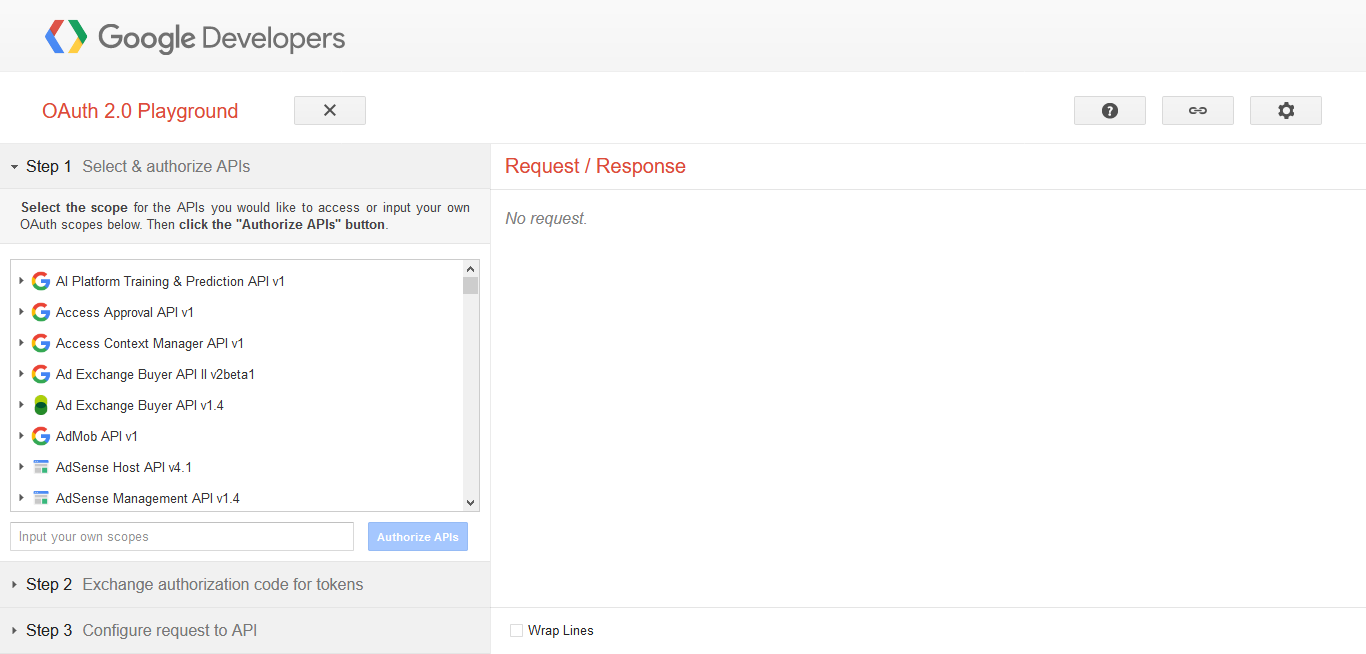
-
Enable Use your own OAuth credentials checkbox and enter
Client ID and Client secret details in the text boxes provided.

-
In the left side section, click Drive API v3 and select
the first one as shown below.
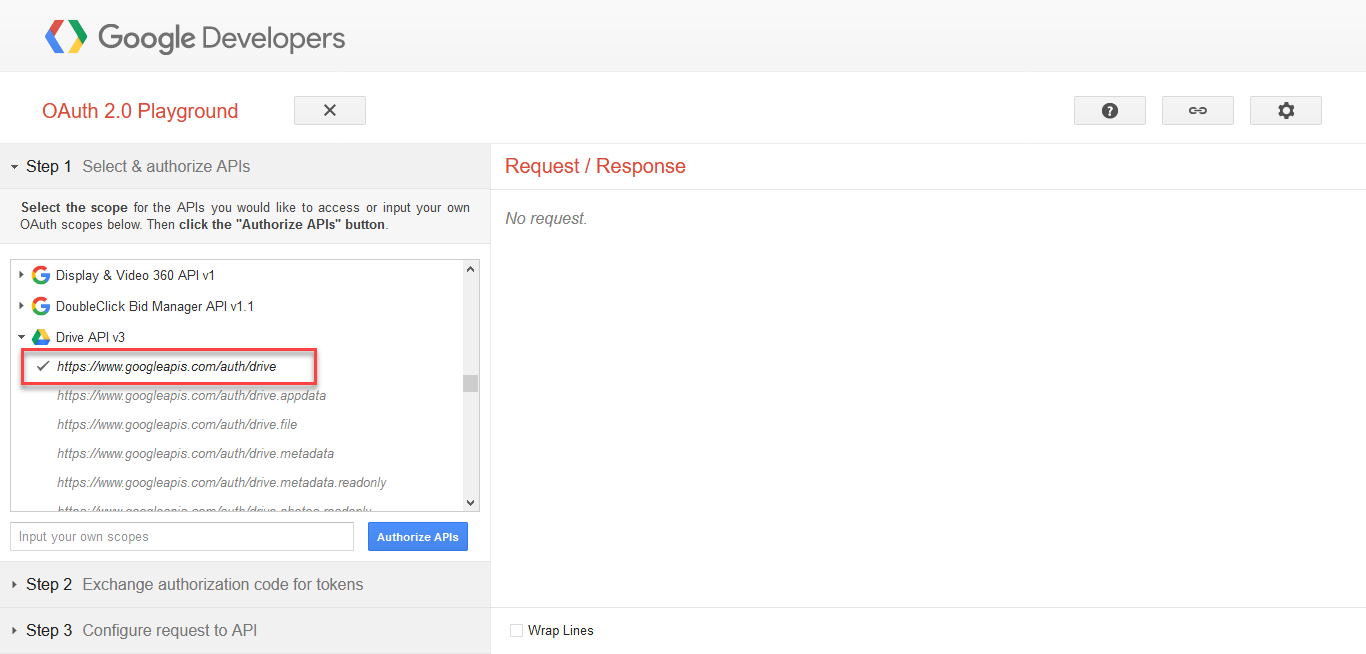
- Click Authorize APIs button.
-
Select your google account and click Allow to give
access.

-
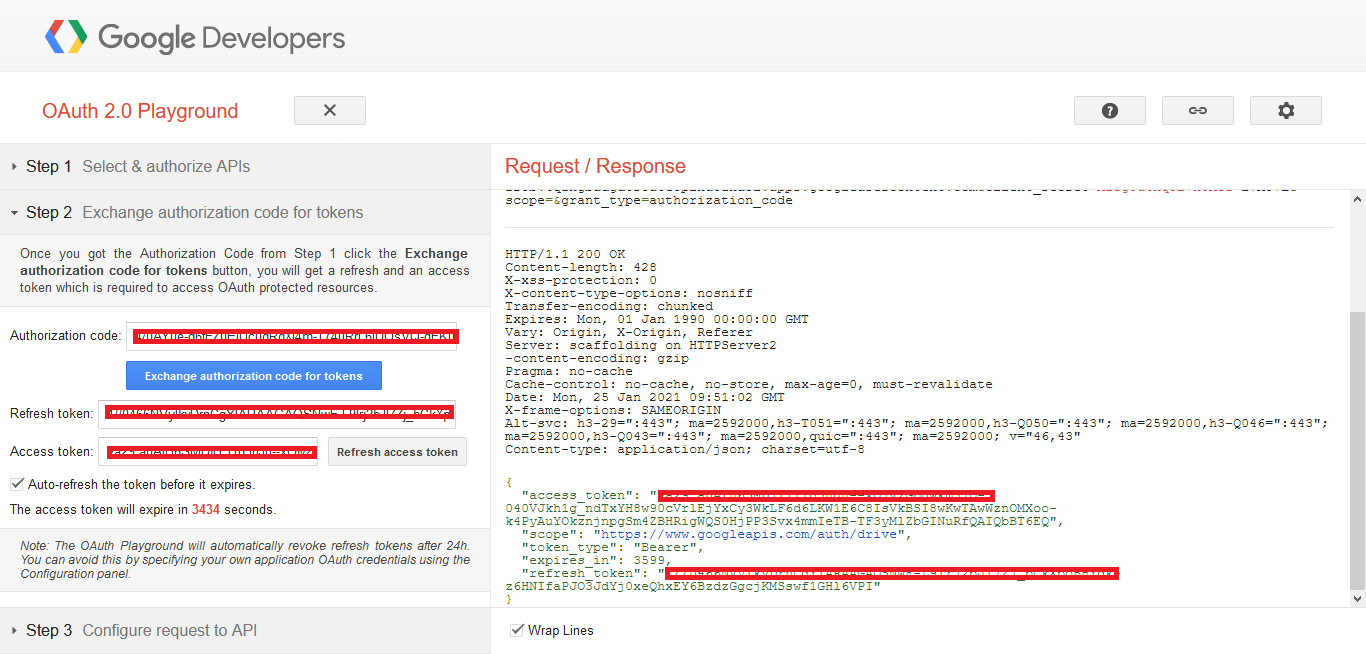
Click Exchange authorization code for tokens
button.
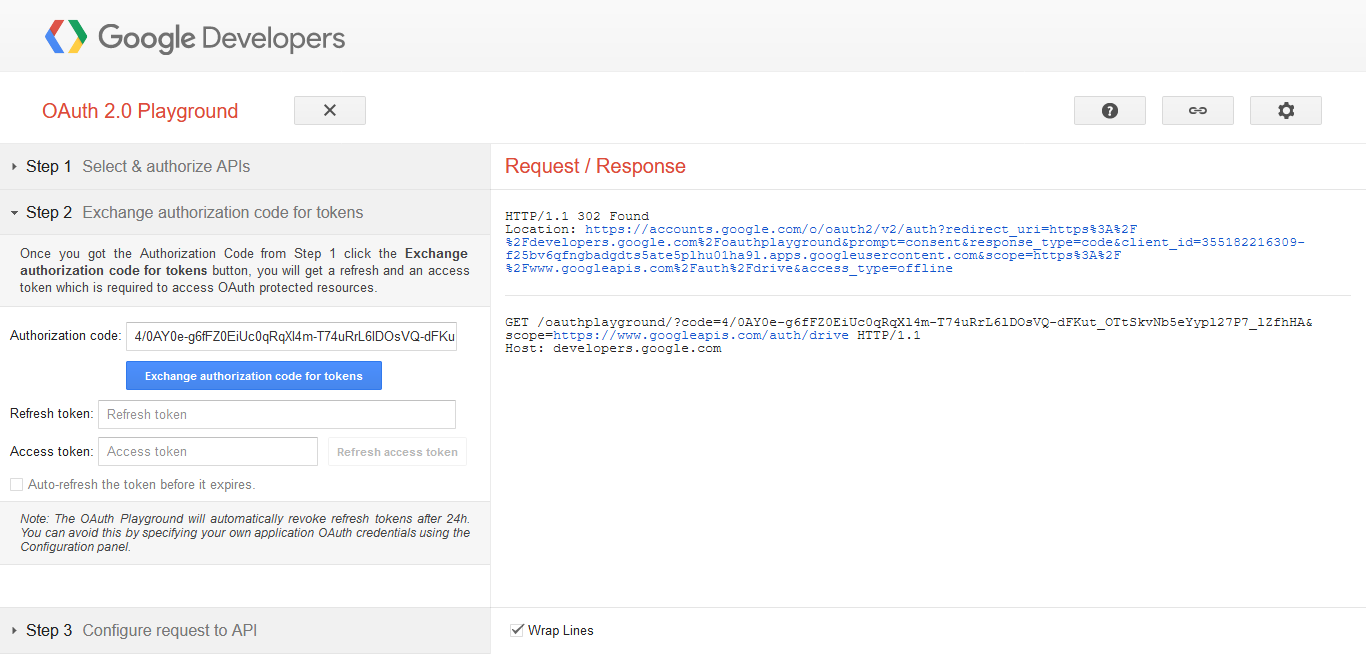
-
Copy the Refresh and Access tokens.