

Creating an Account
Steps to Create a account Login:
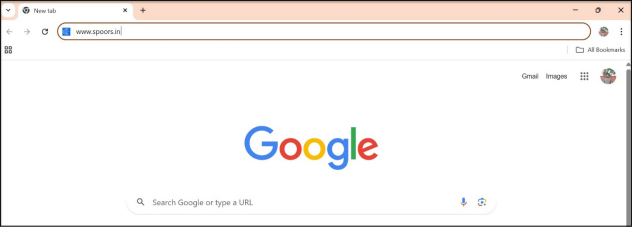
- Open Google Chrome.
- Search for the Website.
- In the address bar type www.spoors.in
- Click on “Spoors”
- In the address bar type www.spoors.in
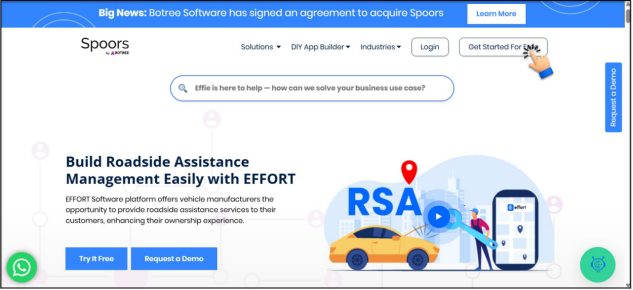
- The following page will now be displayed:
- Click on “Get Started For Free”.
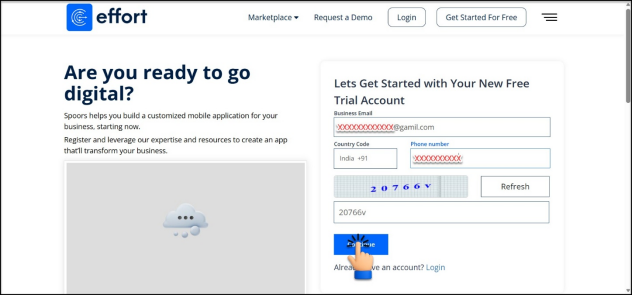
- Enter “Business Email”.
- Select “Country Code”.
- Enter “Mobile Number”.
- Enter “Captcha”.
- Click “Continue”.
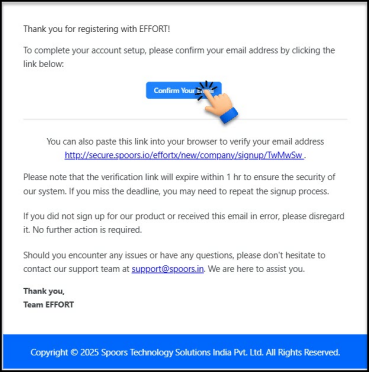
- You will receive an email verfication. Click on “Confirm Your Email” to
complete the verification process.
- After confirming your email, you will receive another email stating that your email address has been successfully verified. Welcome aboard!
Note: If you already have an account, you can log in directly by clicking Login on the
homepage.