

Lead Status Configuration
The Lead Status Configuration is a dashboard that you can
configure for the visibility of your leads. It provides real-time updates regarding the
lead status and high-level actionable insights. You need to define this configuration
based on the work fields. You can configure this dashboard to your lead generation work
process to get answers to the below questions.
- Number of leads to visit
- Revenue to achieve today
- Number of leads visited today
- Revenue achieved today
- Revenue lost today
On this dashboard, you can get the lead count and revenue for both active and closed works.
- Active Works: The works that are not completed.
- Closed Works: The works that are completed.
Example
For example, let's say you are running a sales company where your executives go to the
leads and collect the amount. Refer to the below screenshot for sample work and the lead
calculation.
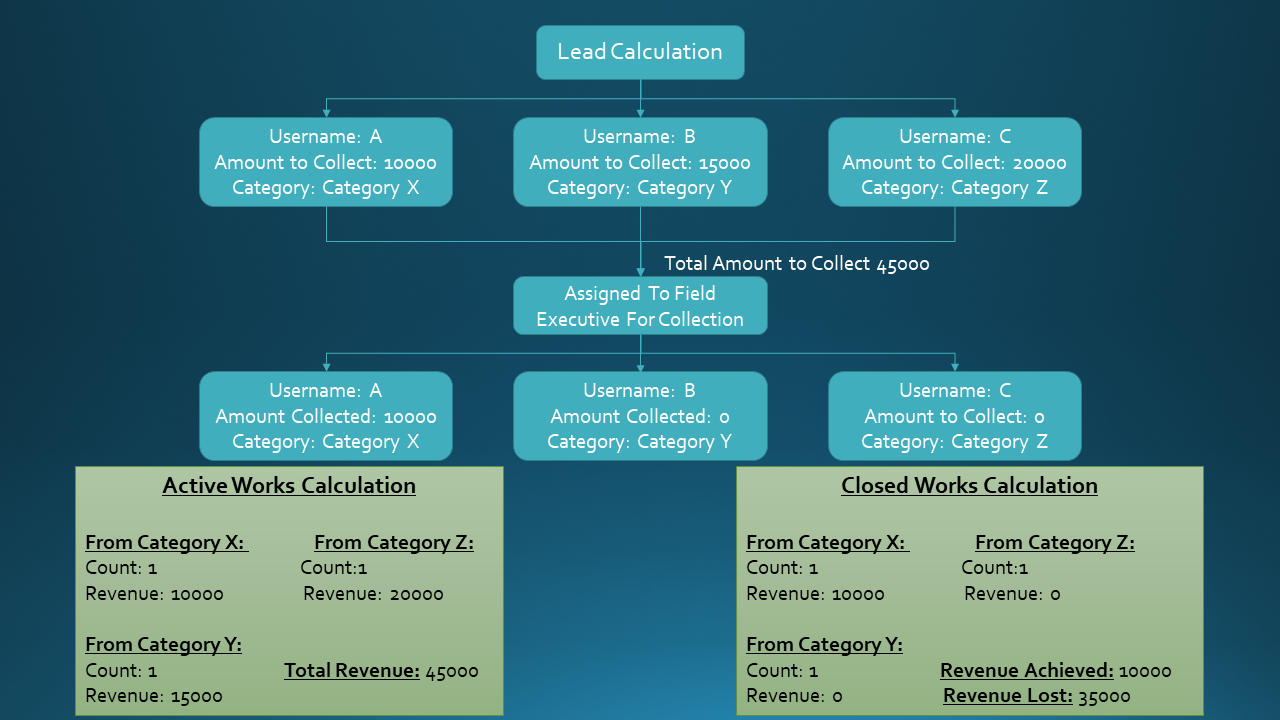
You have assigned three leads to an executive. The executive has to visit three leads and collect 45000. This scenario is displayed under the Active Works dashboard. All the newly created works can be visible on this dashboard. You can see the below dashboard when you create new works.
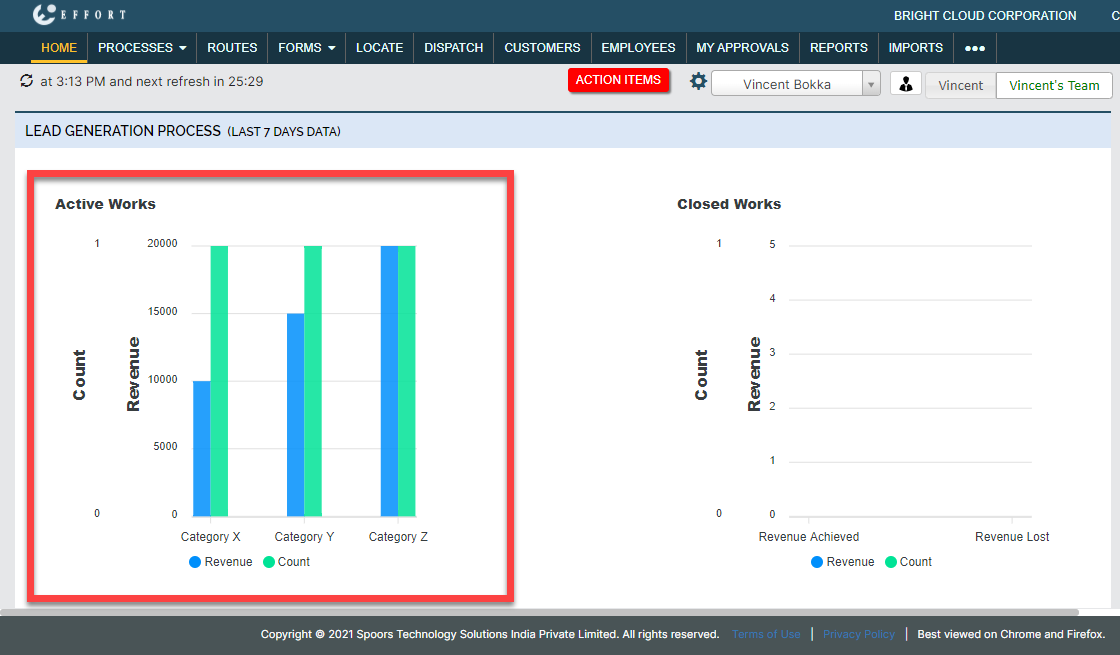
You have assigned three leads to an executive. The executive has to visit three leads and collect 45000. This scenario is displayed under the Active Works dashboard. All the newly created works can be visible on this dashboard. You can see the below dashboard when you create new works.
The Active Works dashboard provides total revenue that needs to be collected from different lead categories.
The executive visited all the customers but collected only 10000. This scenario is
displayed under the Closed Works dashboard. You can see the below
dashboard when the executive completes all the works.
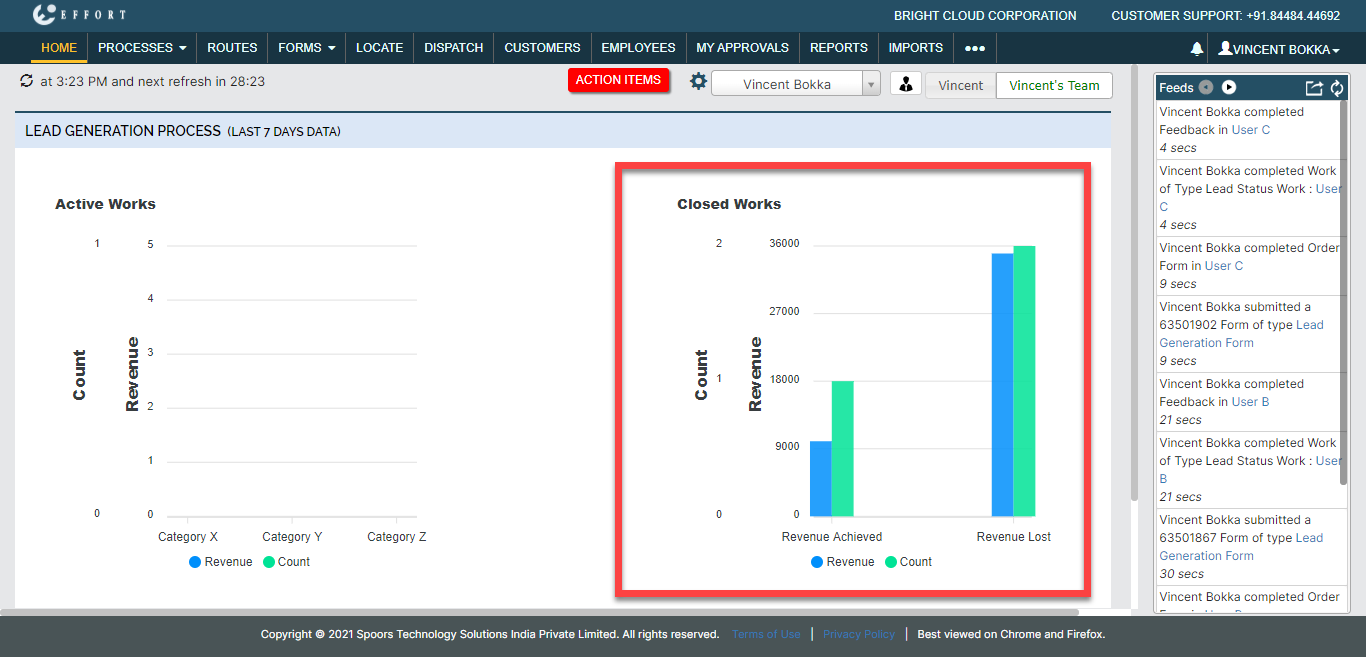
The Closed Works dashboard provides details like revenue achieved and revenue lost.