
Jump to main content
Spoors Tutorials
Tutorials
  • Onboarding
  • Create Application
  • Forms
  • Customers
  • Day Plans
  • Route Plans
  • Work Processes
  • External Analytics Connector
  • Integrator
  • Power BI Integration
  • Business Use Cases
  1. Home
  2. Onboarding
  3. Getting Started
  4. Sign-in To Effort
  • Onboarding
    • Getting Started
      • Sign-Up for an Effort Account
      • Sign-in To Effort
      • Change Password

        To change the password, do the following:

      • Reset Password
      • Install EFFORT Plus App
      • Log in to Mobile App Using Phone
      • Log in to Mobile App Using Email
    • Reference

Sign-in To Effort

  1. Go to https://secure.spoors.io/effortx/login
  2. Enter your credentials (email address and password).
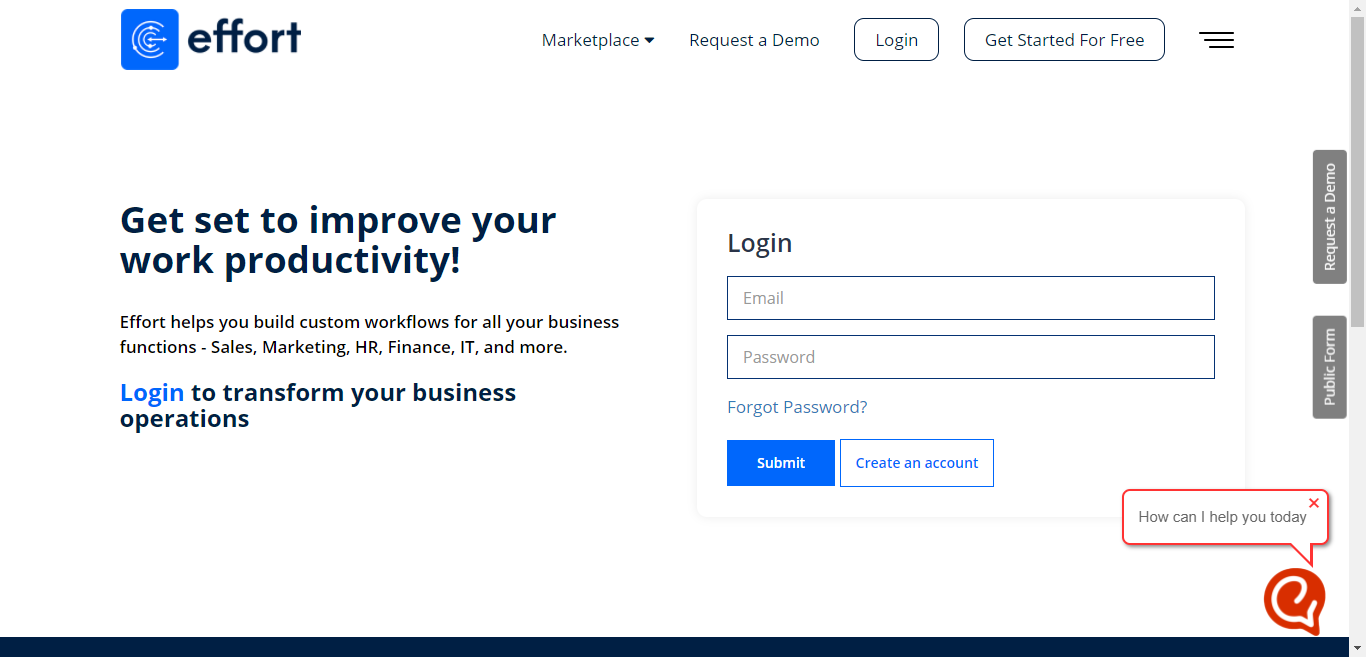
  3. Click Submit button.

    The Welcome To Effort page appears.

Privacy Policy Terms of Use

Copyright © 2024 Spoors Technology Solutions India Pvt.Ltd. All Rights Reserved.