

Map Fields
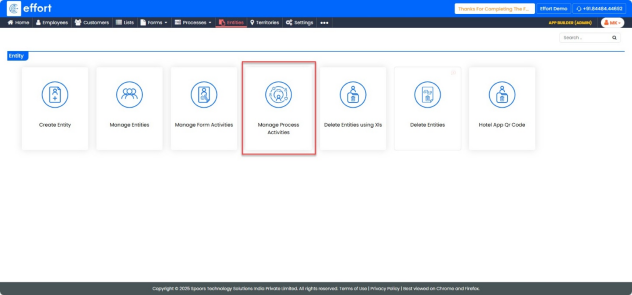
Path: App Builder -> Entities -> Manage Process Activities
- Click on the “Manage Process Activities” tab.
- In the top-left corner, click on “Create”.

- In the Activity name field, enter the name of the activity as Leads
- Under Select Entity, Choose Leads.
- Under Select Work with Above Selected Custom Entity Field, Choose Manage leads
- Click on Checkbox for Don’t Show in Home and Bottom Bar.
- In the Manage Leads Fields section:
- For Lead, Click the drop-down and select Check In Custom Entity.
- For Sales Owner, Click the drop-down and select Sales Owner.
- Click “Save”.
