

Create Score Card Configuration
To create score card configuration, follow the steps below.
-
Go to .
The Score Cards page appears.
-
Click the menu
 icon of a required score card under the
Actions column.
icon of a required score card under the
Actions column.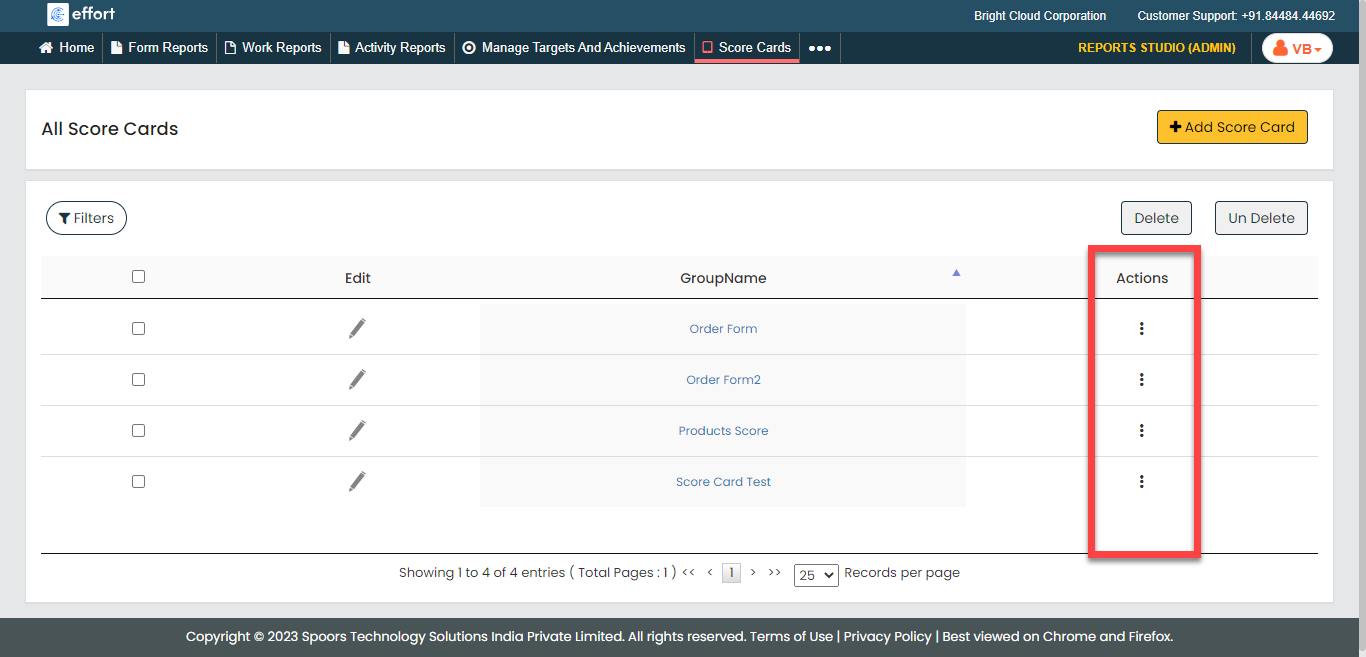
-
Click the Open Score Card option.

-
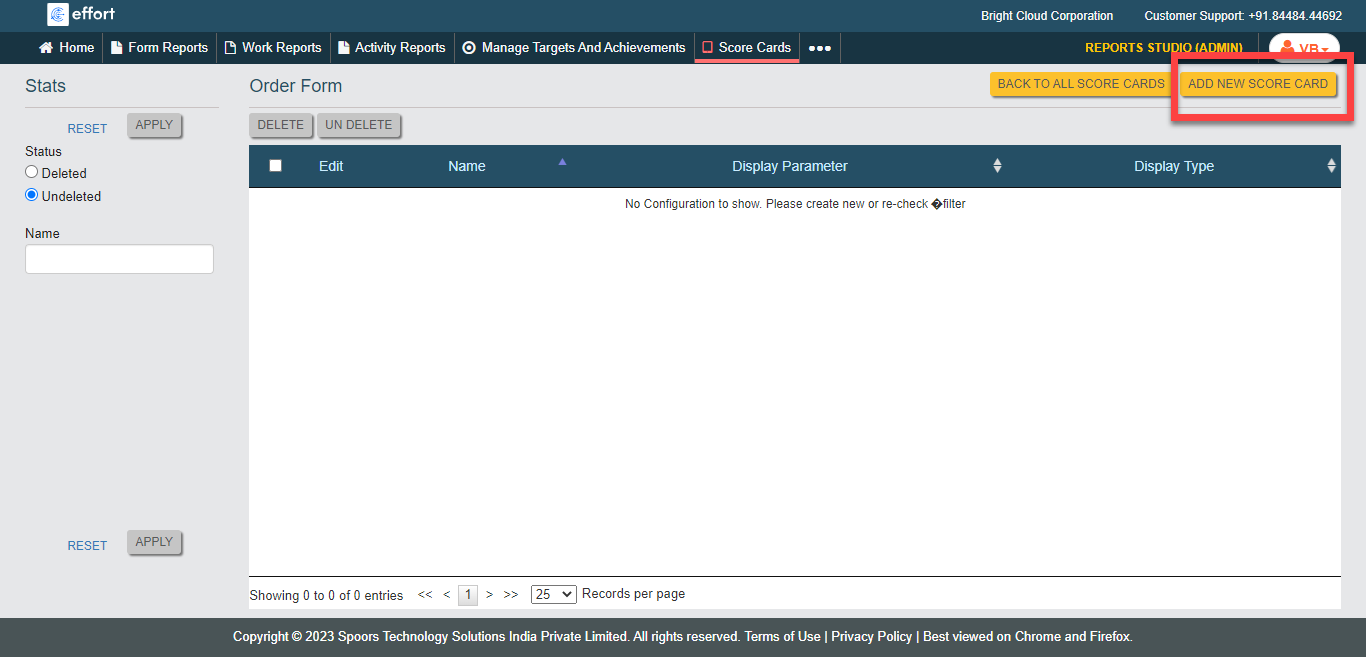
Click the Add New Score Card button located on the top
right corner.
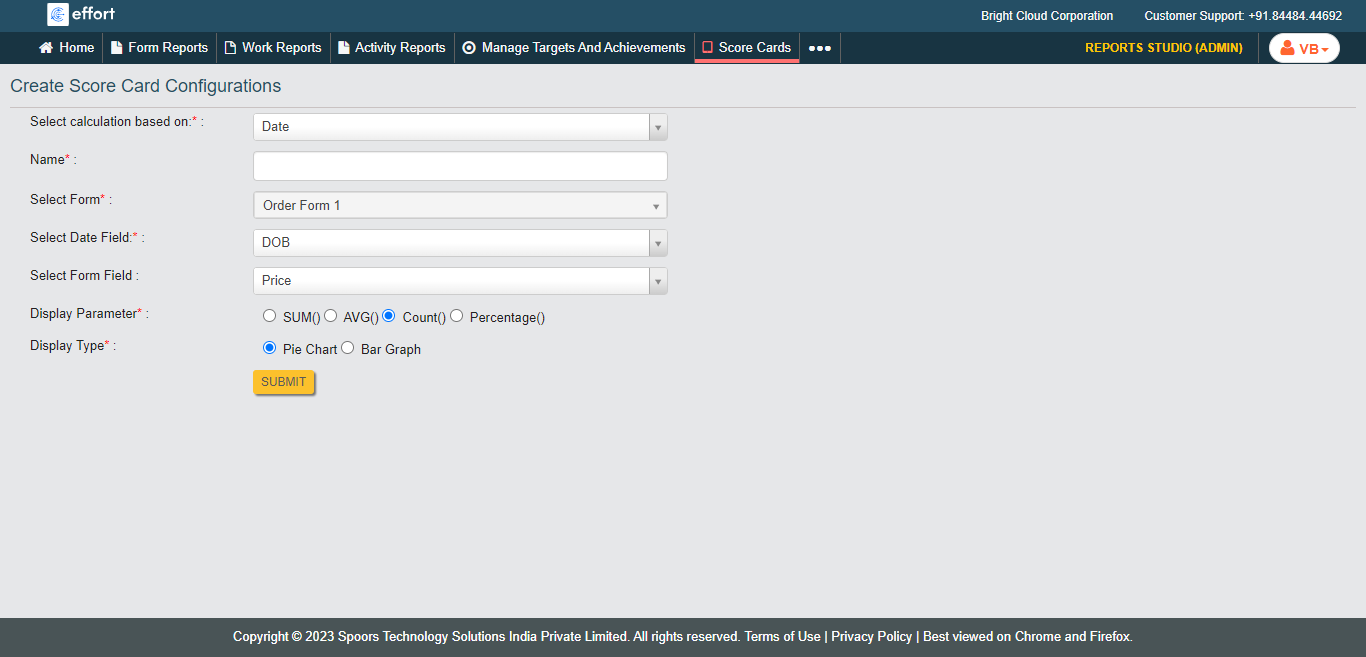
The Create Score Card Configurations page appears. -
Configure the mandatory fields as per your requirement.
- Click Submit.