

Edit a Trigger Event
To edit an existing trigger event, follow the steps below:
-
Go to .
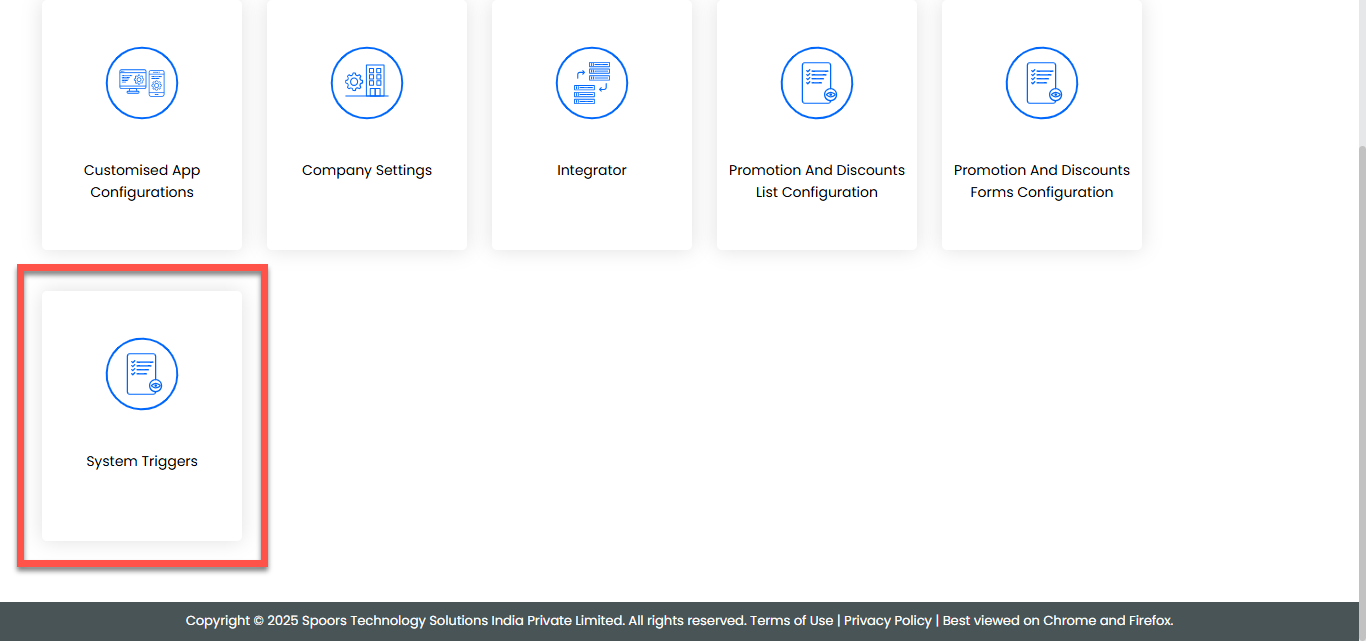
-
On the System Template Configurations page, click the
Trigger/Notification button for the template in which
you want to edit, located under the Events column.
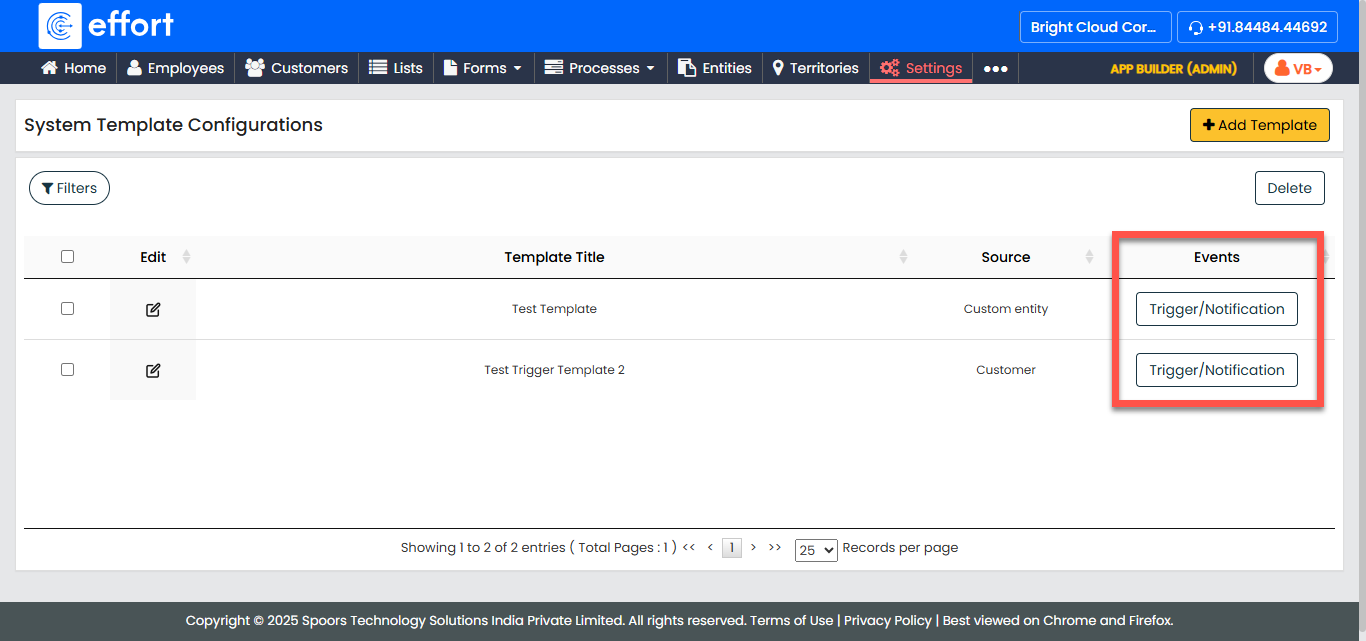
-
Click the Edit icon in the Actions column of the
event.
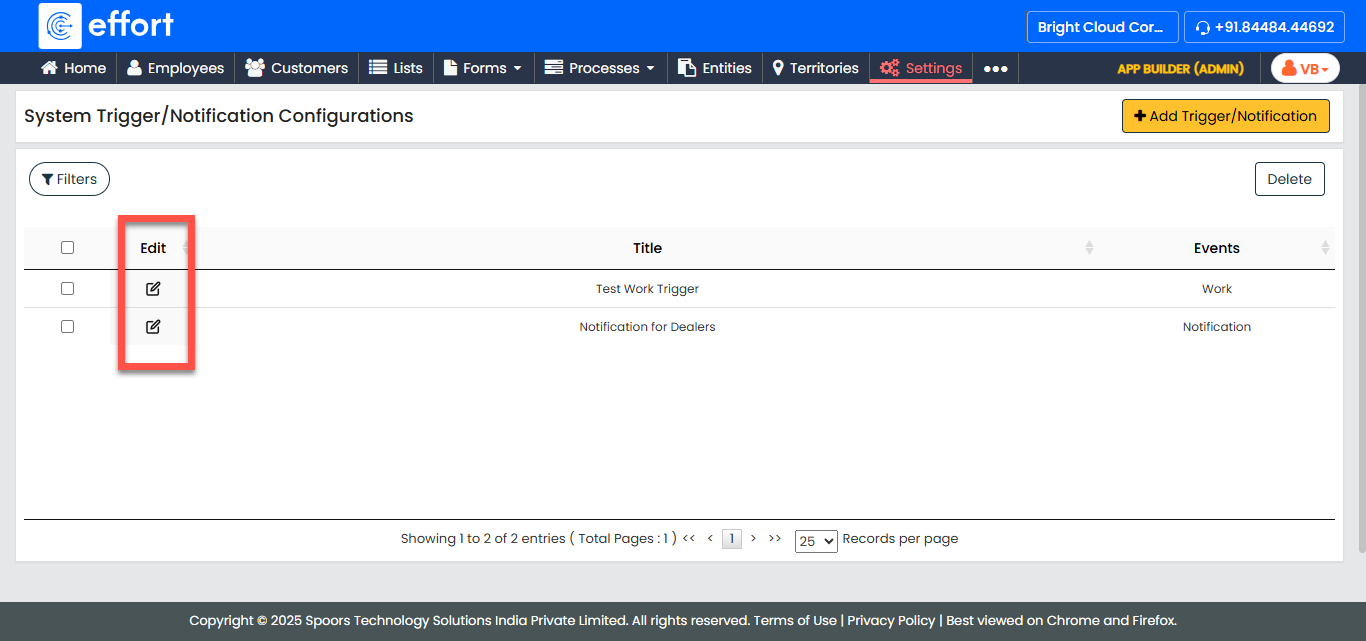
-
Make the necessary changes to the trigger event fields such as the trigger
name, trigger events, etc.
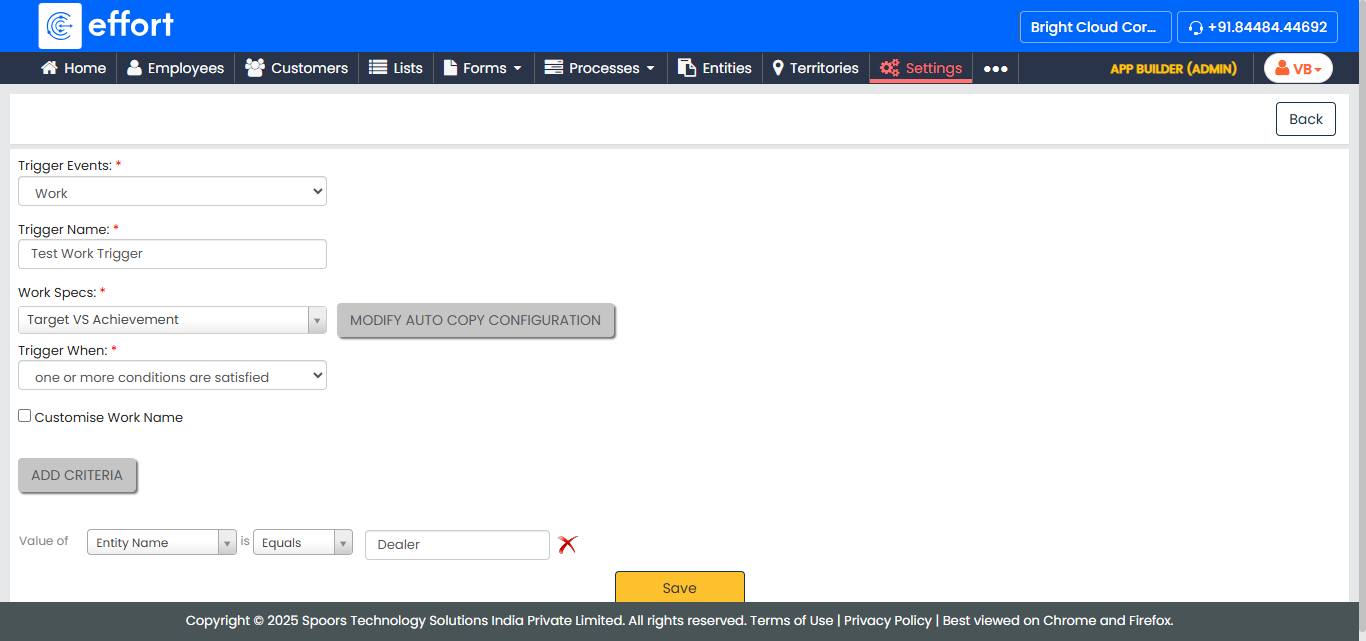
- Click Save to save the changes made to the trigger event.