

Step 4: Efficiently Plan Your Activities with Routes
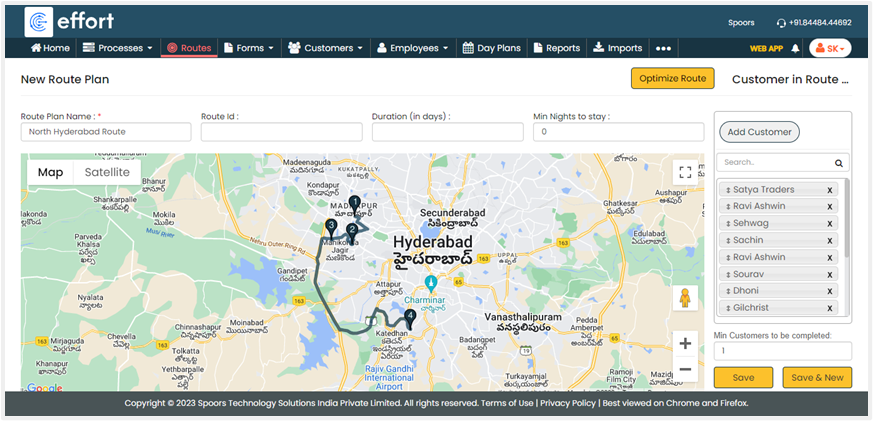
With Routes, you can effectively plan your daily customer activities. To create a route,
navigate to . Enter a name for your route and click Add Customer to select the
customers you want to add to the route.

Click Optimize Route and select the first customer in the pop-up window to find
the shortest and most cost-effective route from the first customer to others. If the
optimized route is fine for you, then save the configuration.
After you create the route, assign it to the employee.
