

Reassign Form Submission
To reassign a form submission, follow the steps below:
-
Go to .
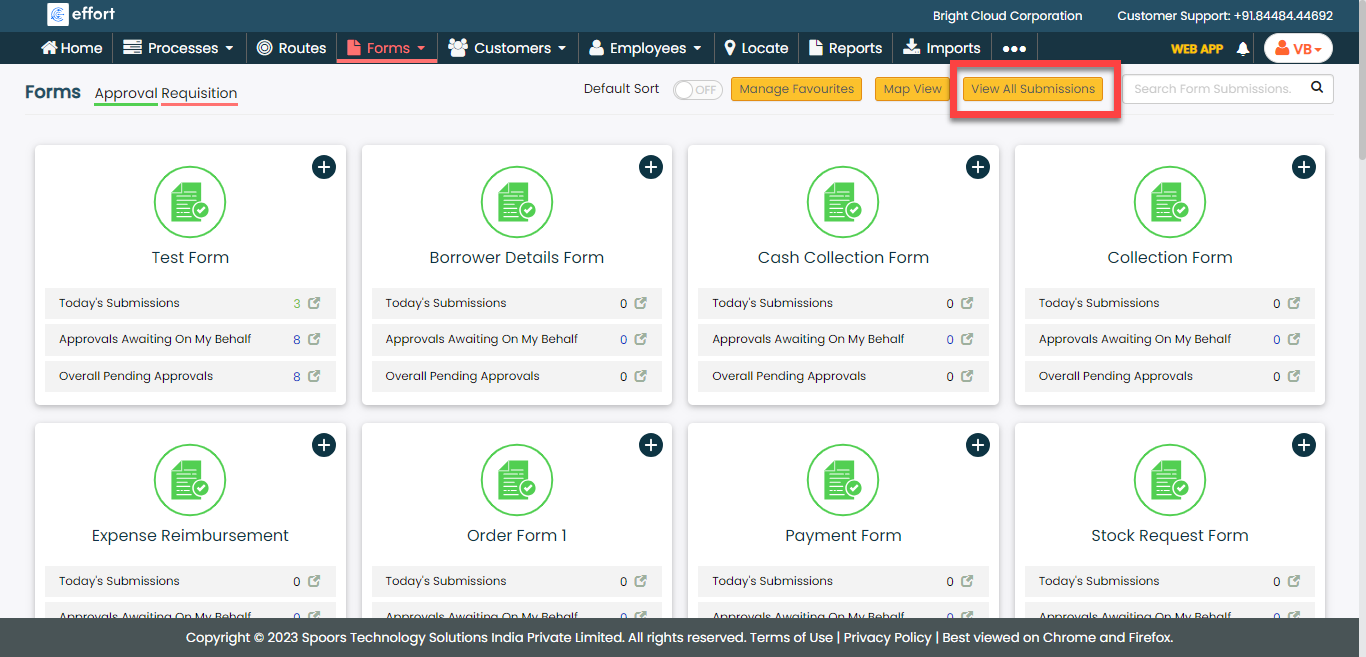
The Forms page appears.
-
Click the View All Submissions button.
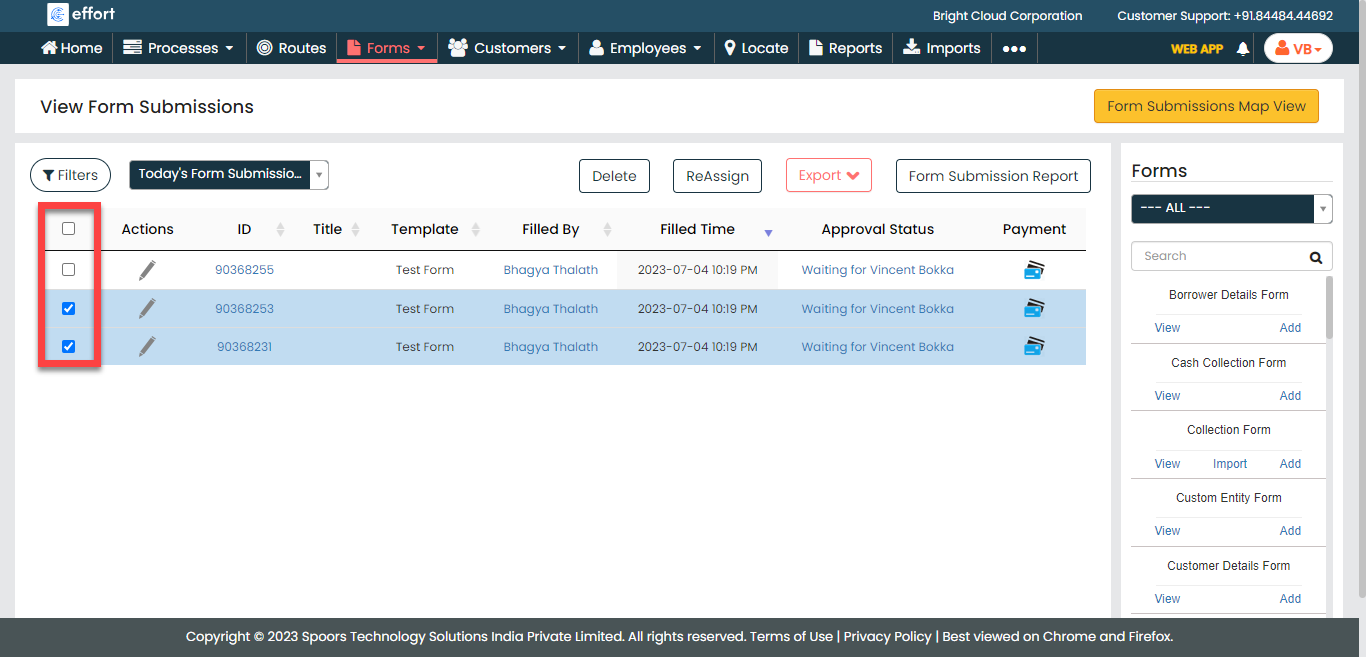
The View Form Submissions page appears.
-
Select the form submissions you want to reassign.
-
Click the Reassign button.

-
Click the dropdown and select an employee.

- Click Apply.