

Send Public Form URL and QR Code To Email (Web App)
To send public form URL and QR code to email (Web App), follow the steps below.
-
Go to .
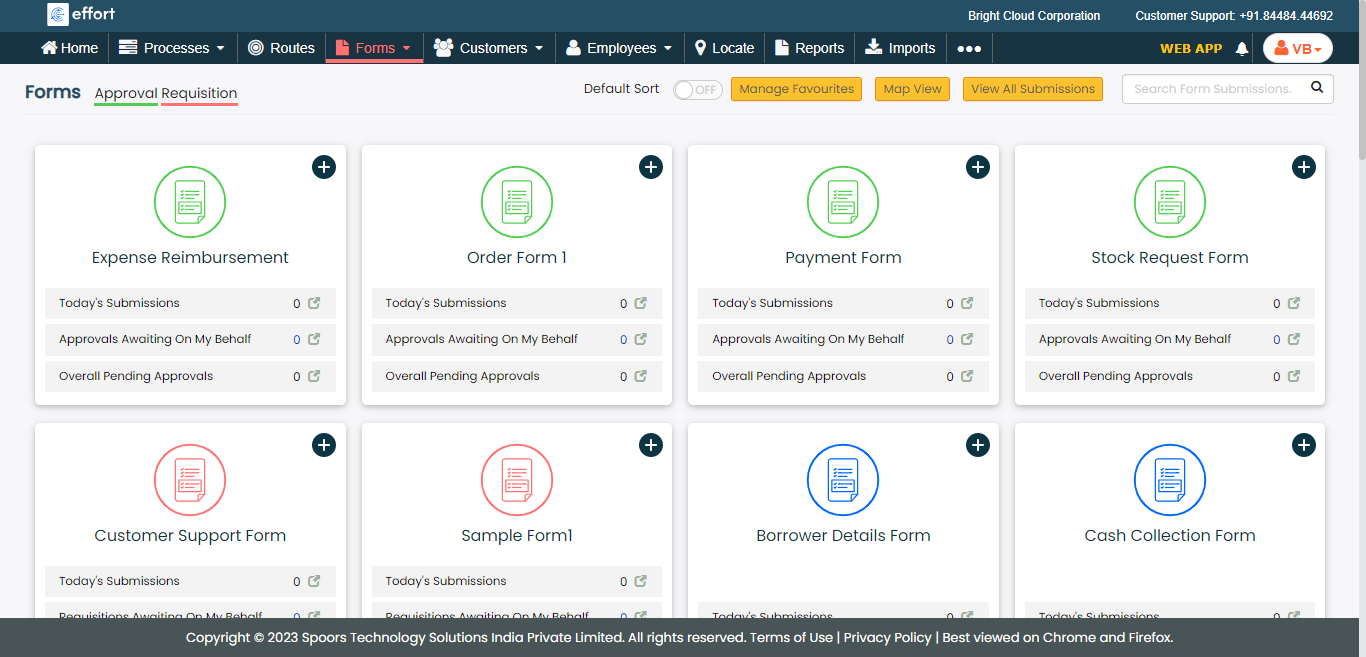
The Forms page appears.
-
Click on the form which is published as a public form.
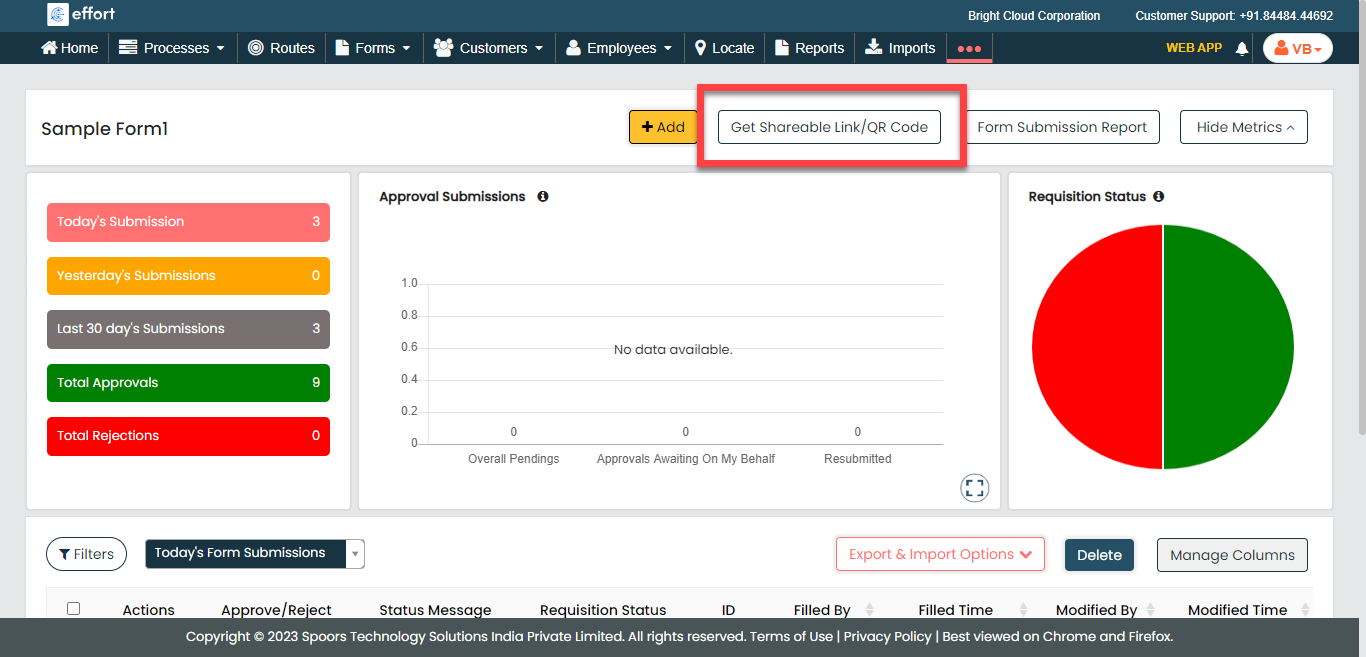
The Form Submissions page appears.
-
Click the Get Shareable Link/QR Code button.
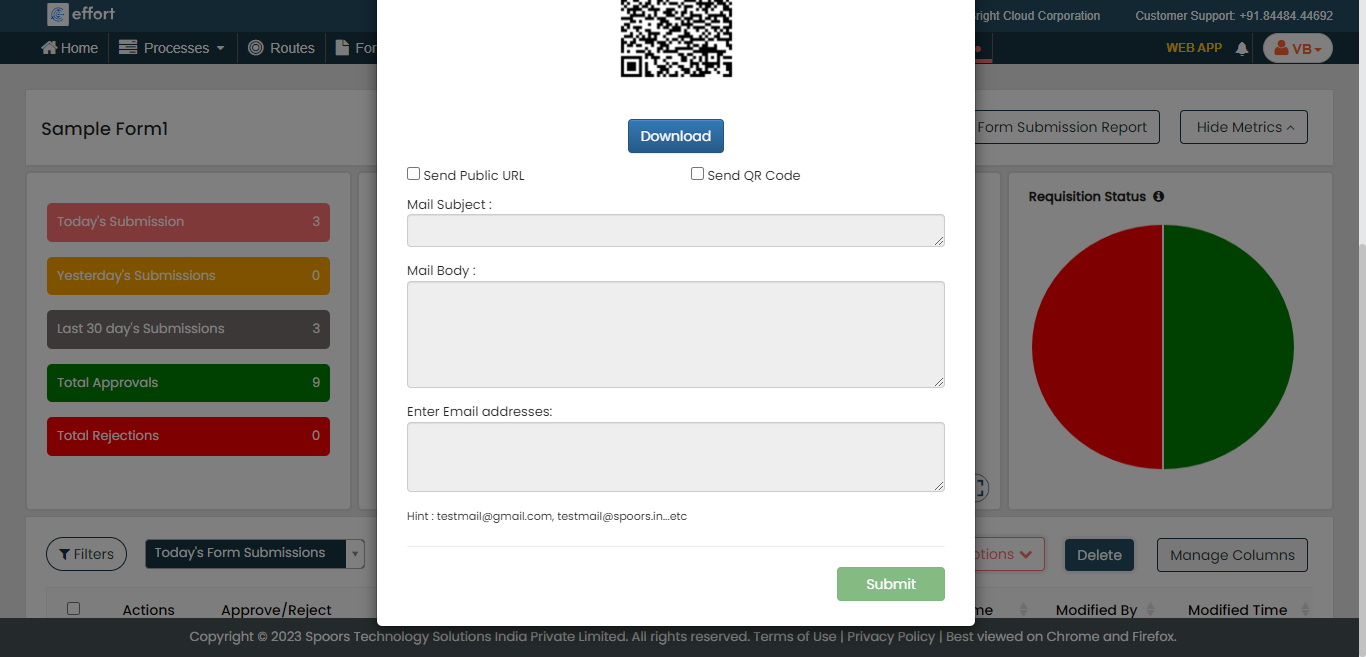
The Get Shareble Link/QR Code pop-up window appears with public link and QR code.
-
Enable the below checkboxes as per your requirement.
- Send Public URL: Allow you to send email with the public form link.
- Send QR Code: Allow you to send email with the QR code.
-
Enter details in the below email fields.
- Mail Subject: Enter the subject line of the email.
- Mail Body: Enter the content of the message.
- Enter Email addresses: Enter the recipient's email addresses.
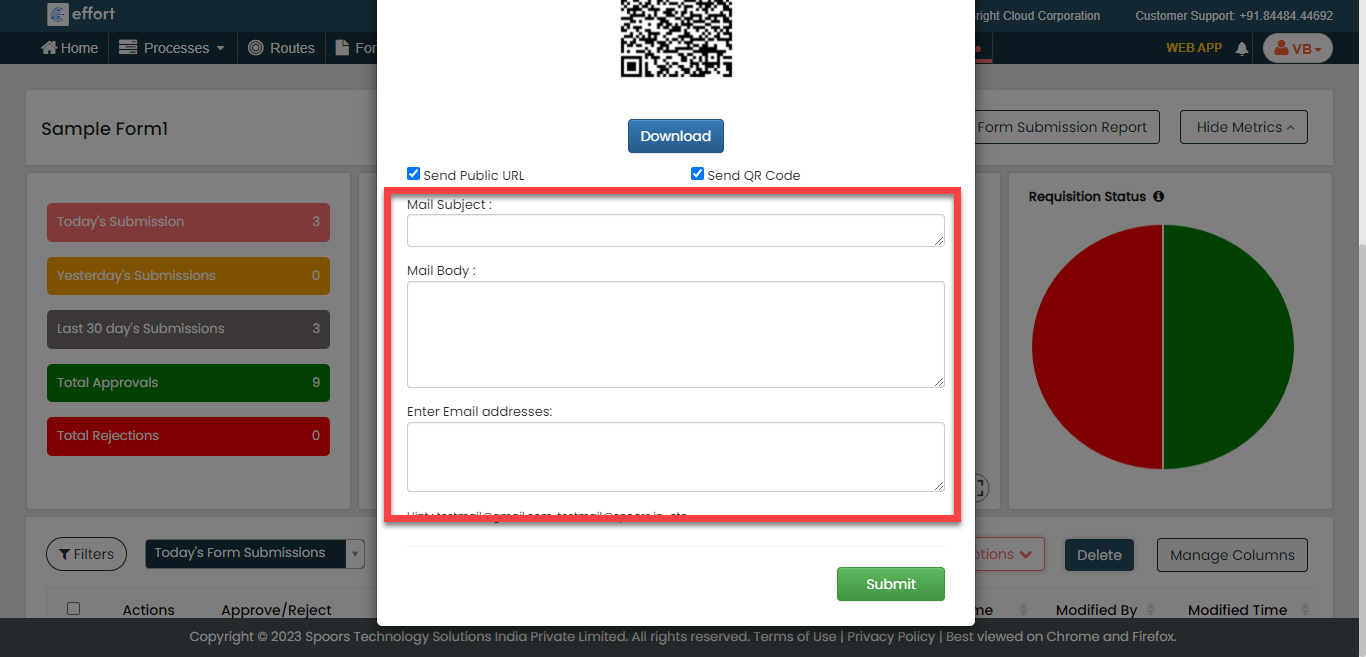
- Click the Submit button to send email.