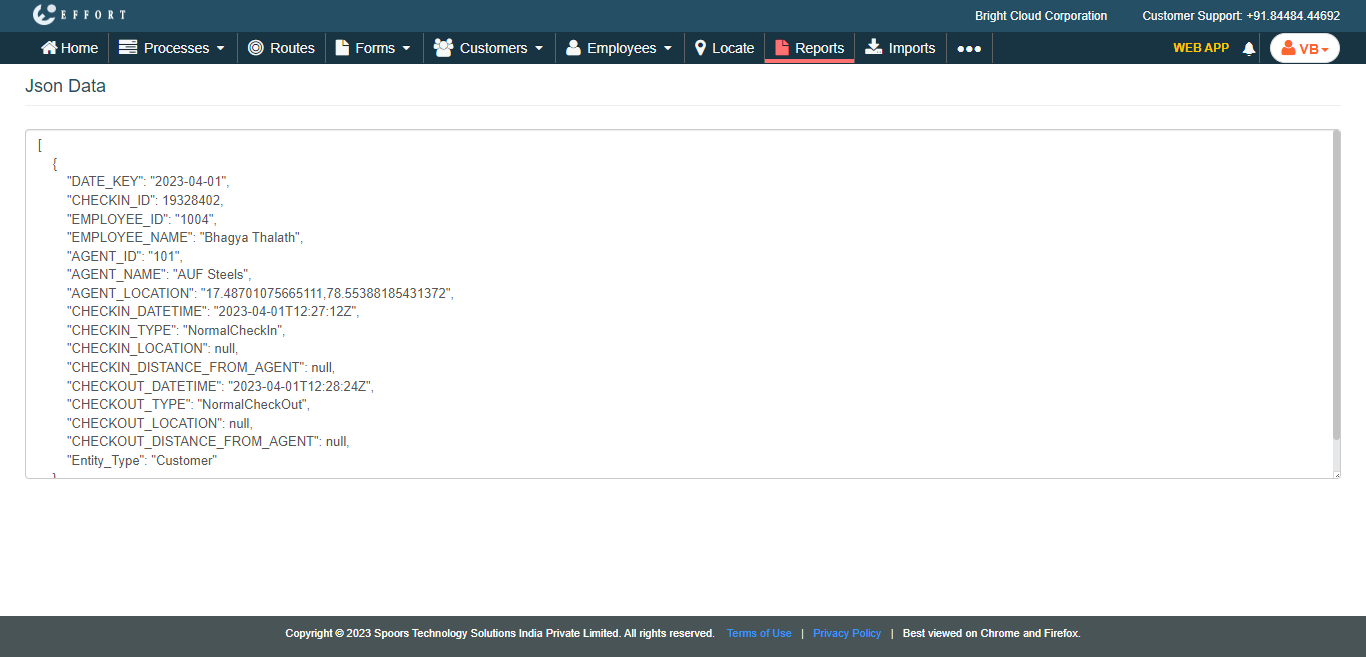
Generate a Sample JSON for Integration of Customer Check-In Check-Out
To generate a sample JSON for integration of customer check-in check-out, follow the steps below.
- Go to .
-
Click Tools and Audit in the user menu located on the
top right corner under the employee name.
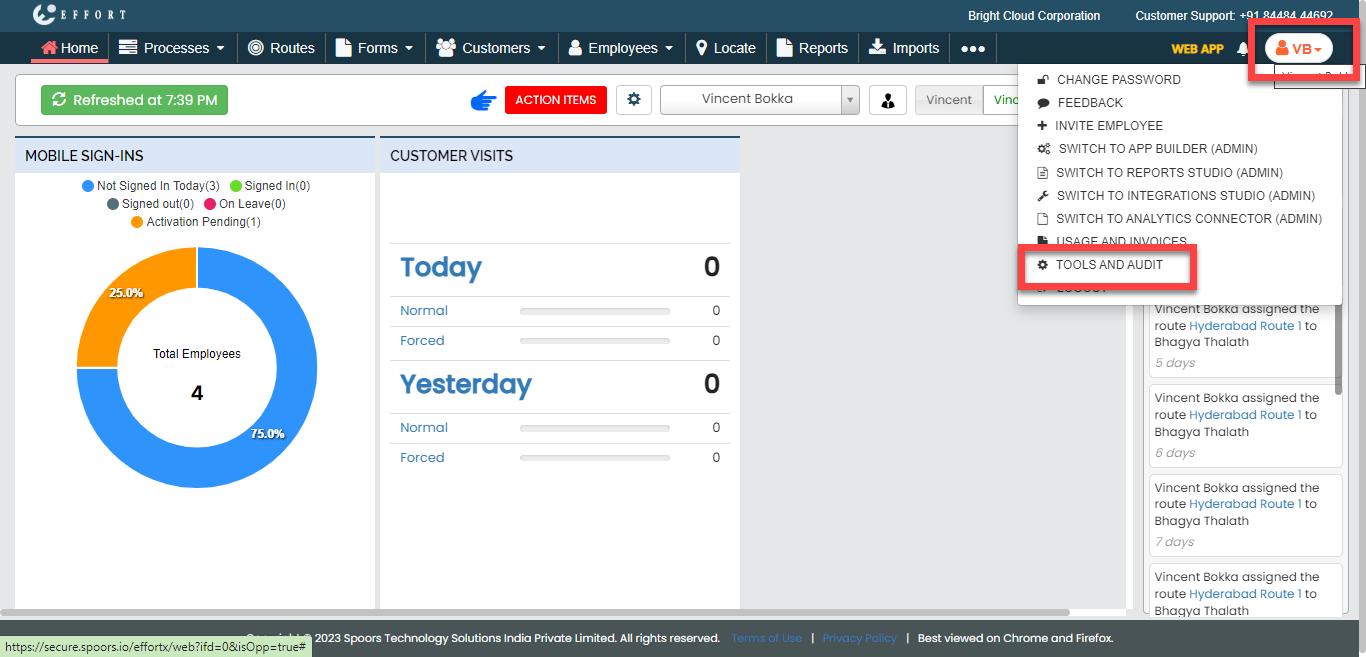
The Tools and Audit page appears.
-
Under the Tools and Audit section, click the
Generate Sample JSON for Integrations link or
icon.

The Generate Sample JSON for Integrations page appears.
-
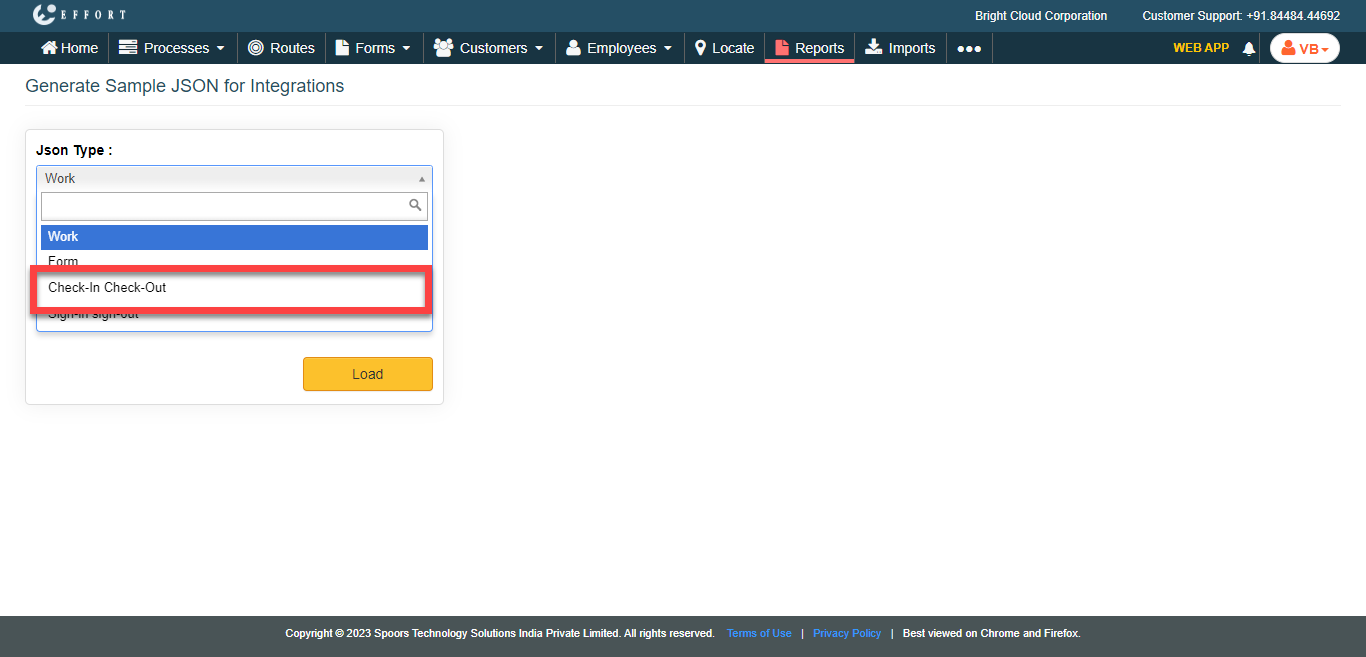
From the JSON Type dropdown, select the
Check-In Check-Out option.
-
Click the Employee Name dropdown and select the
employee.

-
Click Load.
The JSON Data is displayed in a new tab.