

Configure Filters in Mobile
To configure filters in mobile, follow the steps below.
-
Go to .
The Customers page appears.
-
Under the Display section, click the Manage
Filtering Options card.
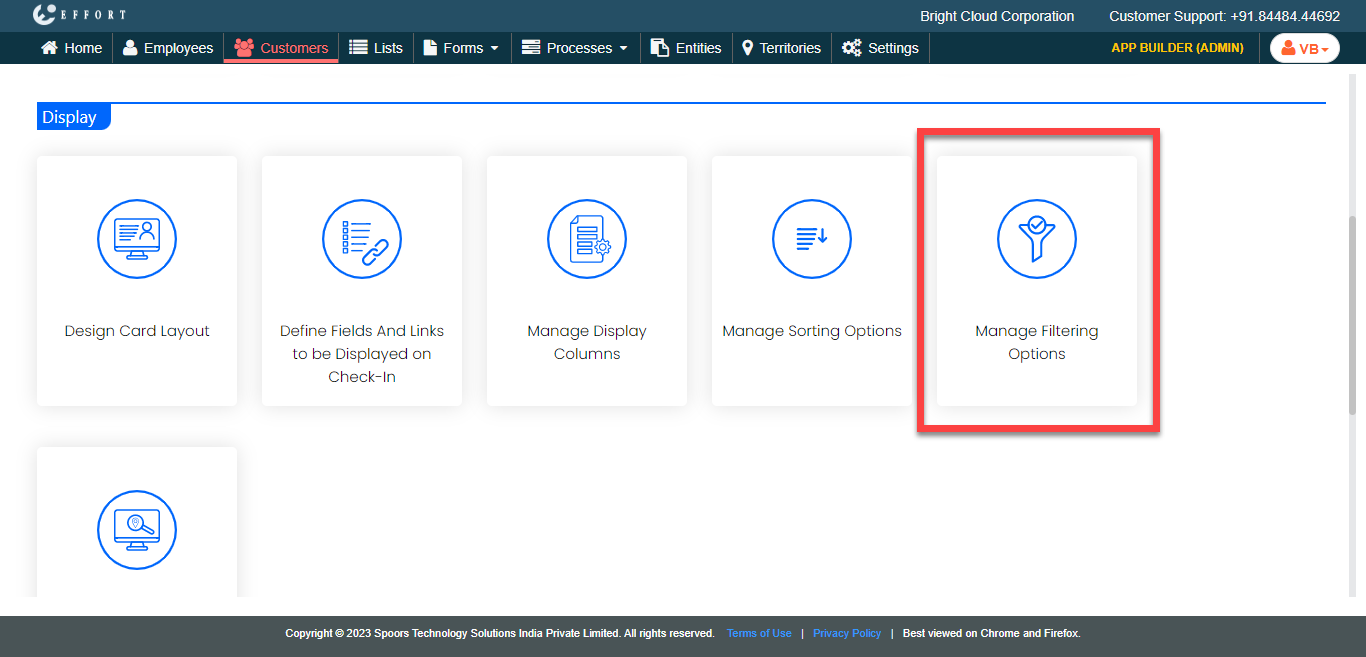
The Manage Filtering Options page appears.
-
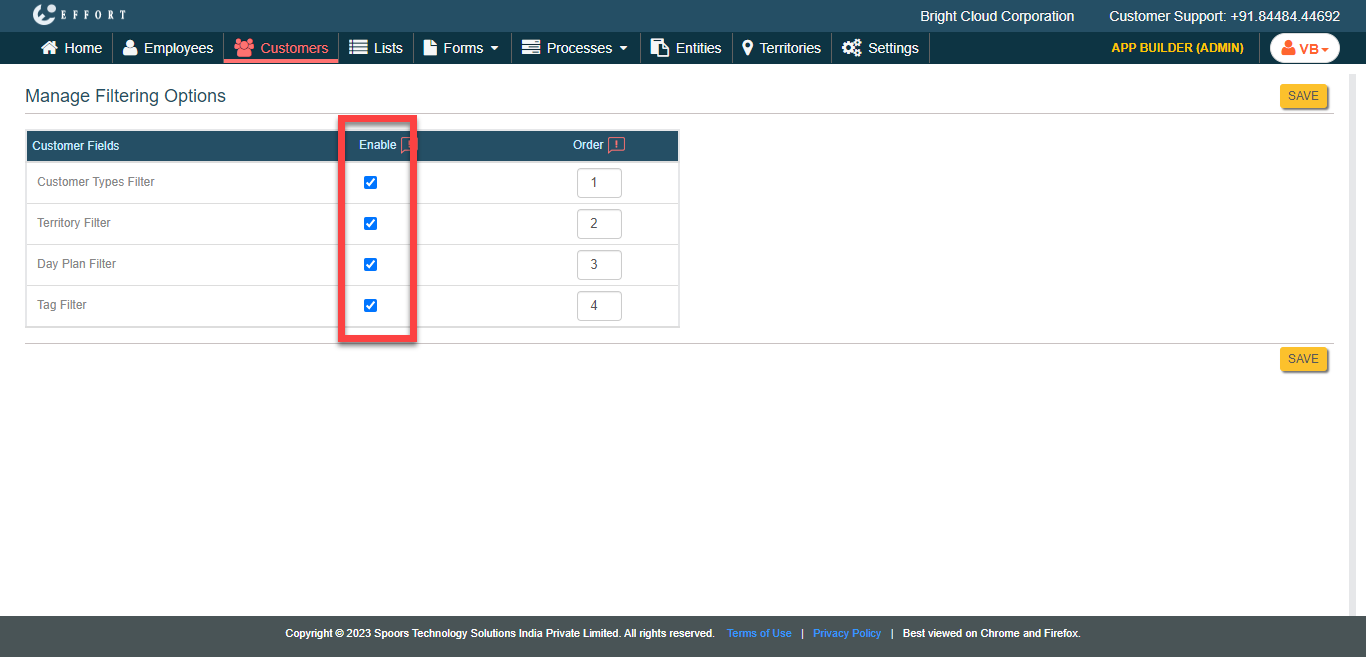
Under the Enable column, select the checkboxes against
the filter options to make visible in the mobile app.
-
Under the Order column, define the order in which the
filters should be displayed.
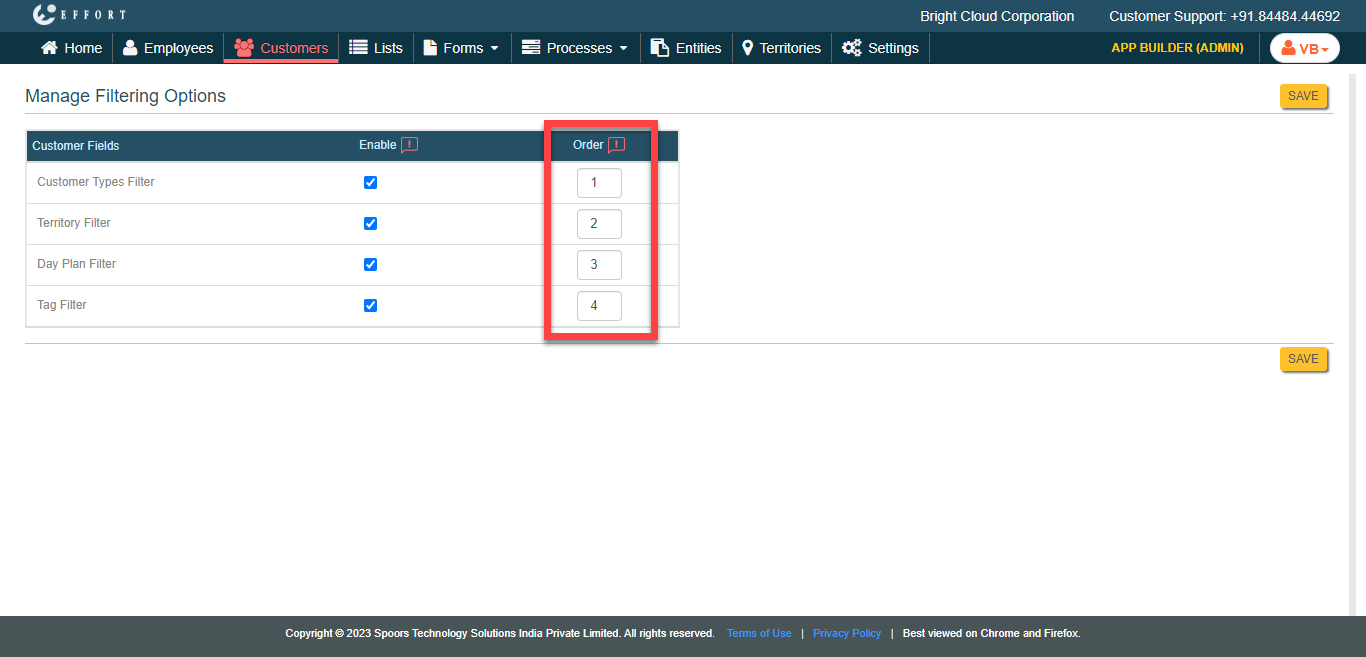
- Click Save.