

Check In and Check Out Customer
This topic helps you understand how to perform check-in and check-out actions a customer using the mobile app. This feature is useful for logging visits, tracking activity, and maintaining accurate customer interaction records.
-
On the home screen or from the navigation drawer, tap Customers.

-
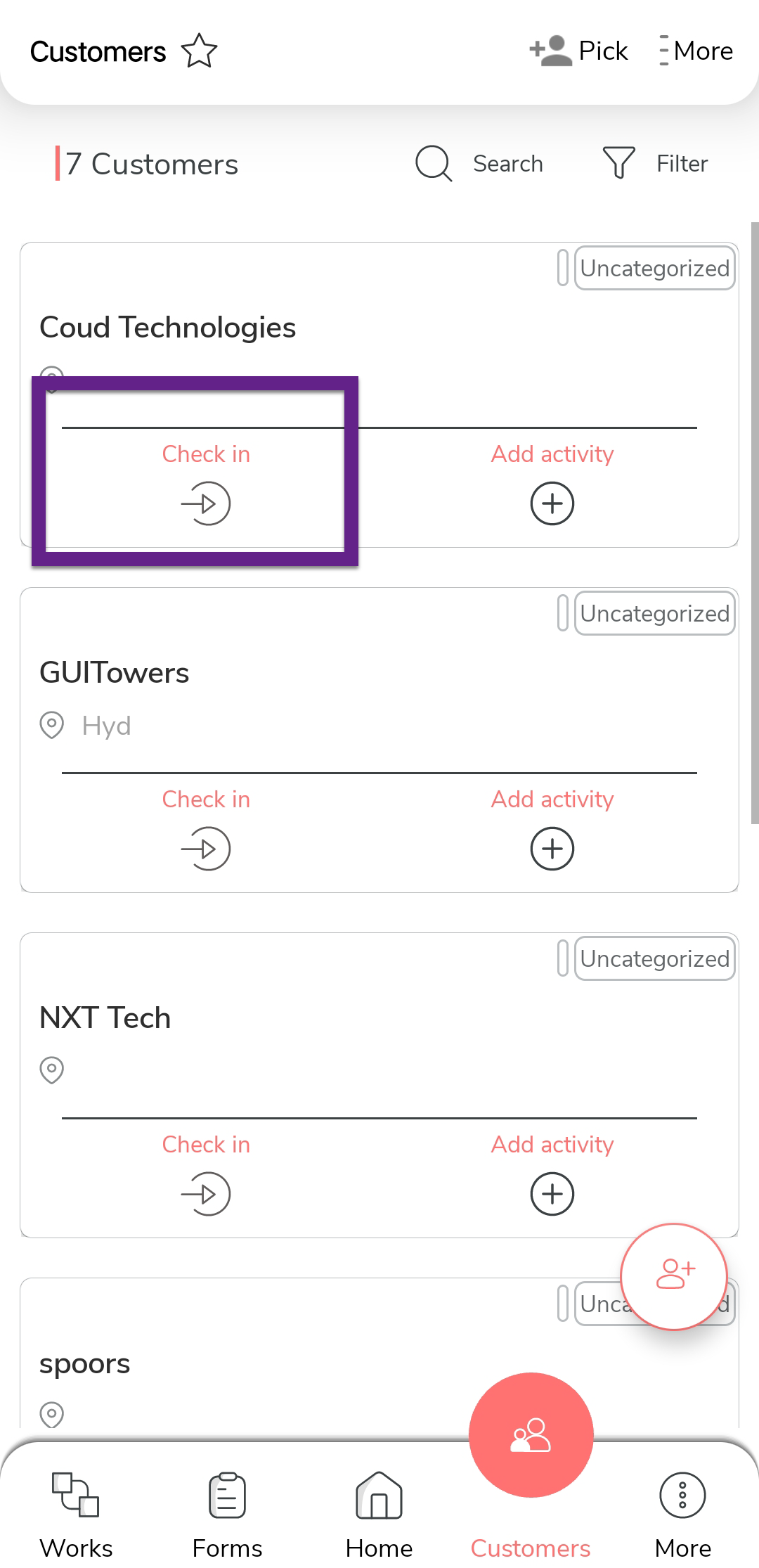
Tap the Check In icon on the desired customer card.
-
In the confirmation pop-up, tap Check In.
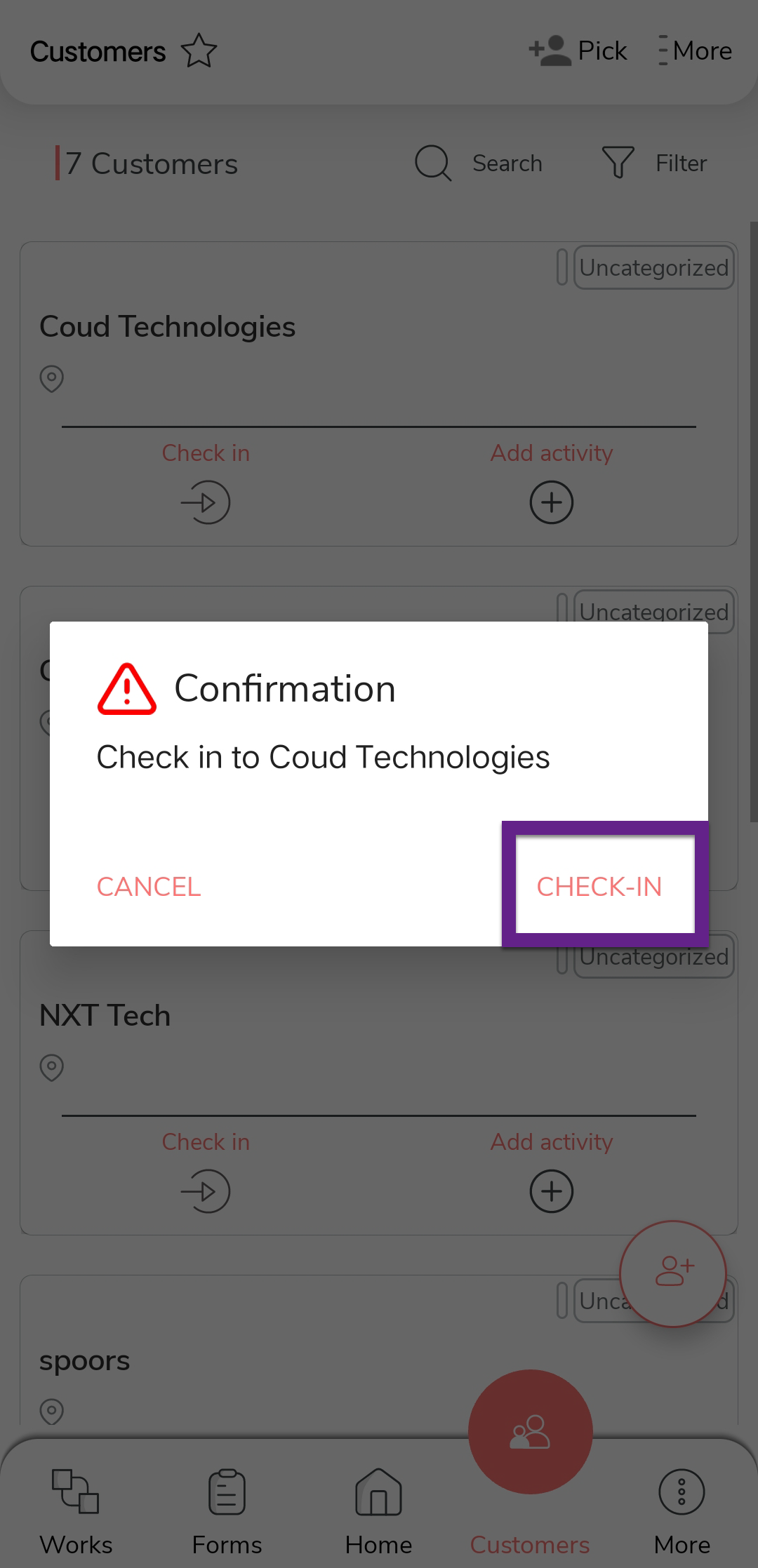
Note:The app will not allow you to check in or check out if you are outside the defined radius of the customer’s location. Make sure you are within the allowed range to successfully complete the check-in/check-out process.
-
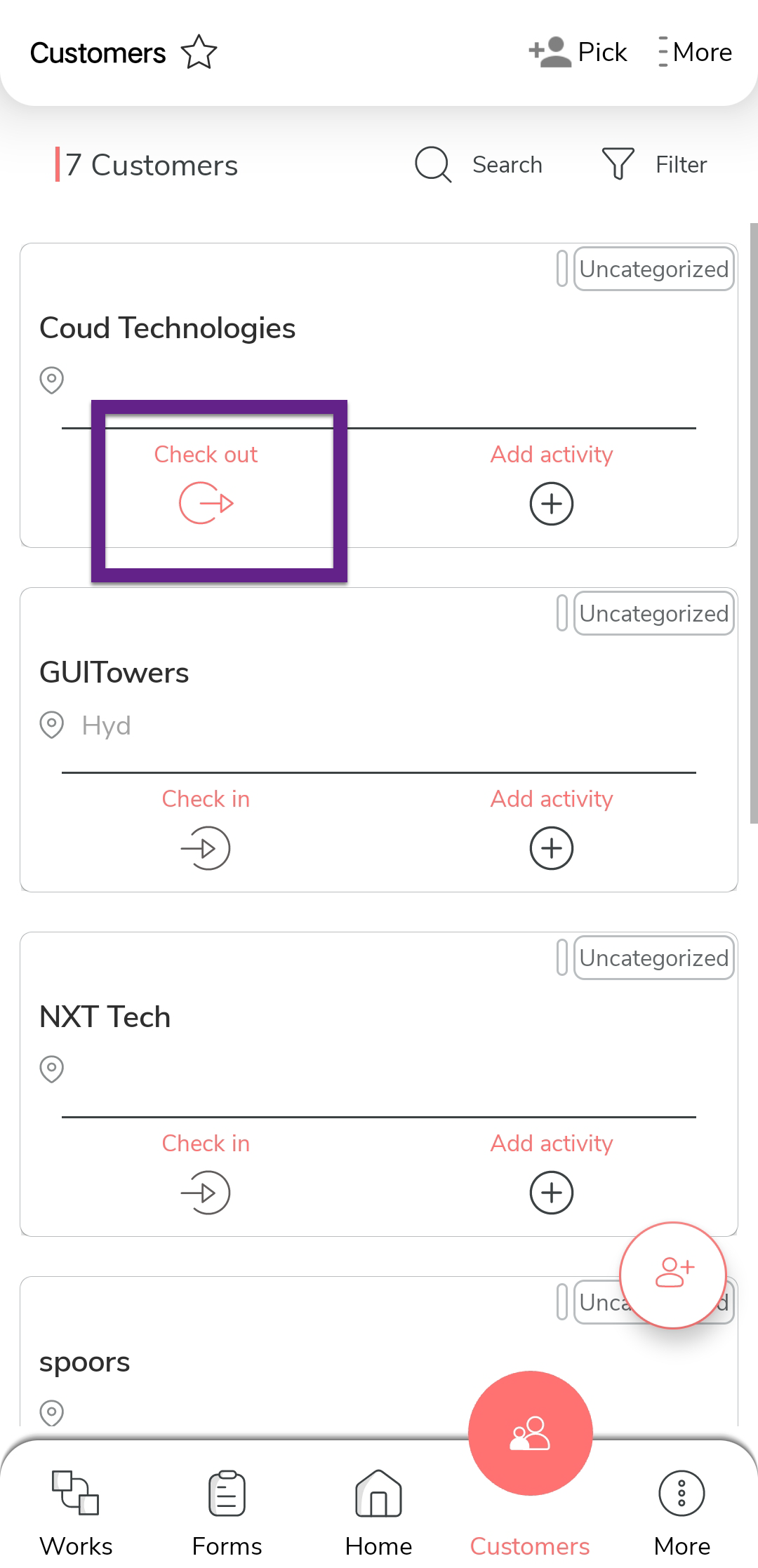
Once your visit is complete, tap the Check Out
icon.
-
In the confirmation pop-up, tap Check Out to log the
checkout time.
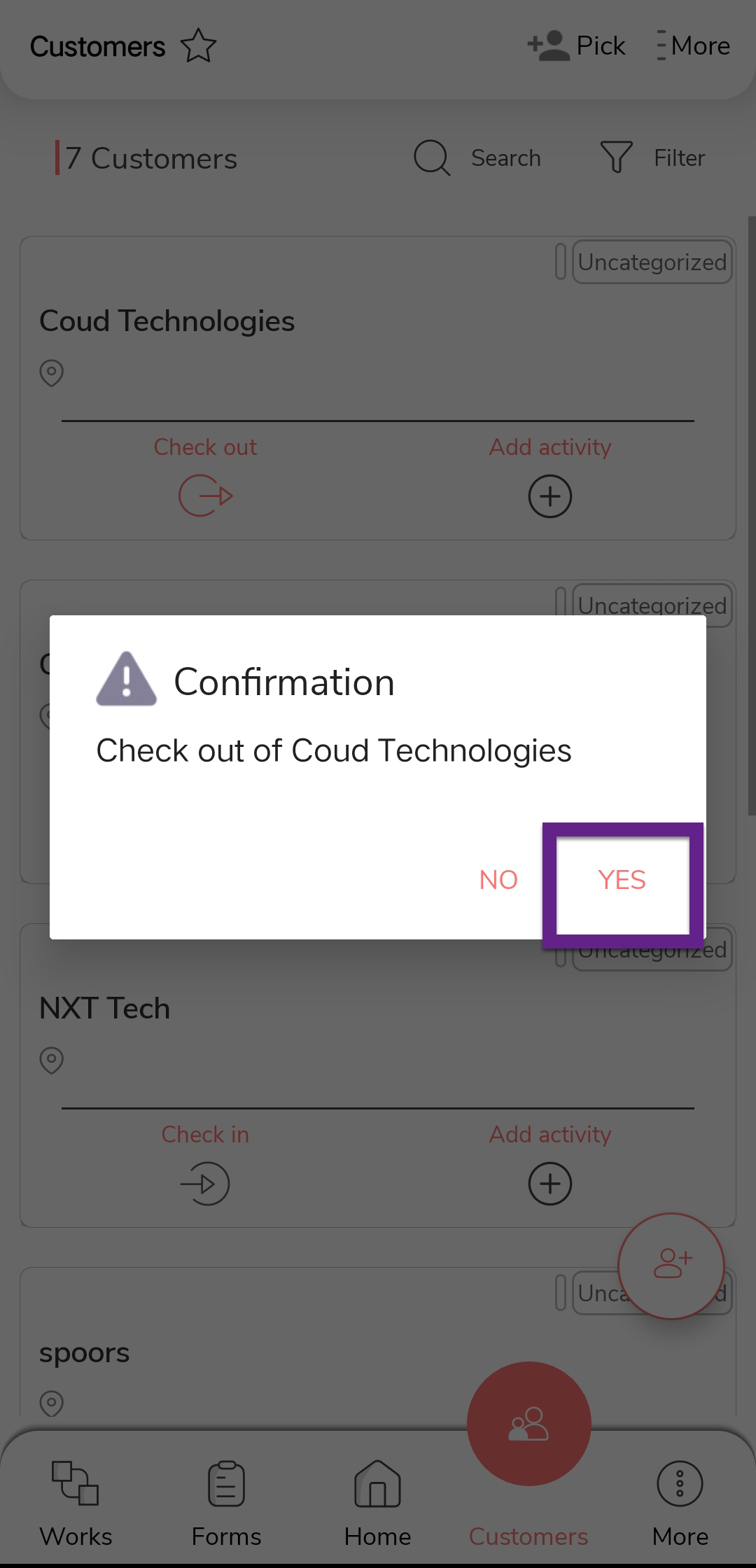
Note:The app will not allow you to check in or check out if you are outside the defined radius of the customer’s location. Make sure you are within the allowed range to successfully complete the check-in/check-out process.