

Manage Uniqueness
The Manage Uniqueness feature allows you to configure and manage the uniqueness constraints on entity fields, ensuring that each record in an entity remains distinct. This functionality is particularly useful when certain fields must hold unique values across all records, such as email addresses or serial numbers. By enabling uniqueness on specific entity fields, you can prevent duplicate entries from being added to the system.
Key Configuration Options:
- Ignore Uniqueness Check While Modifications: This option allows you to bypass the uniqueness validation when modifying existing records. This is useful if you need to update records that may otherwise violate the uniqueness constraint.
- Entity Fields: Here, you can select the specific entity fields for which you want to enforce uniqueness.
- Unique: Select this option to ensure that the field's value must be unique across all records within the entity.
- Error Message: Define a custom error message that will be displayed if a user tries to input a duplicate value in the unique field.
- Success Message: Provide a success message that confirms when a unique value has been successfully entered.
To manage uniqueness settings, follow the steps below:
-
Go to .
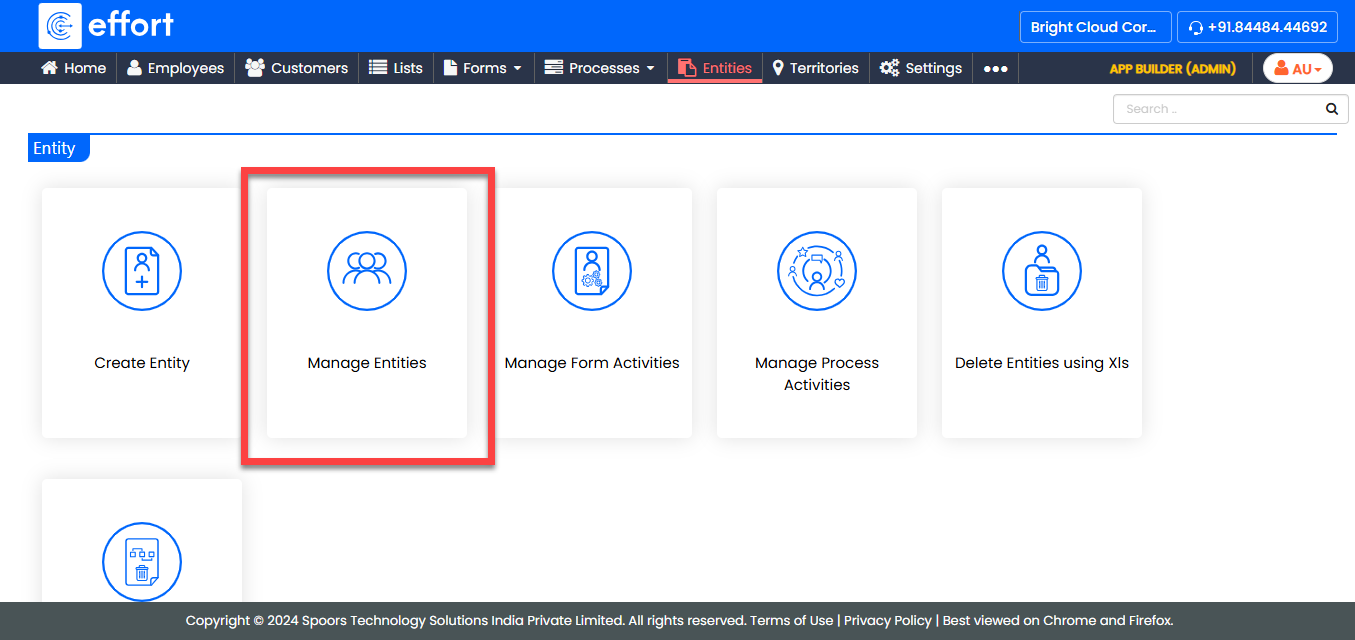
-
Under the Active Entities section, click the entity you
want to configure.

-
Under the Entity Actions section, click
Manage Uniqueness.
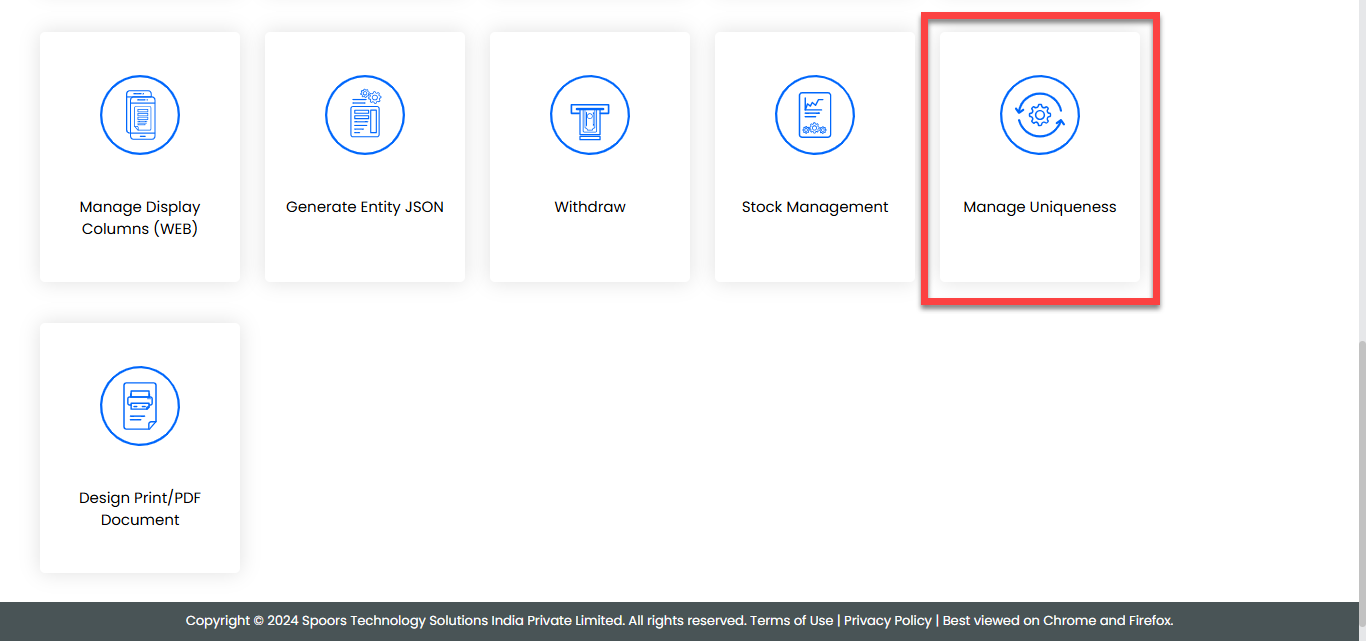
-
Configure the required fields, and set the uniqueness constraints as
needed.
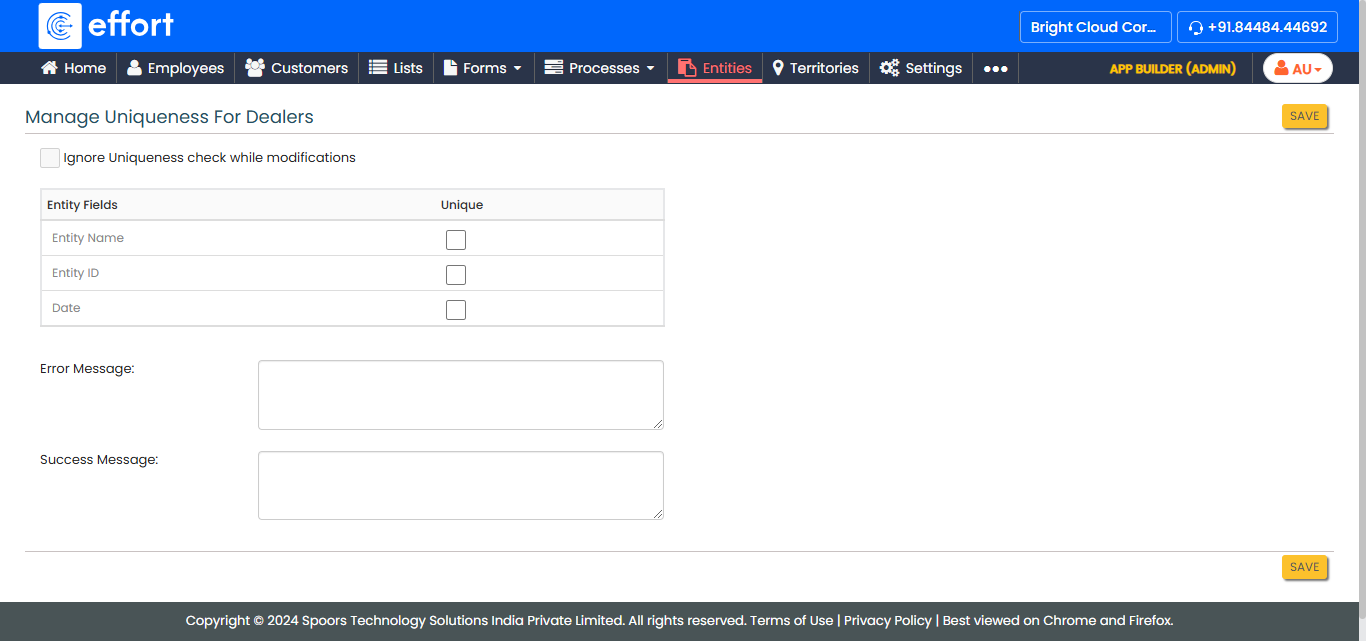
- Click Save to apply the changes.