

Data Types - Basic
| Field | Description |
|---|---|
| Currency |
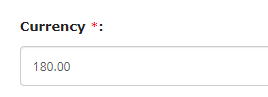
The Currency data type allows you to enter a monetary amount in a particular
currency. You can manage the decimal values to be entered and add the up and
down arrows to quickly adjust the values. The below image shows how a
Currency field appears on the form when you access it from the Web
App:
 The below image shows how a Currency field appears on the form when you
access it from the Mobile App:
 |
| Date |
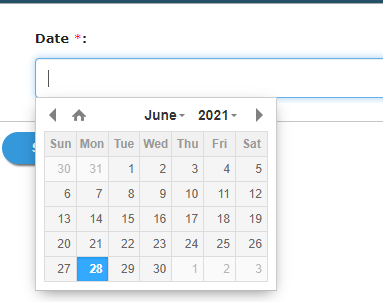
The Date data type allows you to select a date value from the date picker.
The below image shows how a Date field appears on the form when you access
it from the Web App:
 The below image shows how a Date field appears on the form when you access it
from the Mobile App:
 |
| DateTime |
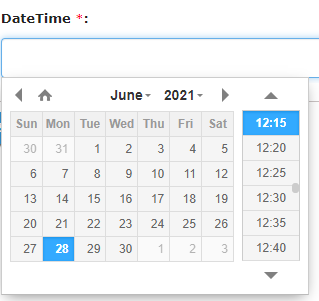
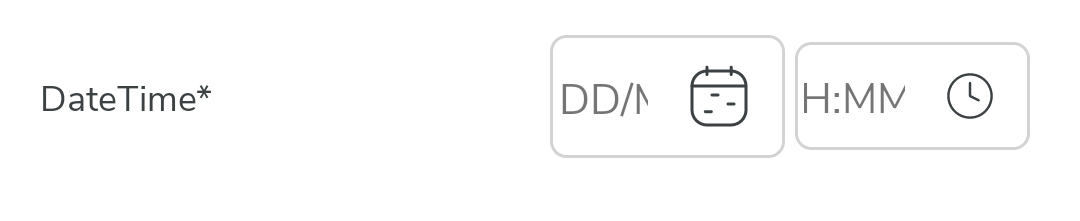
The DateTime data type allows you to select a date value as well as a time
value. The below image shows how a DateTime field appears on the form when
you access it from the Web App:
 The below image shows how a DateTime field appears on the form when you
access it from the Mobile App:
 |
| Duration |
The Duration data type enables you to input durations or time intervals, such as hours, minutes, and seconds. In the Web App, the Duration field appears as shown in the image below:  |
| Month |
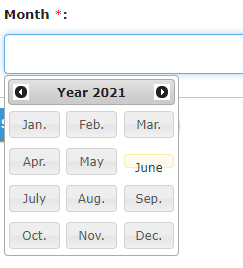
The Month data type allows you to select a month in a year. The below image
shows how a Month field appears on the form when you access it from the Web
App:
 The below image shows how a Month field appears on the form when you access
it from the Mobile App:
 |
| Number |
The Number data type allows you to enter an integer value, for example: -123,
-45, 0, 123, 1765, etc. You can manage the decimal values to be entered and
add the up and down arrows to quickly adjust the values. The below image
shows how a Number field appears on the form when you access it from the Web
App:
 The below image shows how a Number field appears on the form when you access
it from the Mobile App:
 |
| Rich Text Format |
The Rich Text Format data type allows you to enter rich text, i.e., text that
is in the Rich Text Format (RTF). It supports multimedia files and
formatting such as font sizes and colors, bolding, italics, etc. The below
image shows how a Rich Text Format field appears on the form when you access
it from the Web App:
 Note: Rich Text is only supported on the Web App. Whereas in the mobile app,
it functions as a normal text field.
|
| Text |
The Text data allows you to enter plain text, i.e., letters from any
language, numbers, and special characters. You can validate the text using
regular expressions and use this field to generate a unique code for
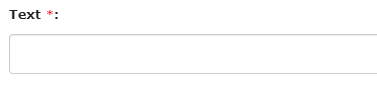
internal purposes. The below image shows how a Text field appears on the
form when you access it from the Web App:
 The below image shows how a Text field appears on the form when you access it
from the Mobile App:
 |
| Time |
The Time data type allows you to select a valid time from the time picker.
Use a time field if you want the users to enter a specific time. The below
image shows how a Time field appears on the form when you access it from the
Web App:
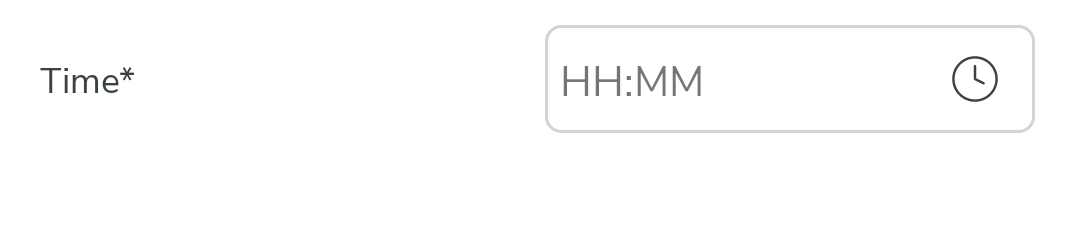
 The below image shows how a Time field appears on the form when you access it
from the Mobile App:
 |