

Configure Automatic Work Assignments Based on Postal Code
The work fields such as Start Time, End Time, Pincode, and Location are mandatory to use this feature.
-
Go to
The Processes page appears.
-
Click the Activity Process card.

The Activity Process page appears.
-
Click on the required process card.

The selected <Process Name> Activities page appears.
- Scroll down to the Allocation And Scheduling section.
-
Click the Manage Auto Allocate And Scheduling
card.

-
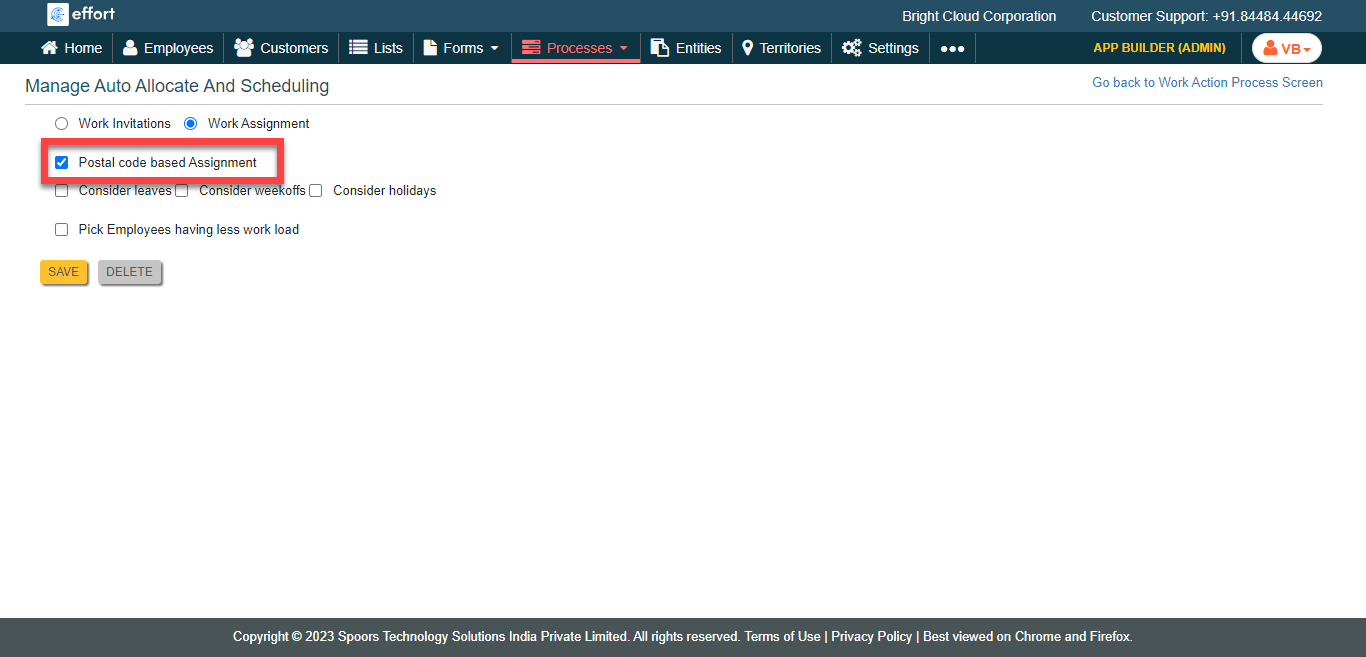
Click the Work Assignment option.

-
Click the Postal code based Assignment checkbox.
-
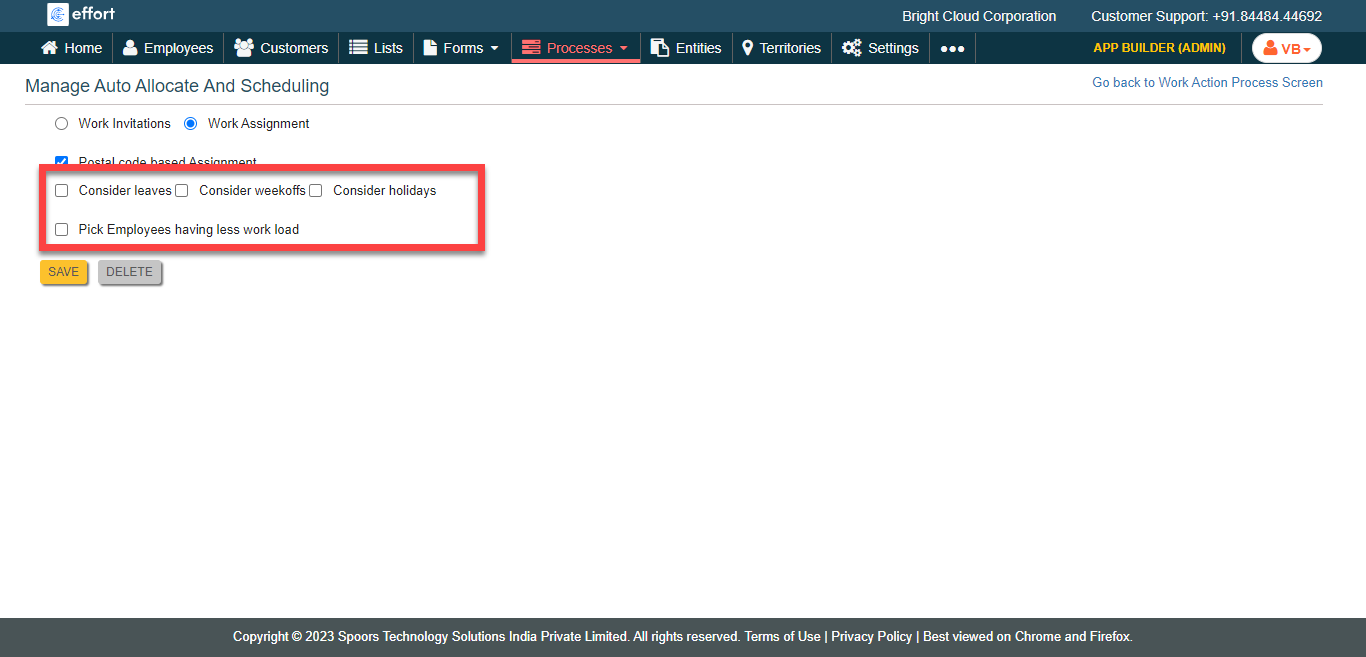
Select the below options as per your requirement.
- Consider leaves
- Consider weekoffs
- Consider holidays
- Pick Employees having less work load
- Click Save.