

Configure Decision Action
To configure decision action, follow the steps below.
-
Go to .
The Activity Process page appears.
-
Click the process card which has Decision Bot activities.

The <Work Process> Activity page appears.
-
Click the Manage Flow card under the Work
Process Essentials section.

The Manage Work flow for <Work Process> page appears.
-
Click the gear
 icon
under Configure Bot / External Activities column.
icon
under Configure Bot / External Activities column.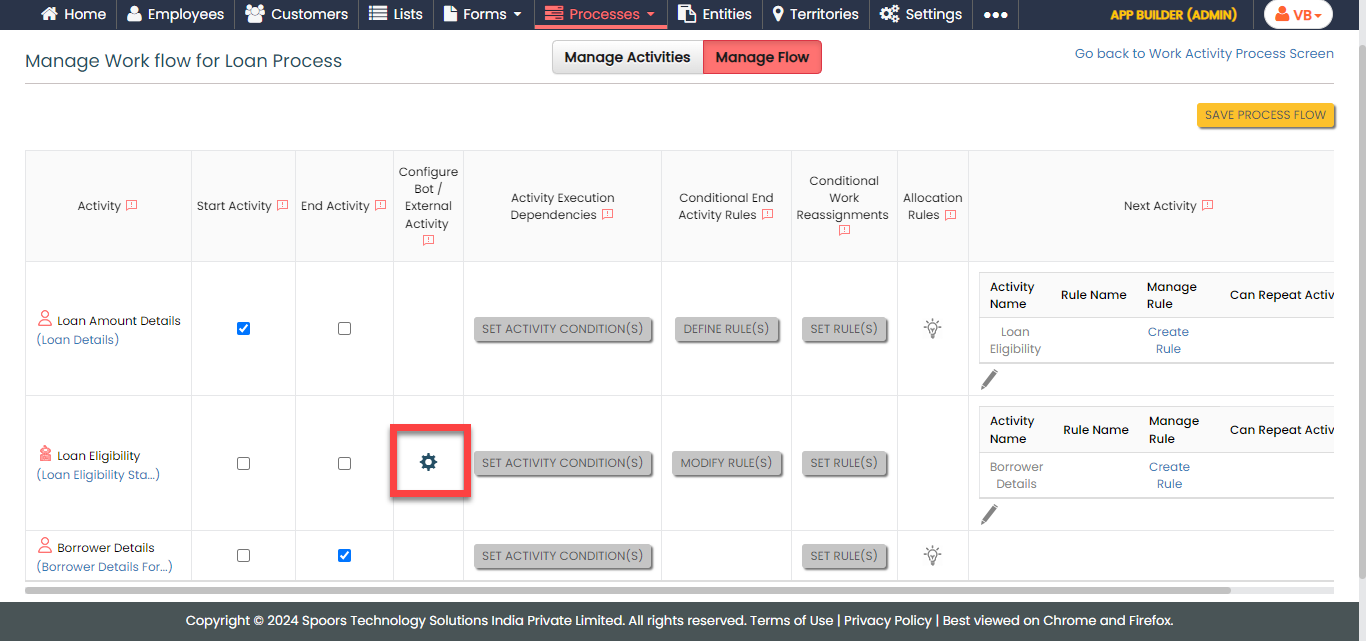
-
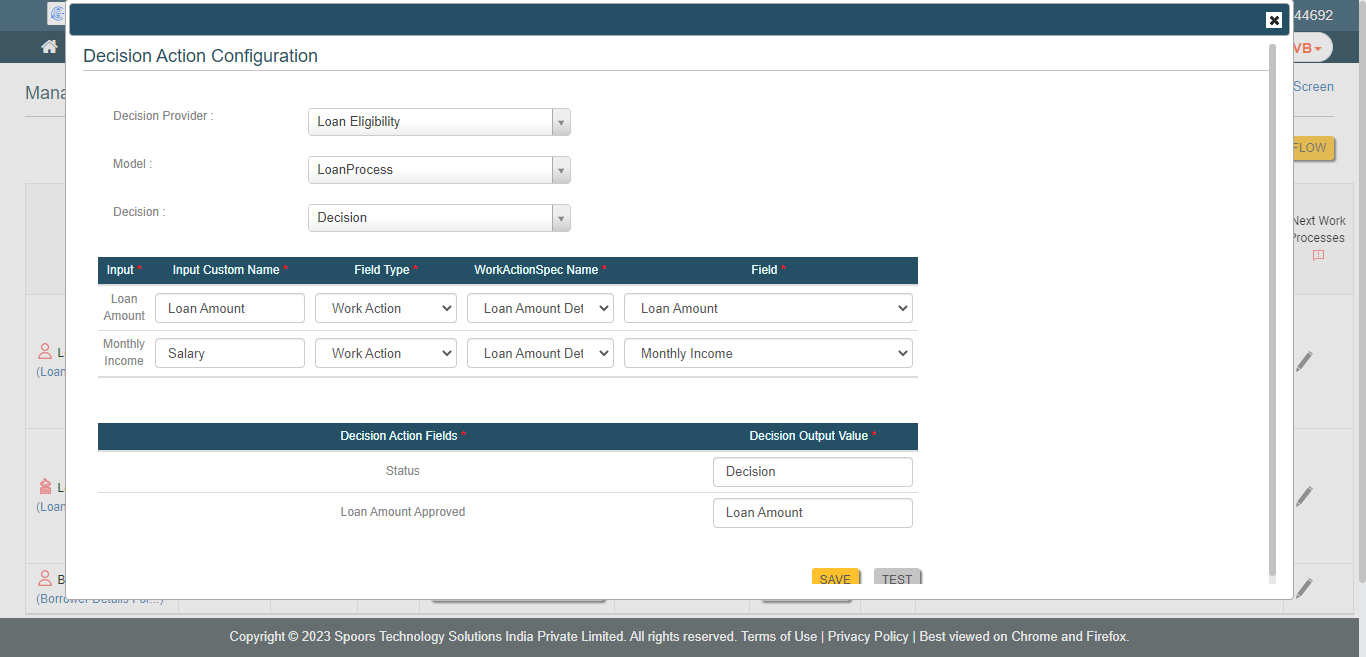
Select Decision Provider, Model, and Decision.
-
Configure Inputs and Decision Output
Values.
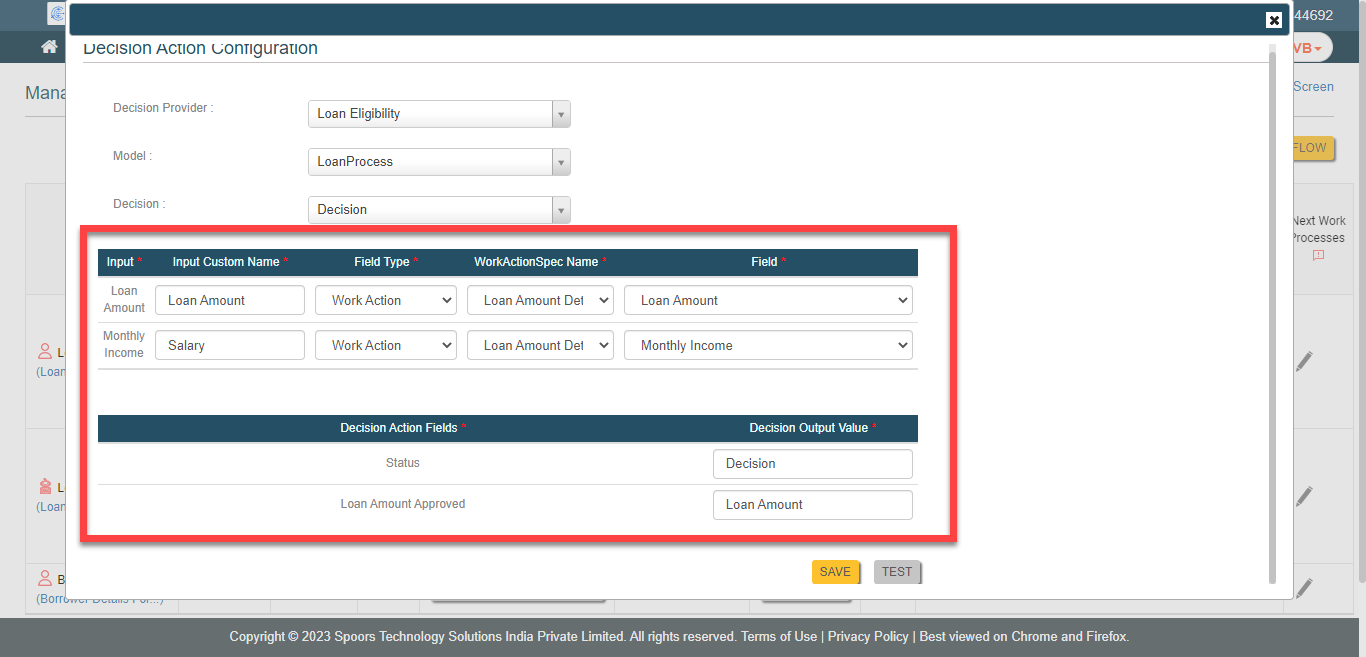
- Click Save.