

Configure Next Process Condition
-
Go to .
The Processes page appears.
-
Click the Activity Process card.

The Activity Process page appears.
-
Click the required process card.

The selected <Sample Work Process> Activities page appears.
-
Click Manage Flow card under the Work Process
Essentials section.

The Manage Work flow for <Sample Work Process> page appears.
-
Click the Edit icon under the Next
Process column.

The Next Process pop-up window appears.
-
From the All container, select the process and click
move icon or move all icon.
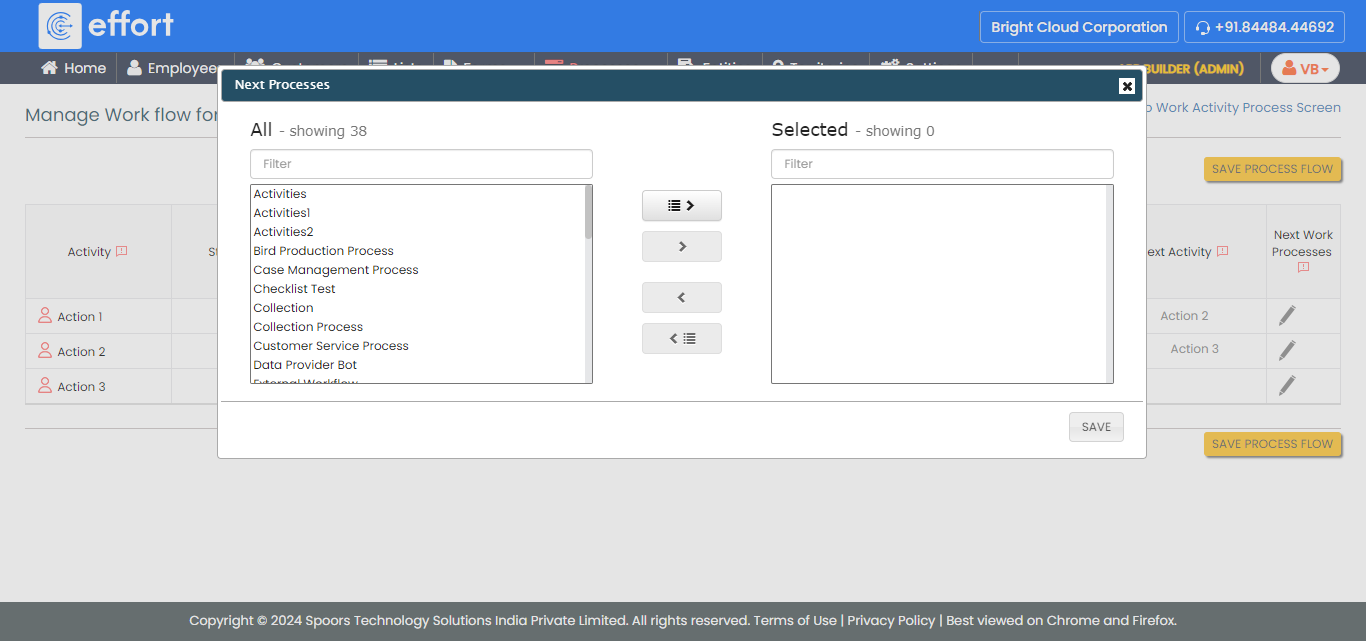
The Selected container has the next process.
- Click OK.