

Activate a Deleted Form
To activate a deleted form, follow the steps below.
-
Go to .
The Forms page appears.
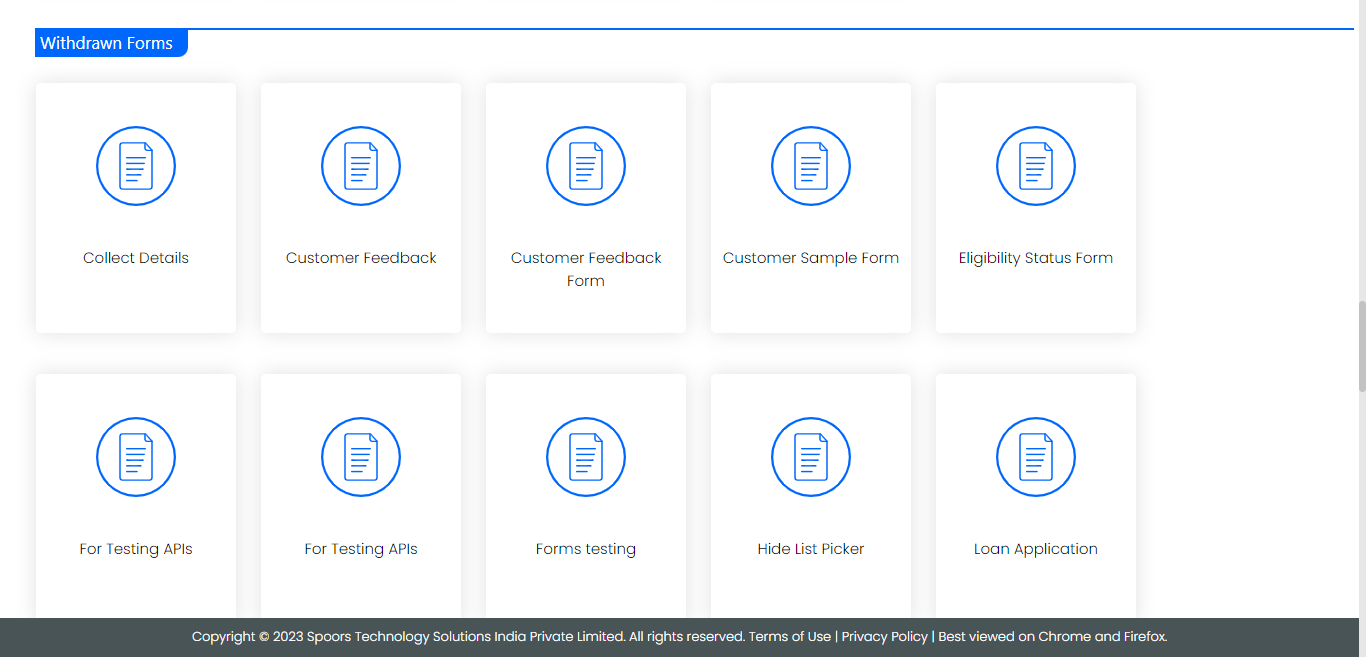
- Scroll down to the Withdrawn Forms section.
-
Click on a form which you want to activate.
-
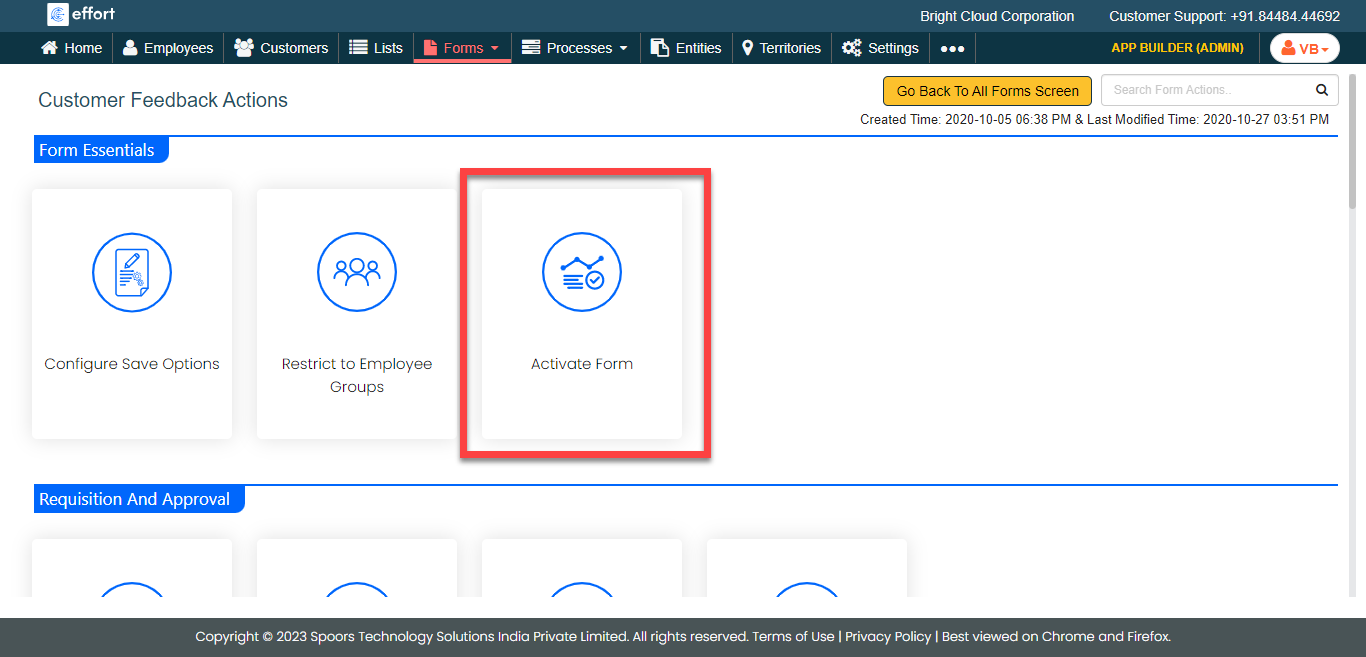
Under the Form Essentials section, click the
Activate Form card.
- In the confirmation pop-up, click OK.