

Configure Promotions, Discounts, and Unit Conversions
- Make sure you have created the list specs such as Promotion, Product, Unit Conversion, Stock Master, Product Price, Supplementary, and Discount with the fields given in the Promotion and Discounts List Configuration.
- Make sure you have created a form spec with the fields given in the Promotion and Discounts Form Configuration.
- Make sure you have configured the required list specs given above in this form spec.
-
Go to .
The Forms page appears.
-
Click the form card for which you want to configure.

- Scroll down to the Utilities section.
-
Click the Configure Promotions and discounts card.
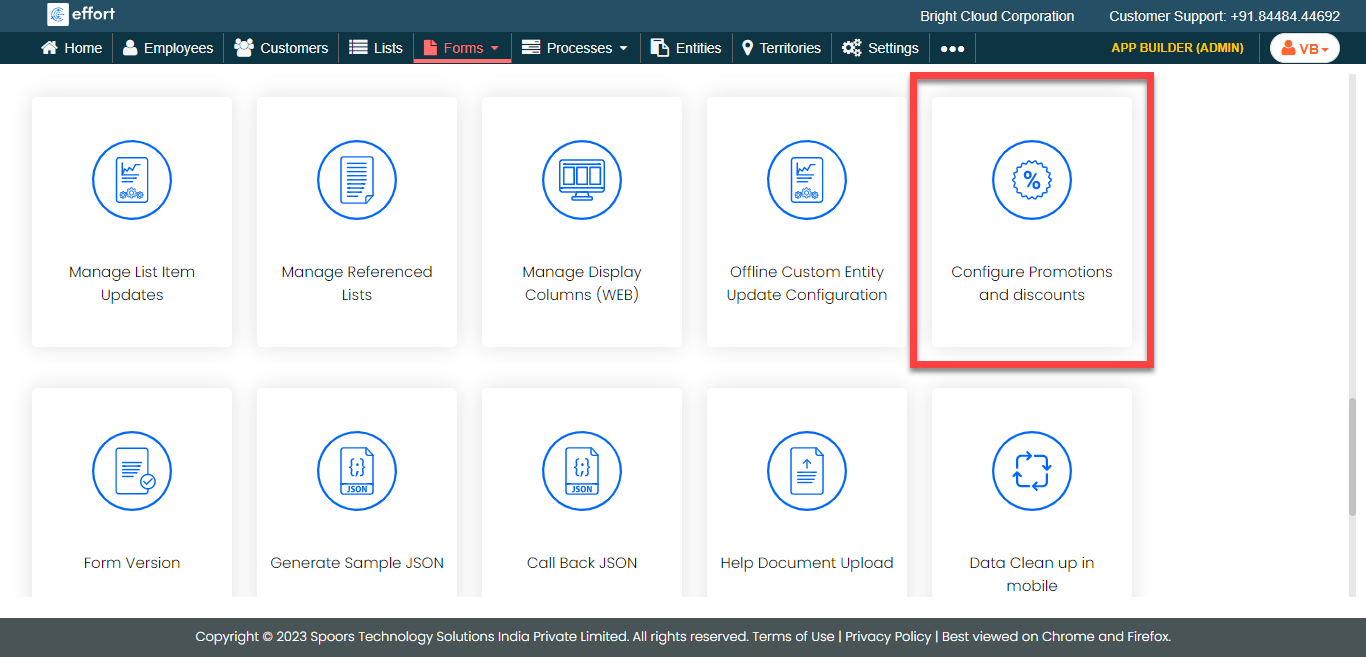
-
Click the checkboxes to enable the configurations.

-
Select List from the Module Type
dropdown.
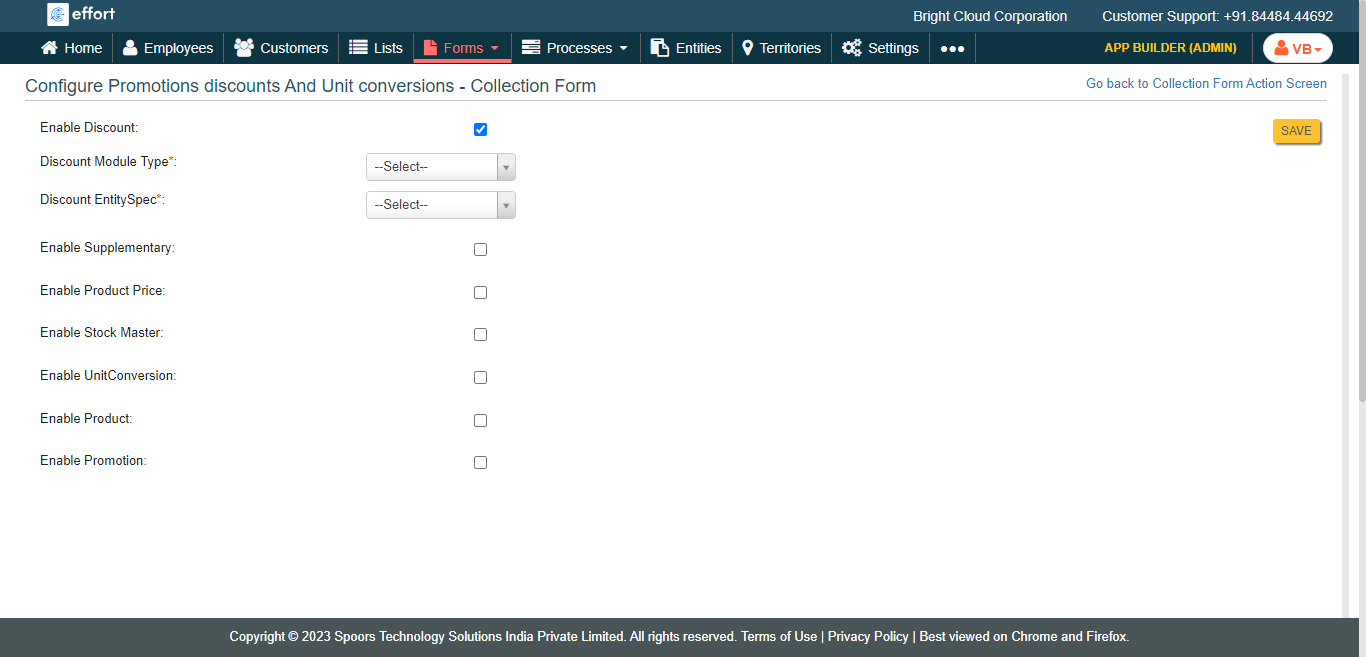
Repeat this step for all the selected configurations.Note: You must configure the function to the discount list master. Make sure you have already defined filter functions to the discount list master. Configure inputs to the filter function. Follow the steps to create filter functions. -
Select a list spec used in the form spec from the
EntitySpec dropdown.
Repeat this step for all the selected configurations.
- Click Save.
Create this form as a sales invoice form in the Settings module. Configure the appropriate form fields to the relevant form field spec types. Refer to the below task to configure.
If you want to know the complete Promotion and Discounts configuration, refer to the tutorial Setup Promotions and Discounts.