

Configure Save Options
To configure save options, follow the steps below.
-
Go to .
The Forms page appears.
-
Select the form for which you want to configure save options.

-
Under the Form Essentials section, click the
Configure Save Options card.

-
Select appropriate save options from the below list:
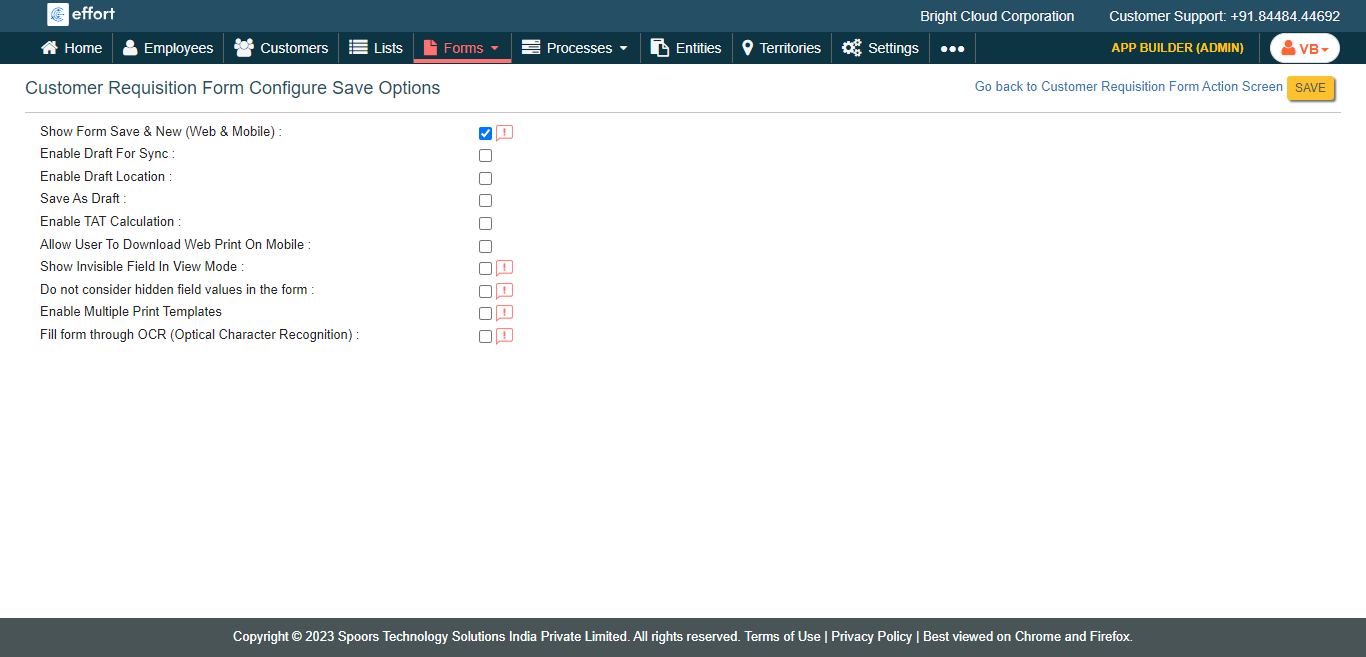
- Show Form Save & New (Web & Mobile): Shows the "Save & New" option while saving the form in the web and mobile apps.
- Enable Draft For Sync: The data in the draft form will be sent to the server when you sync the mobile app.
- Enable Draft Location: Capture the location where the form is saved as a draft.
- Save As Draft: Allows you to save the form as DRAFT.
- Enable TAT Calculation:
- Allow User To Download Web Print On Mobile:
- Show Invisible Field In View Mode:
- Do not consider hidden field values in the form:
- Auto Save Elapse Time: This feature automatically saves a user's work at regular intervals.
- Click Save.