

Configure Map Marker
To configure map marker, follow the steps below.
-
Go to
The Forms page appears.
-
Select the Form to view the <Form Name> Actions
page.

- Scroll down to the Display Settings section.
-
Click Configure Map Marker card.

-
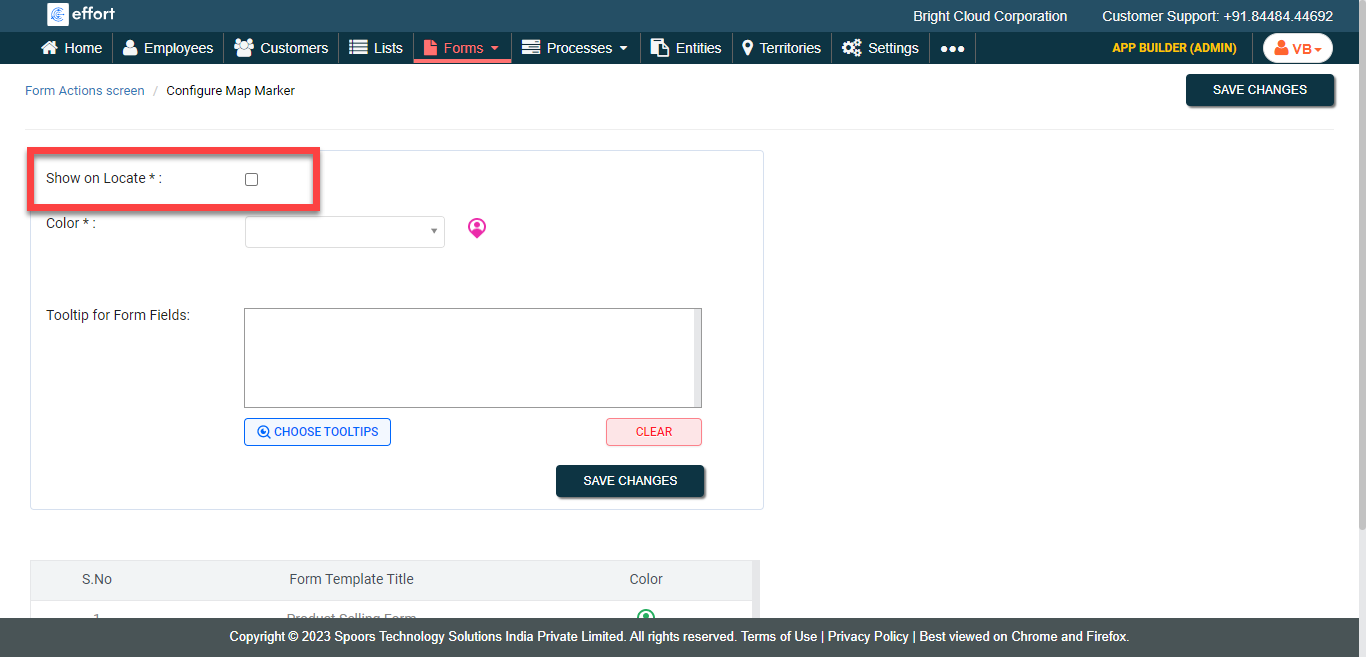
Click the Show on Locate checkbox.
-
Select a color for the marker from the Color
dropdown.

-
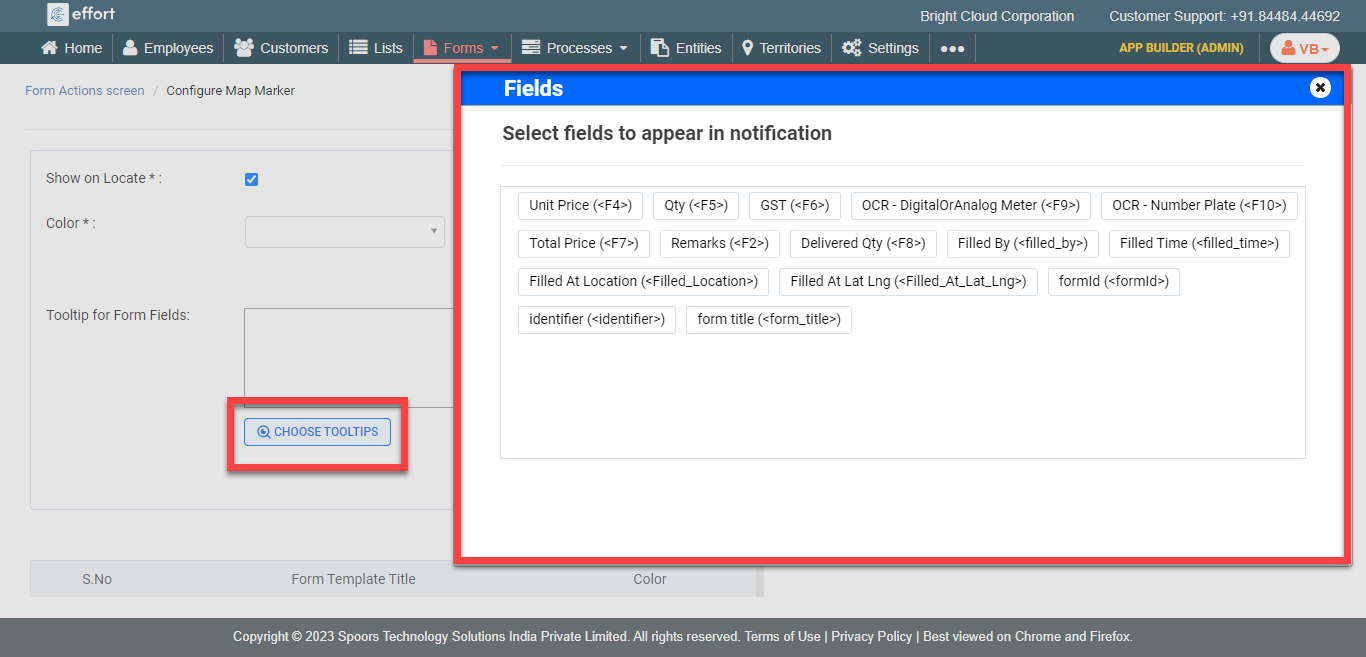
Click the Choose Tooltips button to select the fields
for Tooltip for Form Fields.
- Click Save Changes.