

Configure Approval Process
To configure approval process, follow the steps below.
-
Go to .
The Forms page appears.
- Scroll down to the Settings section.
-
Click the Manage Approval Processes card.

The Approval Process page appears.
-
Click the Create Approval Process card.

-
Enter title in the Title textbox.

-
Select the checkboxes as per your requirement.

Use the tool tips to help fill in the information.
-
Click Add Approval Level to define the approval
hierarchy.

-
Configure the approval level and click the Next
button.

-
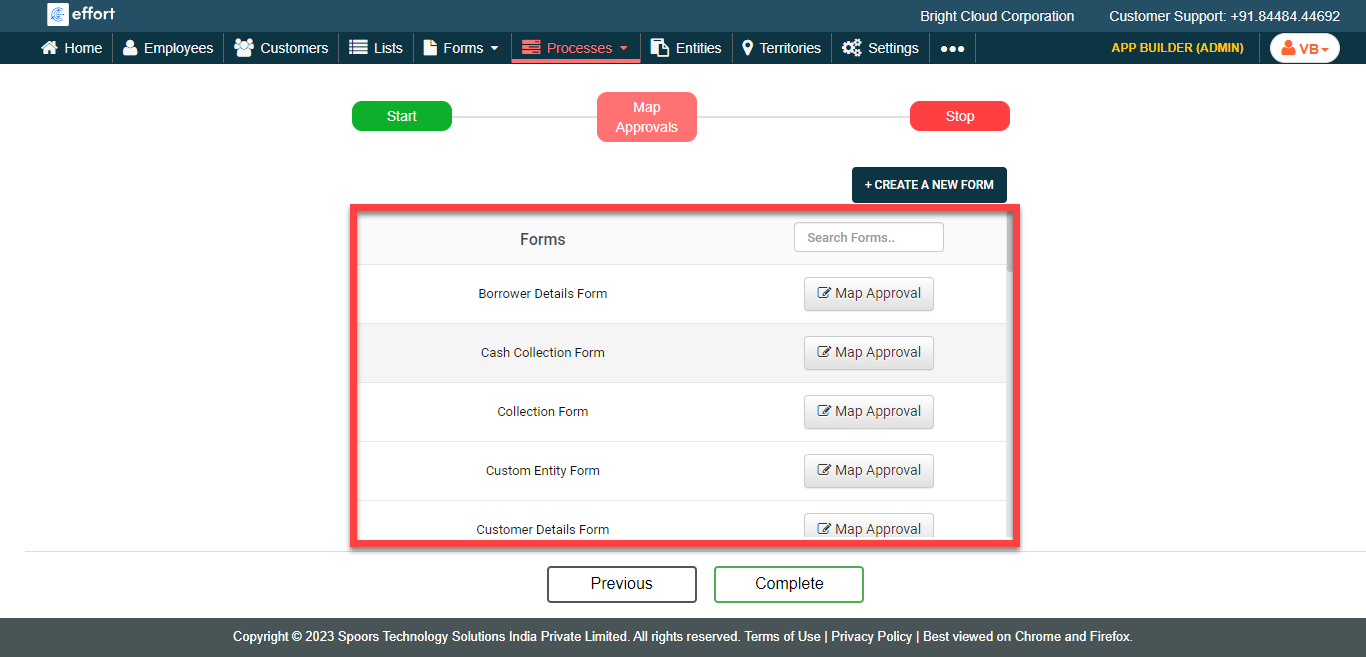
In the Map Approvals section, map the newly created
approval process to the existing form templates.
-
Click the Map Approval button against the
required form template.
-
In the Assign Approval Process pop-up window,
configure the approval process as per your requirement.

- Click Save.
-
Click the Map Approval button against the
required form template.
- Click the Complete button.