

Create Work Based On Form Submission
Make sure the form has been configured with an Approval Process. The functionality will not work if the approval process was not configured. Check out the Assign Approval Flow page to assign an approval flow.
-
Go to .
The Forms page appears.
-
Click on the Form based on which you want to create
work.

-
Under the Requisition And Approval section, click the
Work Management Flow card.
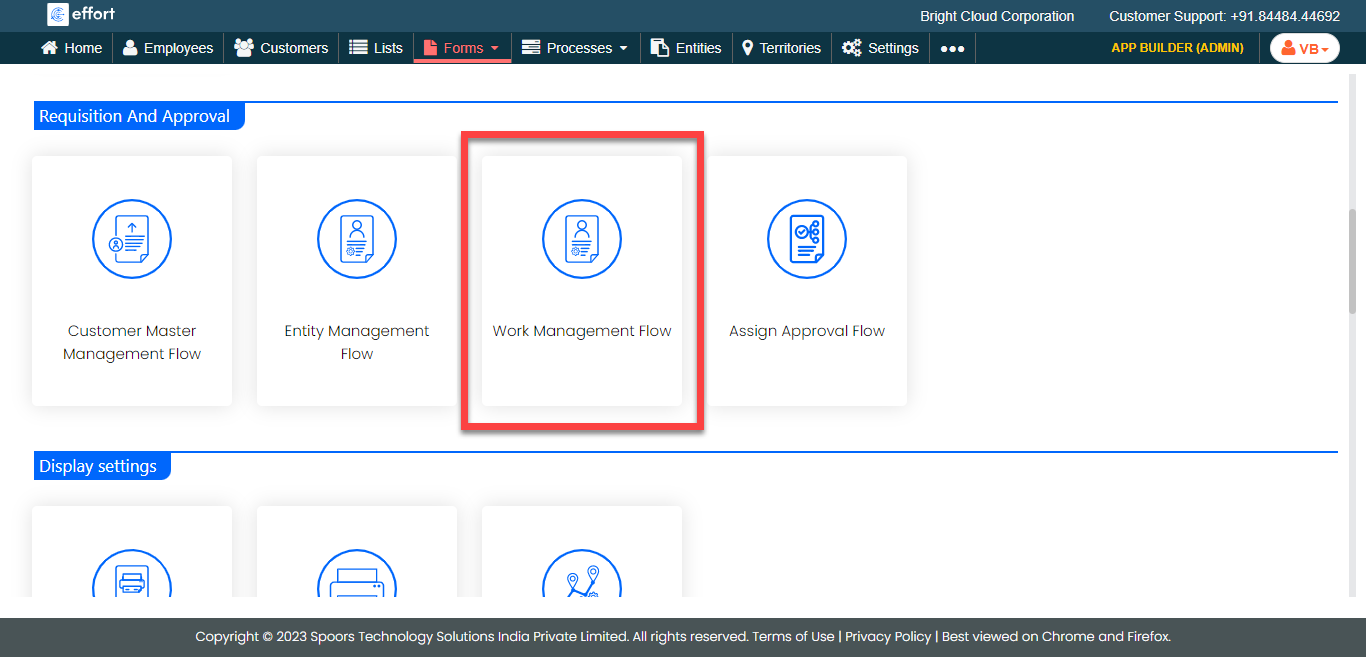
The Work Requisition Configuration pop-up appears.
-
Click the icon
 under the Mapping To column against a work process that
you want to create based on form submission.
under the Mapping To column against a work process that
you want to create based on form submission.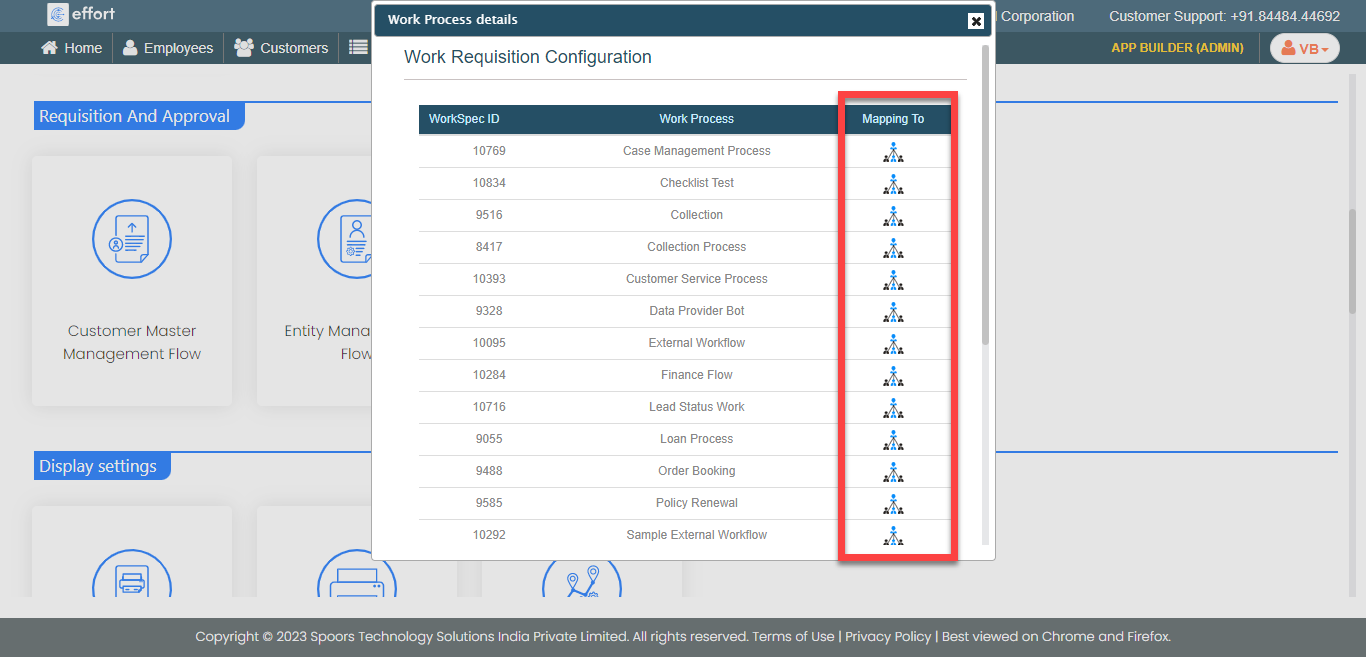
- Optional:
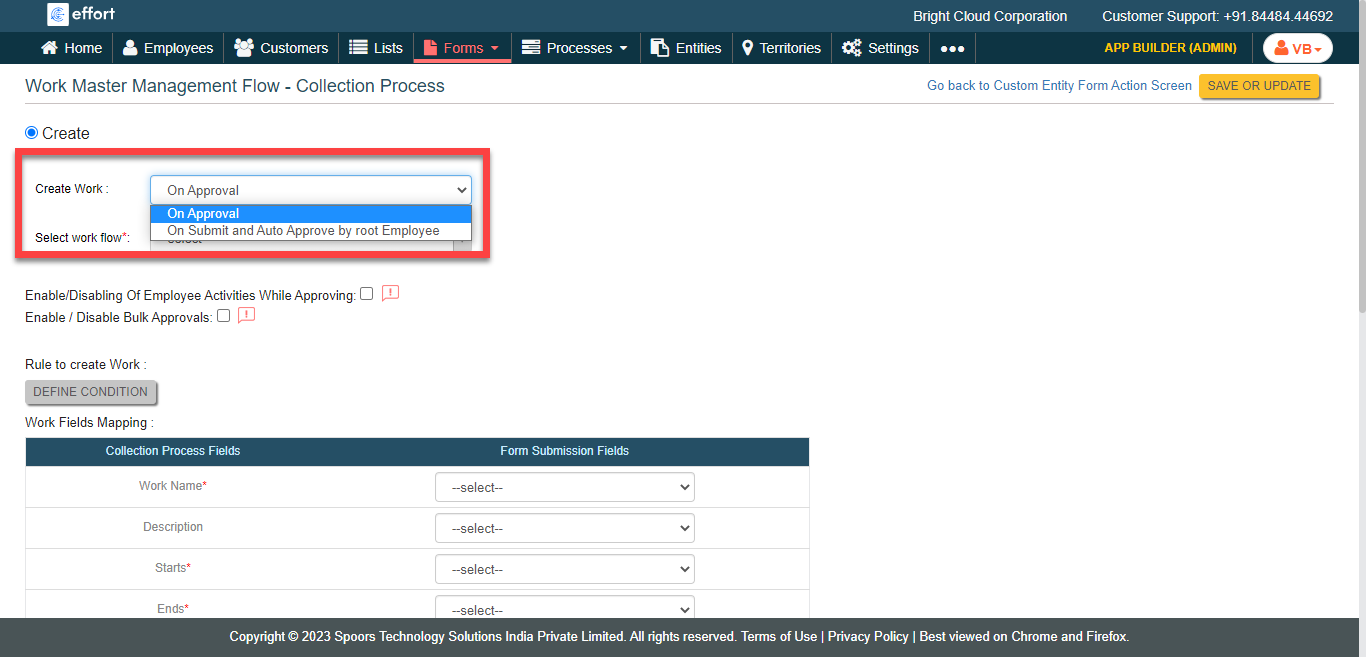
If required, change the approval type from the Create
Work dropdown.
-
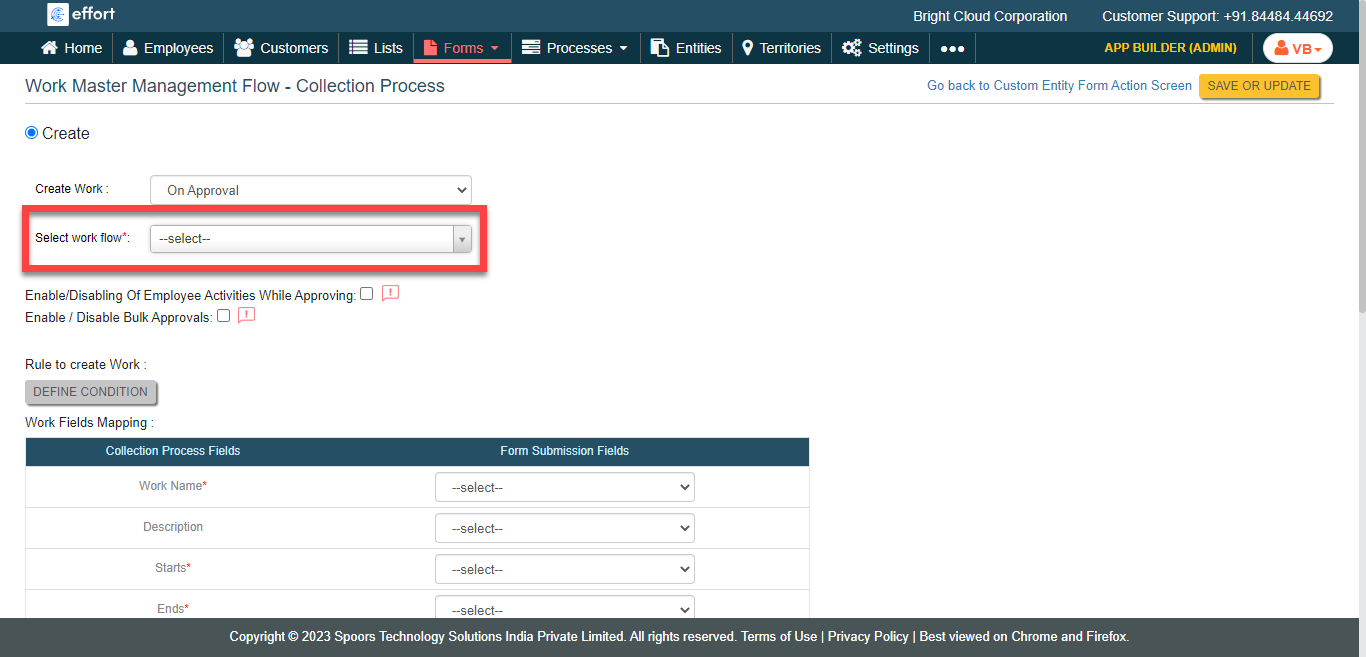
From the Select work flow dropdown, select an approval
process.
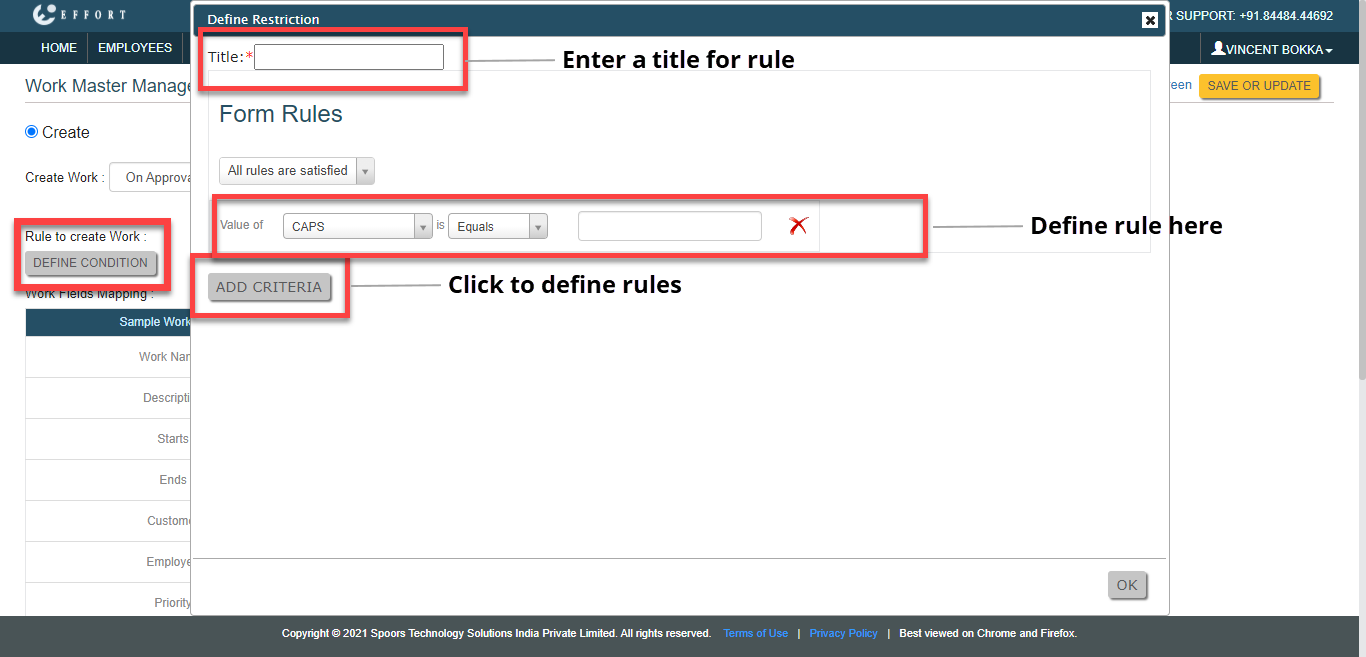
- Optional:
If needed, define rules to create work.
-
Under the Work Fields Mapping section, configure form
submission fields for the respective work fields.

As shown in the above screenshot, the input entered in the Purpose of Visit field while submitting this form will become the Work Name. Accordingly, the work will be created with the inputs entered in the configured form fields. - Click Save or Update.