

Configure Report Delivery Schedule
To configure report delivery schedule, follow the steps below.
-
Go to .
The Forms page appears.
-
Select the Form to view the <Form Name> Actions
page.

- Scroll down to Utilities section.
-
Click the Configure Report Delivery Schedule card.

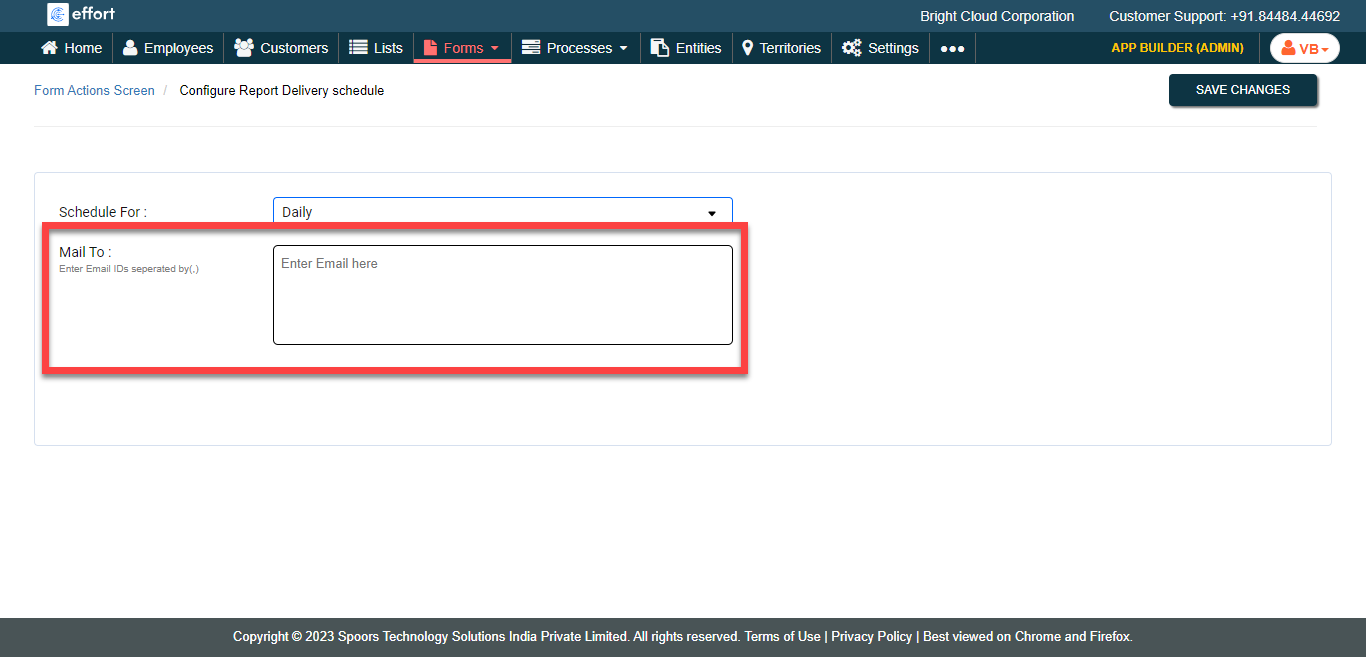
The Configure Report Delivery Schedule page appears.
-
Enter Email Ids in the Mail To text box to receive the
report over Email.
- Click Save Changes.