

Generate a Sign-Ins Sign-Outs Via Mobile App Report
To generate a sign-ins sign-outs via mobile app report, follow the steps below.
-
Go to .
The Reports page appears.
- Scroll down to the Attendance section.
-
Click the Sign-Ins Sign-Outs via Mobile App Report link
or icon.

The Sign-Ins Sign-Outs via Mobile App Report page appears.
-
Select the employees from the employees list.

- Optional:
Change Date as per your requirement.

Date default to today. -
Click Load as HTML.
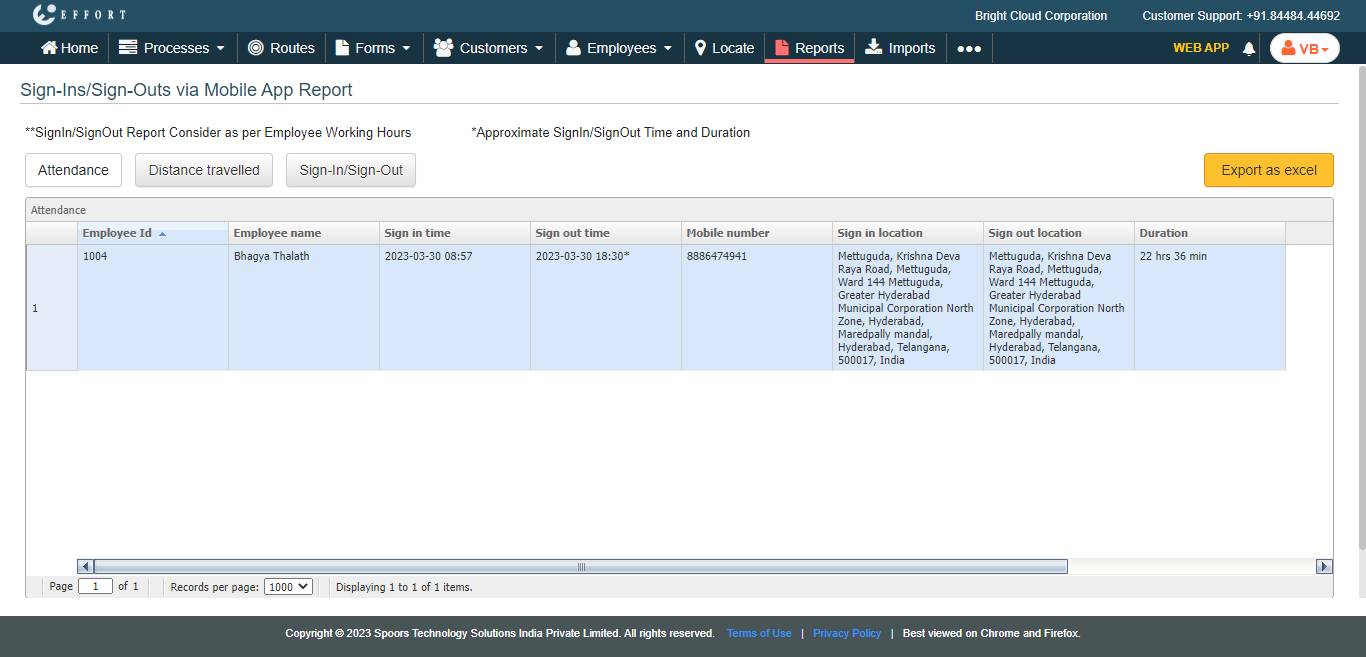
The Sign-in or Sign-out Report is displayed in a new tab with the employee Attendance report.
- Optional:
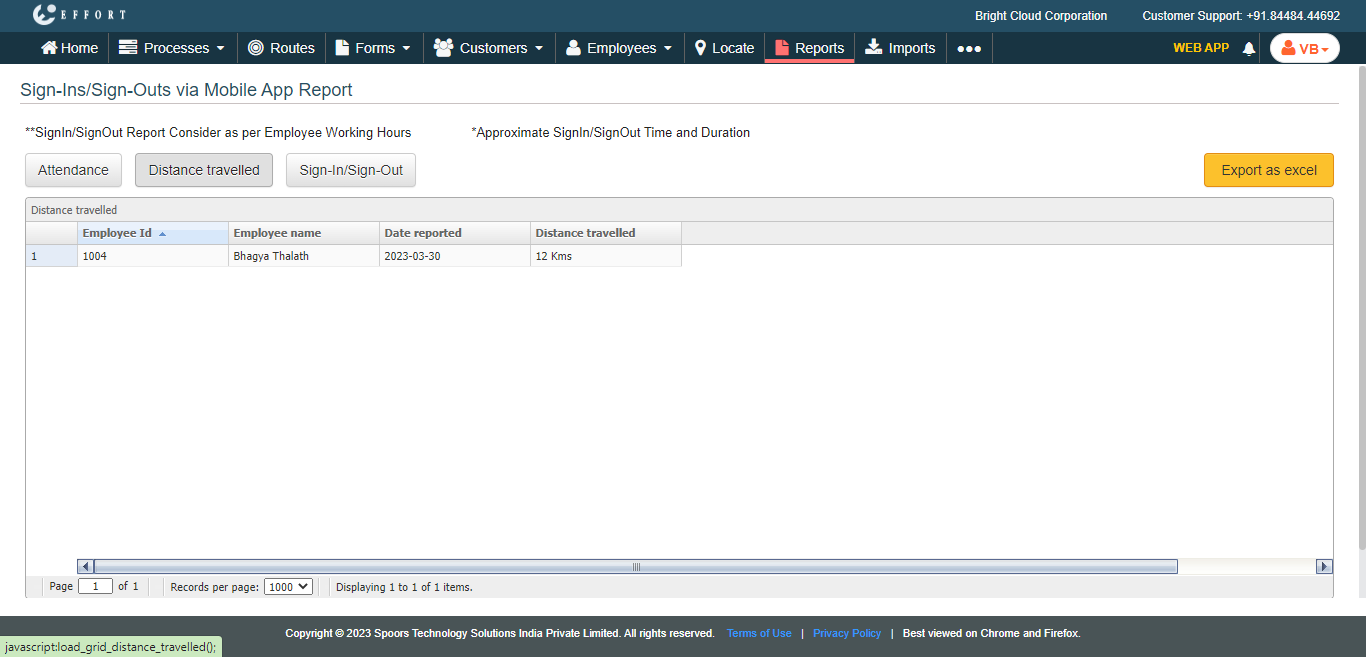
Click Distance travelled tab to view employee travelled
distance on the configured date.
- Optional:
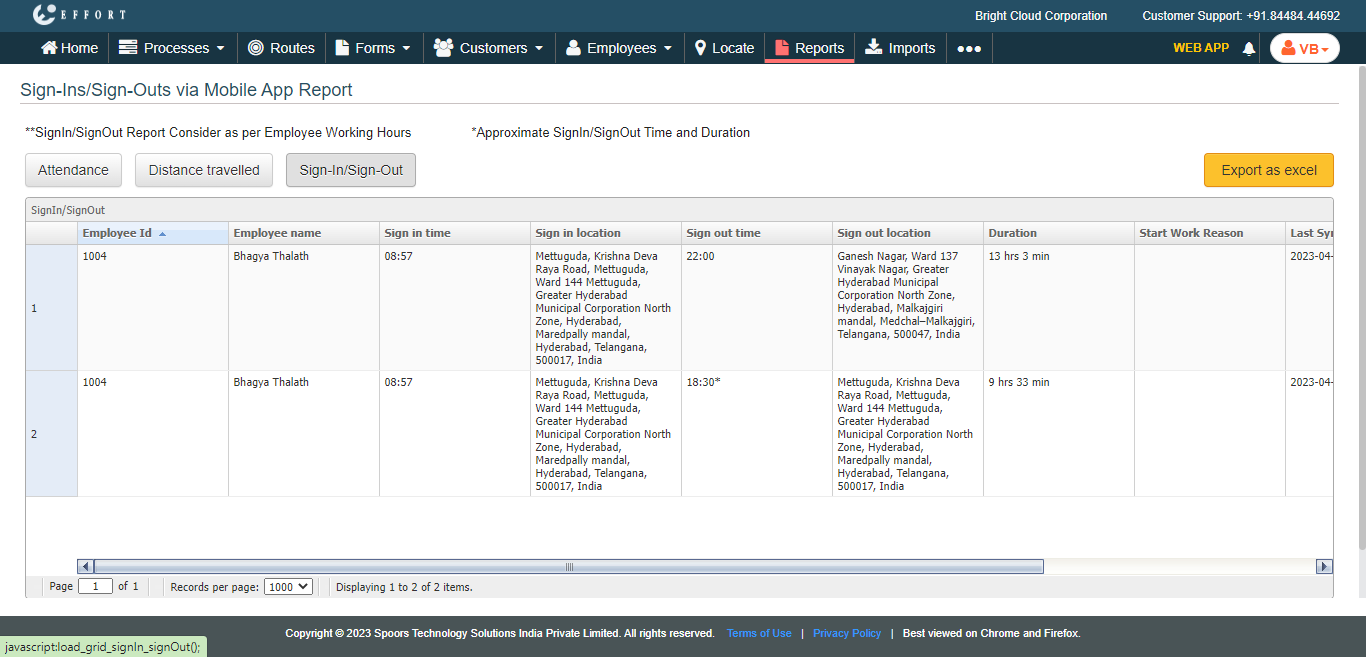
Click Sign-In/Sign-Out tab to view the employee sign-in
and sign-out details on the configured date.
- Click Export as Excel to download the report as an excel sheet.