

View Travel History
- Tap Travel history on the home screen or the navigation drawer.
-
Tap the
 icon to get the location visit
details.
icon to get the location visit
details.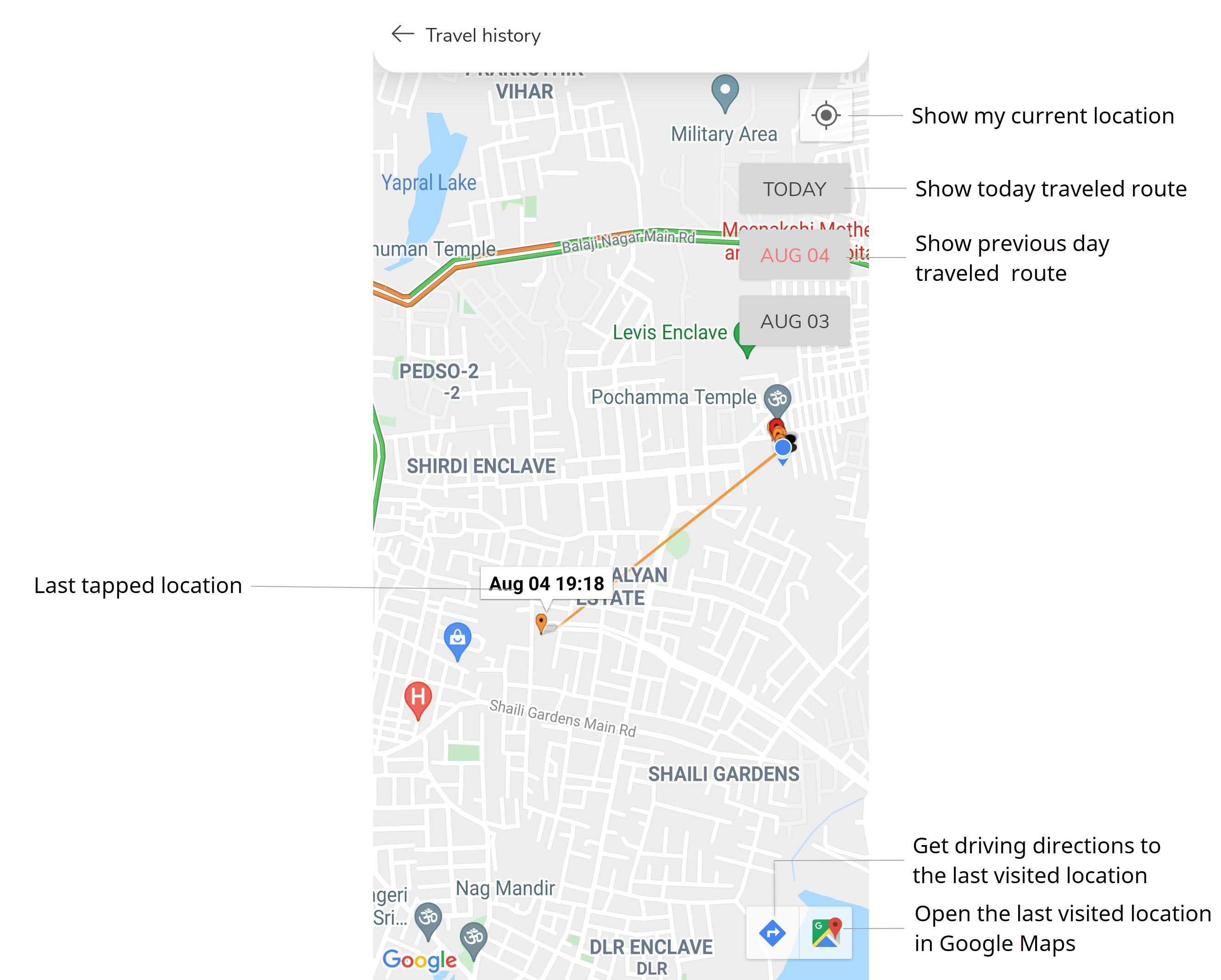
- Optional: Tap Today button to view the route travelled on today.
- Optional: Tap previous day buttons to view the route travelled on that day.
- Optional:
Tap a marker to display the date and time at that location.
Tapping a marker also shows two additional icons in the bottom right corner, which allow you to get the driving directions to the previous location and view the previous location in Google Maps.
- Optional:
Tap Driving Directions
 to get the driving directions to the previous location last
tapped on.
to get the driving directions to the previous location last
tapped on.
- Optional: Tap Google Maps icon in the bottom right corner to open previous location last tapped on in Google Maps.
- Optional:
Tap My Location
 to center the map to your location.
A blue dot shows where you are.
to center the map to your location.
A blue dot shows where you are.