

Modify Design in Employee Registration Flow
The Employee Registration Flow feature includes a predefined form template designed for creating employee records. By using the Modify Design option, you can customize this template according to your requirements.
When you click Modify Design, the predefined form template appears, displaying the default fields already configured for employee creation. You can perform the following actions:
-
Add new fields by dragging and dropping them onto the form.
-
Update existing fields and modify their properties.
-
Delete predefined fields that are no longer required.
To modify the design, follow the steps below:
-
Go to .
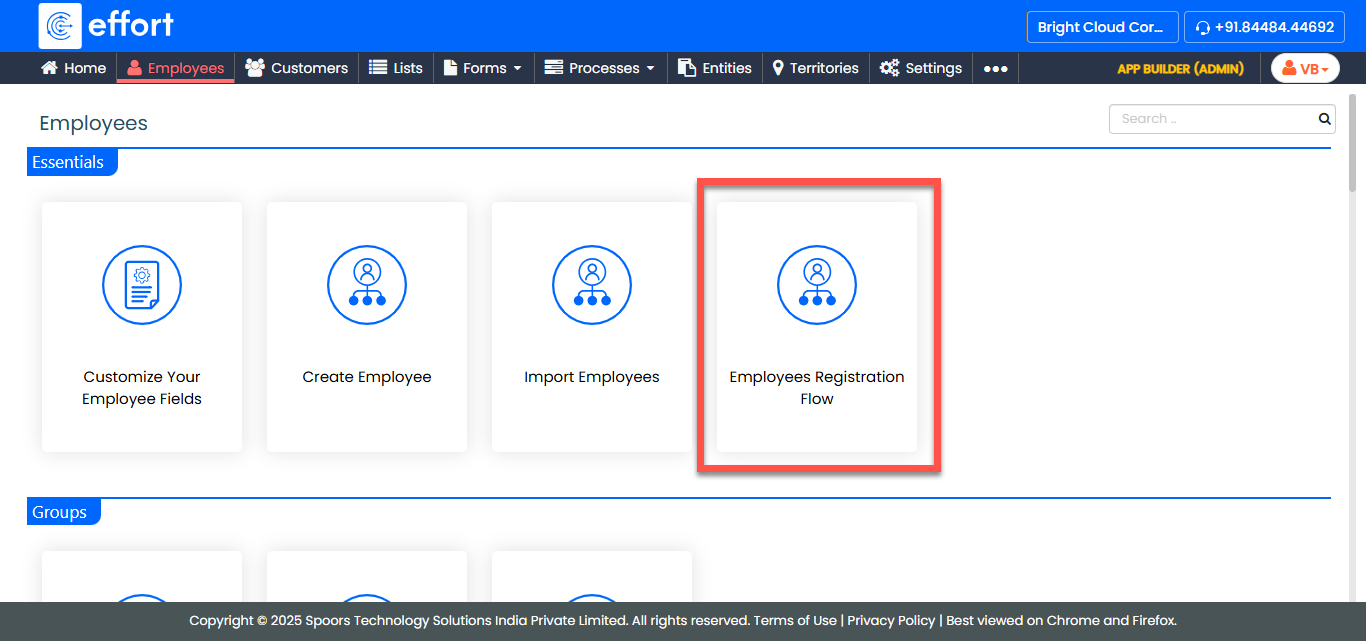
-
In the Employees page, click Modify Design.
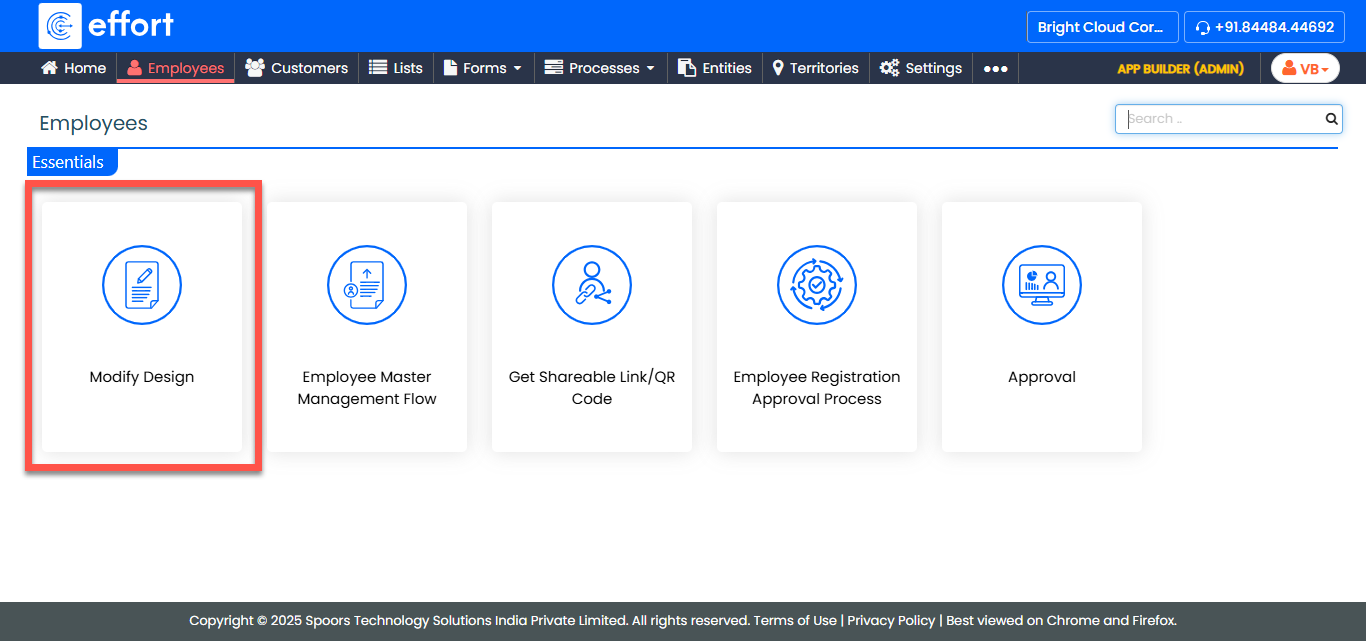
-
Add, update, or delete fields as needed by dragging, dropping, and configuring
their properties.
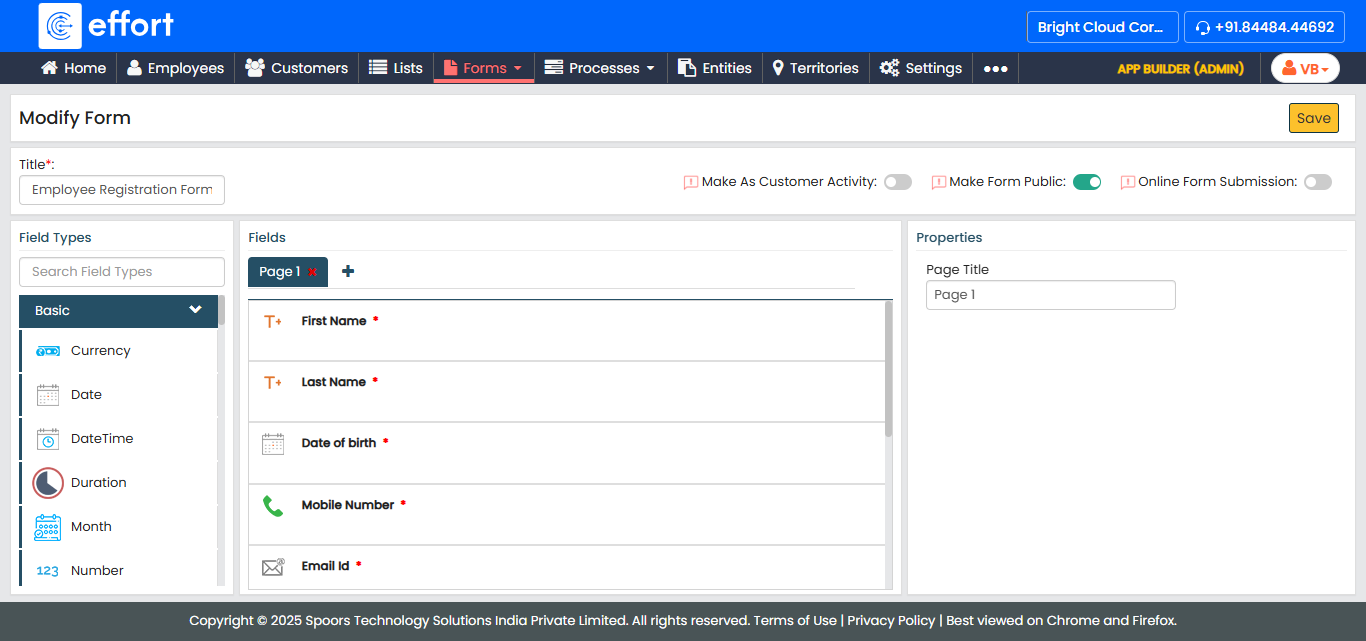
Note:Refer to the Related Information section at the end of this topic to learn more about the available fields and their properties.
- Click Save to apply your changes.