

Employee Registration Approval Process
The Employee Registration Approval Process allows you to define and customize the approval workflow for employee registration submissions.
By default, an employee group–based approval process is configured and assigned.
You can modify the existing approval process or add additional approval levels based on your organizational needs.
The platform supports multiple approval types, including:
-
Employee Group–Based Approval (default)
-
Role-Based Approval
-
Hierarchy-Based Approval
To configure the employee registration approval process, follow the steps below:
-
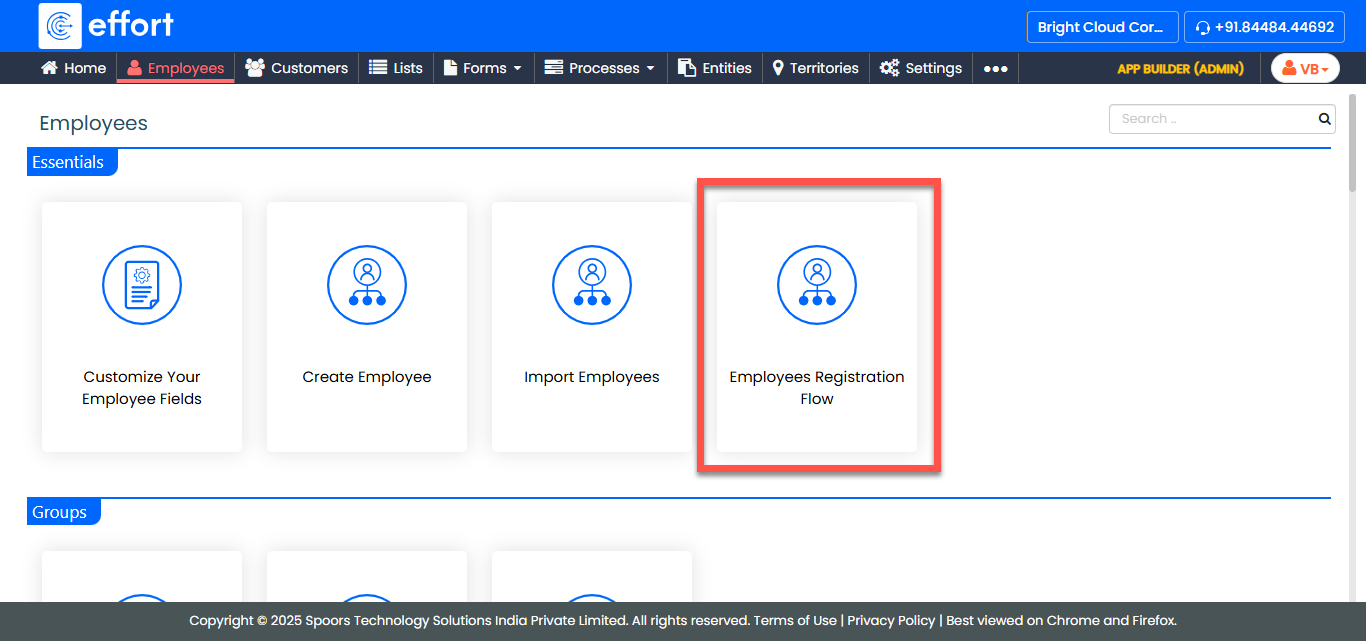
Go to .
-
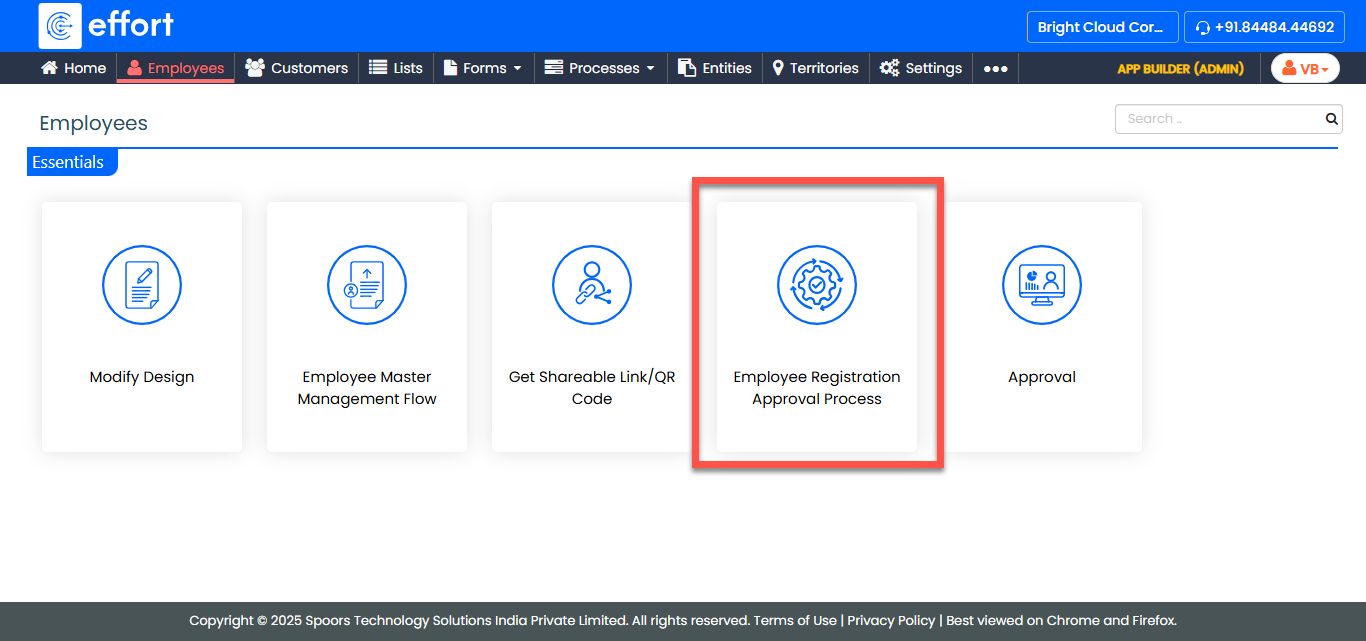
In the Employees page, click Employee Registration Approval
Process.
-
Update the following fields as needed:
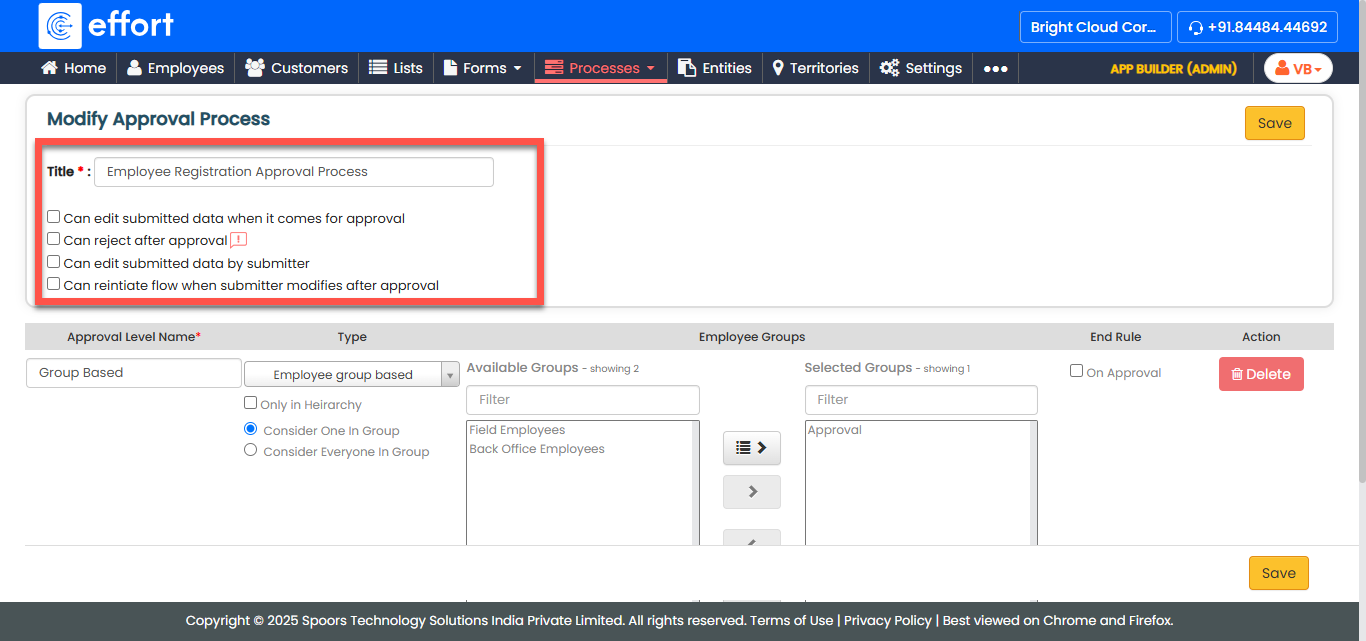
Field Description Title
Enter the title for the approval process.
Can edit submitted data when it comes for approval
Select the checkbox to allow approvers to edit the data during the approval stage.
Can reject after approval
Select the checkbox to allow approvers to reject even after approval.
Can edit submitted data by submitter
Select the checkbox to allow the submitter to edit the data after submission.
Can reinitiate flow when submitter modifies after approval
Select the checkbox to allow the reinitiation of the approval flow if the submitter edits the record after approval.
-
Configure the approval level as per your requirements:
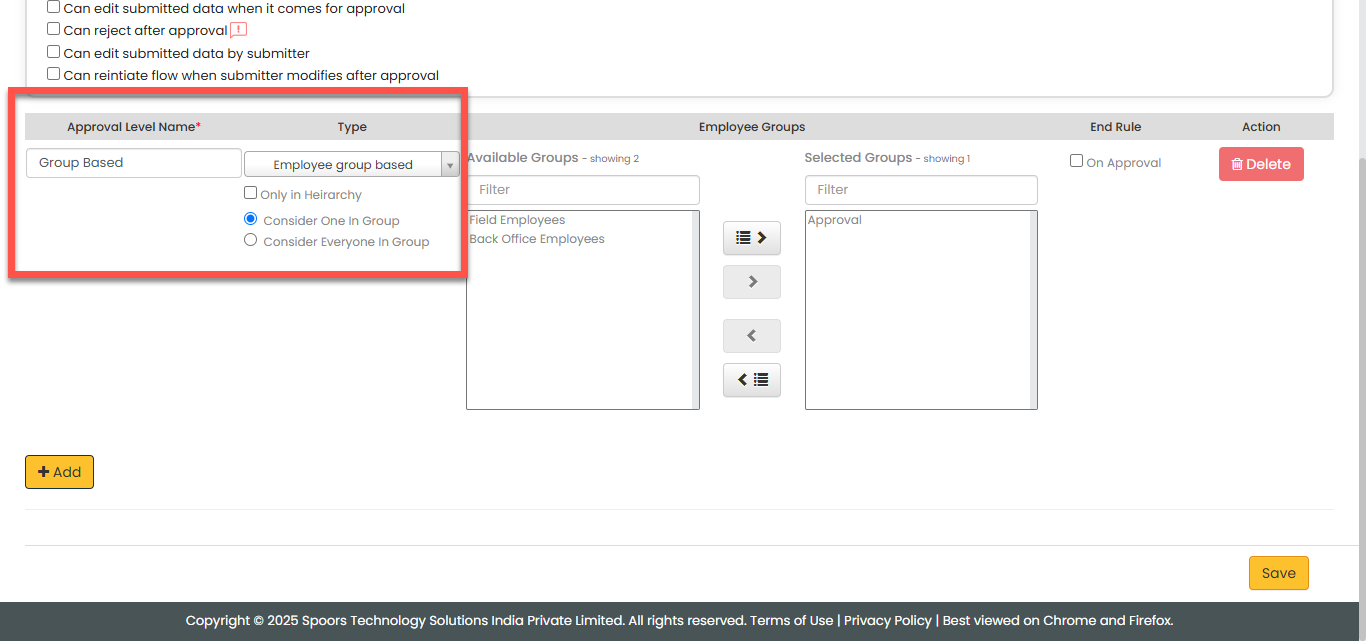
Field Description Approval Level Name
Enter a name for the approval level.
Type
Select the type of approval process. Available options:- Role-Based
- Employee Group–Based
- Hierarchy-Based
-
If Role-Based is selected:
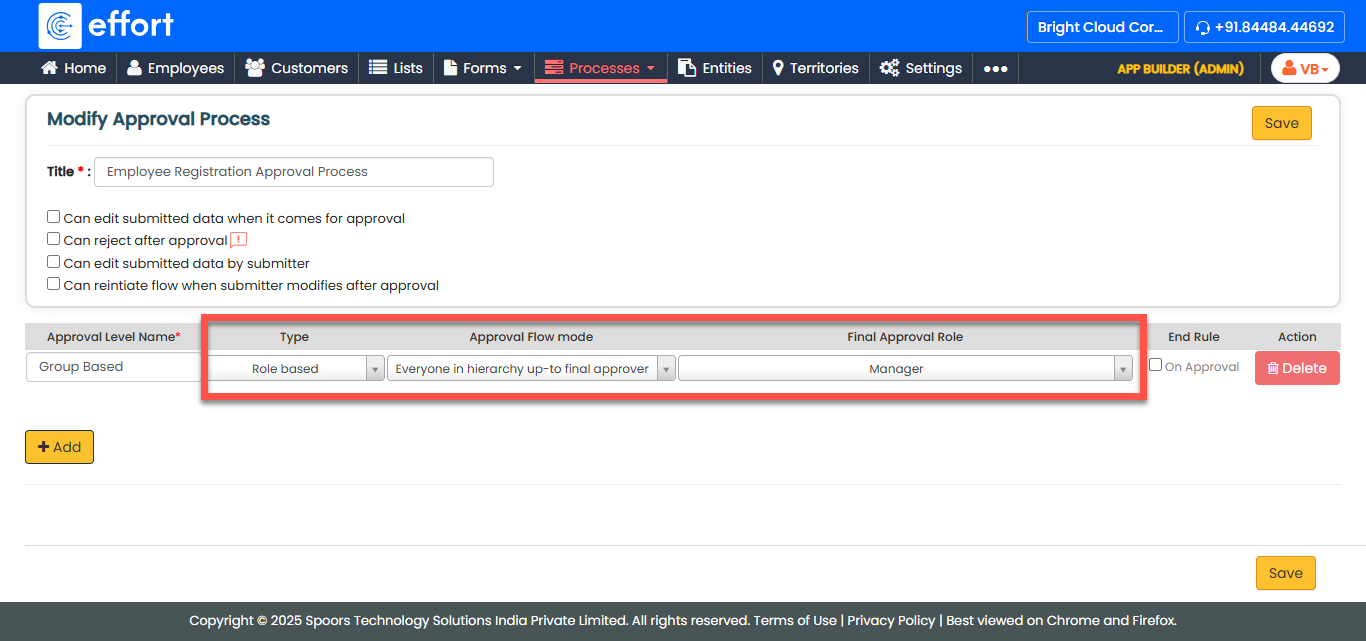
Field Description Approval Flow Mode
Select how the approval should progress. Options include:- Everyone in hierarchy up to final approver
- Direct to final approver
- Direct after immediate manager
- Parallel
Final Approval Role
Select the final approval role from the dropdown list.
Note: If roles are not available, refer to Roles. -
If Employee Group–Based is selected:
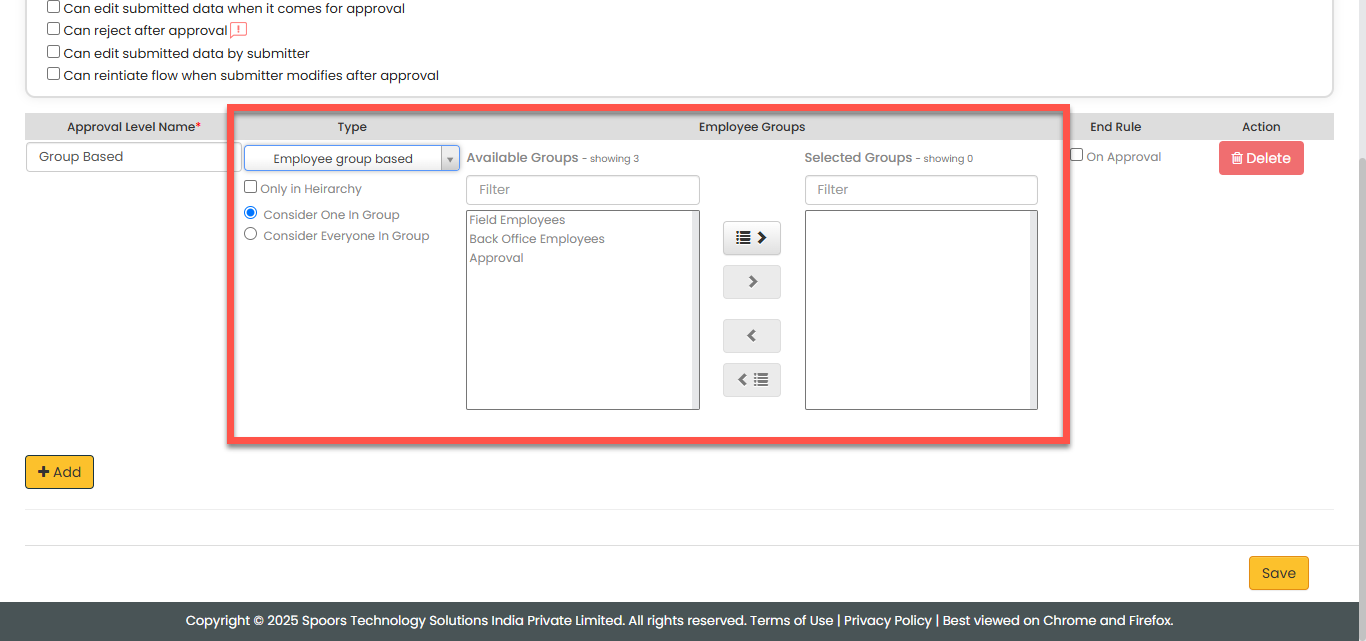
Field Description Only in Hierarchy
Select the checkbox if the approval should happen only within the employee hierarchy.
Consider One In Group
Select the checkbox to consider approval complete if any one member in the group approves.
Consider Everyone In Group
Select the checkbox if approval from all group members is required.
Employee Group
Select the employee group responsible for approval.
-
If Hierarchy-Based is selected:
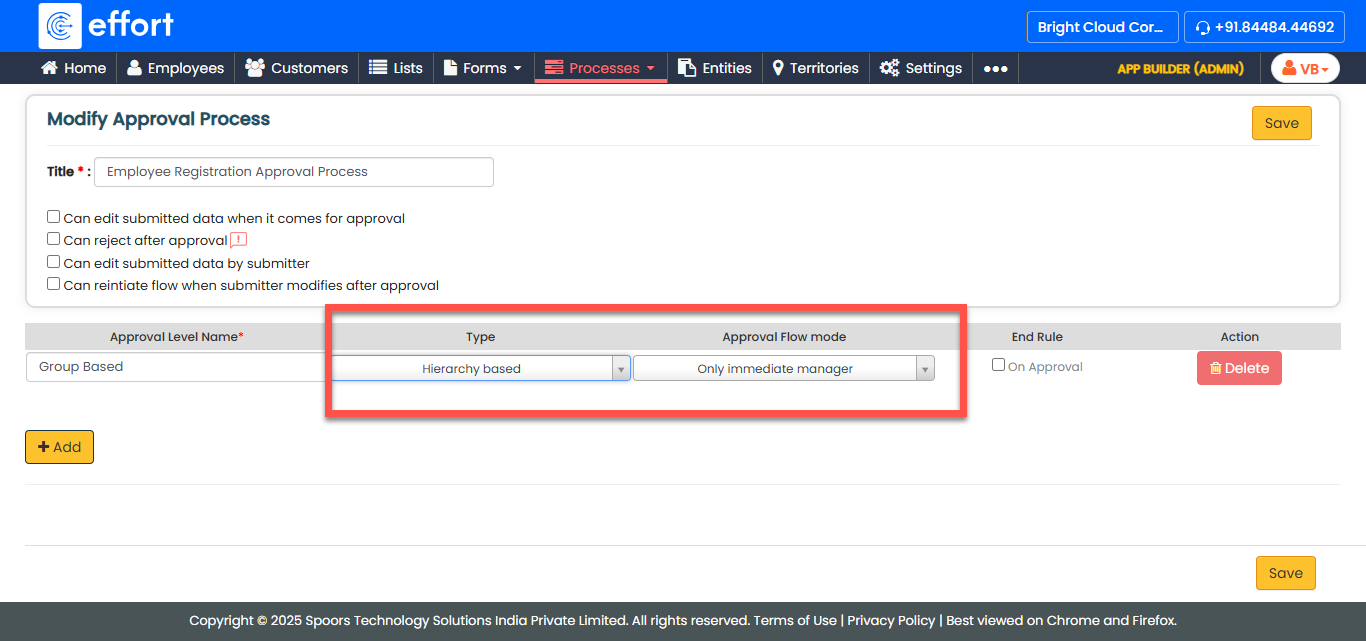
Field Description Approval Flow Mode
Select how the hierarchy-based approval should progress. Options include:- Only Immediate Manager
- Everyone in hierarchy up to top level
- Only Immediate Manager Complex Level
-
Click Add to create additional approval levels if needed.
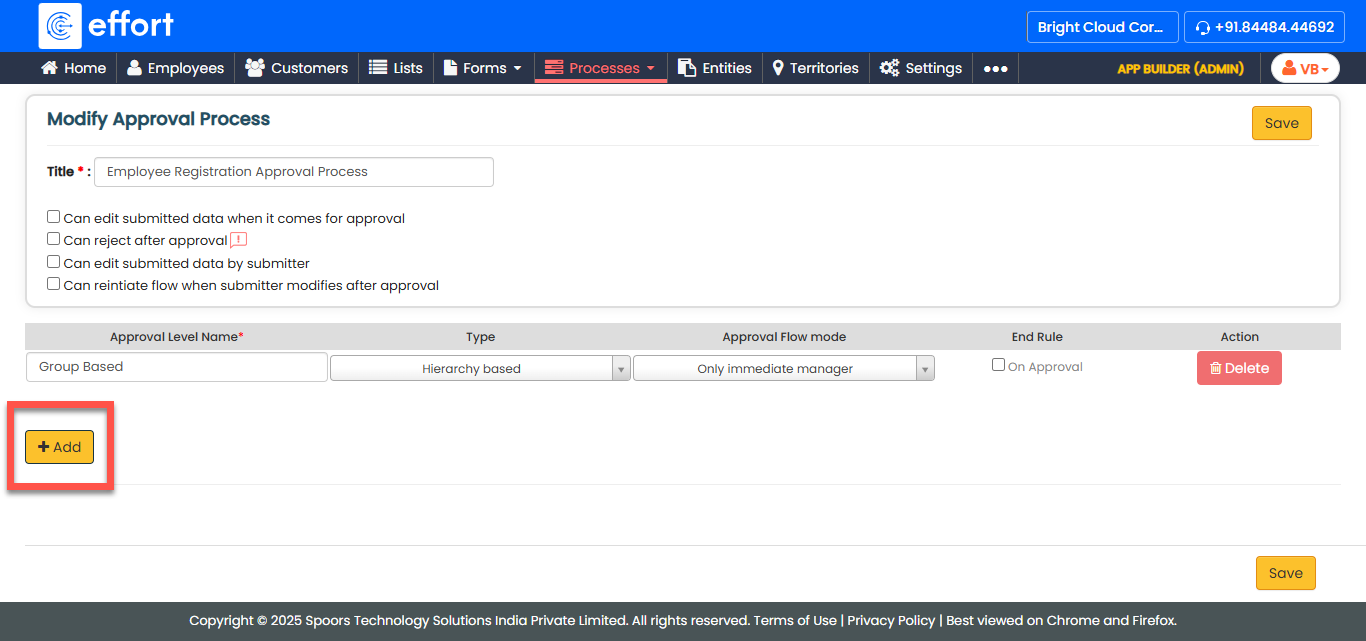
- Click Save to apply your configuration.